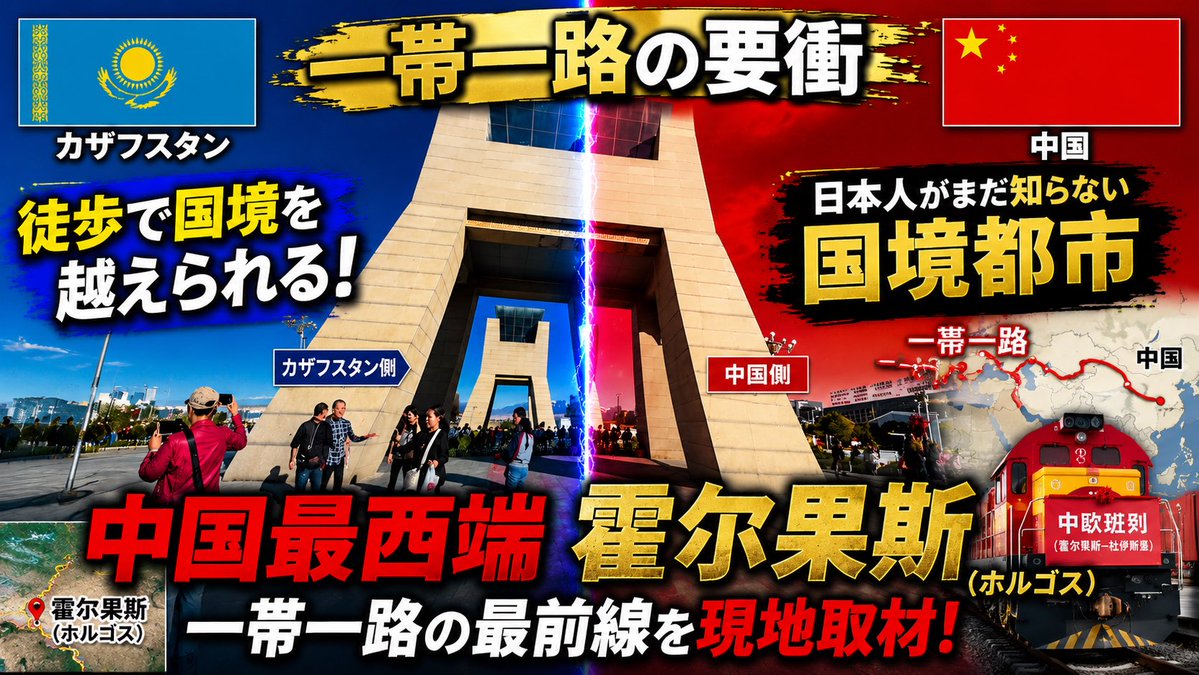
Dramatic Border City YouTube Thumbnail
Creates a bold Japanese documentary-style YouTube thumbnail from a border-gate reference photo with flags, maps, lightning, train imagery, and punchy headlines.
This is a gpt-image-2 prompt case for 平面海报. Use the copy-ready prompt below to generate similar visuals, and review YouMind OpenLab awesome-gpt-image-2 attribution plus commercial-use rights before reuse.

Prompt
Copy-ready prompt
Based on the provided reference image, redesign it into a visually striking Japanese-style YouTube travel/news thumbnail. Maintain the recognizability of the border crossing location, but crop it more tightly around the central monument; enhance contrast and saturation; add dramatic blue-red contrasting lighting in the center of the image, and mark the border line with a vertical lightning bolt beam to create a tense, documentary-style thumbnail atmosphere. Place the Kazakhstani flag in the upper left corner and the Chinese flag in the upper right corner, adding borders with shadows to them. Add a black and gold brushstroke banner at the top, and fill in the main title.{argument name="main title" default="A key point of the Belt and Road Initiative"} Add a large, bold Japanese typography with heavy shadows and color contrast; it must contain 16 visible text elements: 1) "カザフスタン", 2) "中国", 3){argument name="left hook" default="You can cross the border on foot!"} , 4) "カザフスタン side", 5) "China side", 6) "日本人がまだ知らない", 7){argument name="right headline" default="Border city"} 8) "One Belt One Road", 9) "China", 10){argument name="bottom red headline" default="The westernmost point of China"} , 11){argument name="city name" default="Horgos"} 12) "(Holgos)", 13) "The Frontline of the Belt and Road Initiative", 14) "On-site Research!", 15) "Holgos", 16) "China-Europe Railway Express". Add a small satellite map illustration in the lower left corner, marked with a red location point and the Khorgos label. Add a map graphic on the right, showing the red "Belt and Road" route and points, partially positioned after the title. Add a red freight train illustration/photo composite in the lower right corner, with "China-Europe Railway Express" labeled on the front. Use an exploded thumbnail design style: thick black outline, yellow/red/white text hierarchy, lens flare, vignetting effect, dirty brush background behind the text, and strong shadow effect. The final output is a 16:9 thumbnail composition.Prompt variables
Editable argument placeholders found in the prompt, with their default values.
More cases in this category
Prioritized by category, input mode compatibility, quality, and lower risk.






Reuse and source notes
Use this prompt safely after previewing the case.
- 1.Copy the prompt or open it directly in Dovoo with the generation button.
- 2.Adjust variables, aspect ratio, and reference images for your own use case.
- 3.Before publishing or paid usage, verify source rights, attribution requirements, and brand or likeness risks.
Can I use this prompt commercially?
Commercial-use status is unknown. Review the original source, license, brand constraints, and legal requirements before paid usage.
Where does this case come from?
This case is imported from YouMind OpenLab awesome-gpt-image-2; keep attribution visible and check the source URL before reuse.