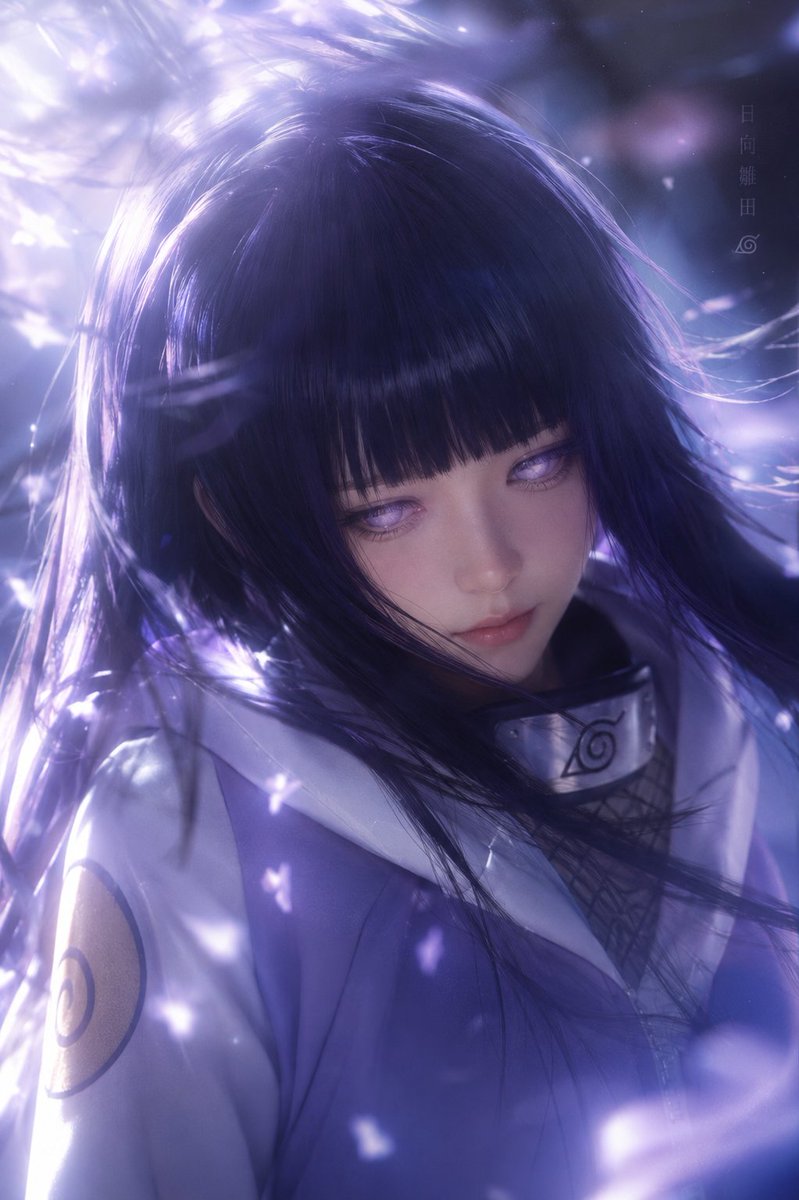
Cinematic Hinata Anime Portrait
Generates a moody purple-lit anime portrait of Hinata Hyuga with flowing hair, petals, shinobi clothing, and a centered face-covering censor square.
This is a gpt-image-2 prompt case for 人像角色. Use the copy-ready prompt below to generate similar visuals, and review YouMind OpenLab awesome-gpt-image-2 attribution plus commercial-use rights before reuse.
Prompt
Copy-ready prompt
Create a 2:3 aspect ratio vertical portrait in a cinematic anime style, featuring a character from Naruto.{argument name="character name" default="Hinata Hyuga"} The photo is taken from a three-quarter profile view, focusing on the upper chest. She has long {argument name="hair color" default="Deep indigo"} Her flowing hair, with bangs dramatically tousled in the wind, is partially obscured by a large, opaque, matte purple square at the center, concealing her eyes, nose, and mouth. She wears a pale purple and white ninja jacket with a high collar, a clearly visible Konoha Village metal headband around her neck, and a dark mesh undergarment with circular armbands on her upper arms. The scene is filled with luminous purple and white petals, soft particles, and flowing light swirling around her hair, while a strong backlight in the upper left creates a luminous and dreamlike atmosphere. The rendering employs a cool purple-blue tone, high-detail semi-realistic anime style, shallow depth of field, luminous halos, motion-blurred hair, and soft bokeh. Small vertical Japanese characters are added near the upper right corner.{argument name="vertical text" default="Hinata Hyuga"} Below is a small Konoha Village logo. No additional characters, watermarks, or modern objects should appear in the image, and the large square obstruction must be centered in the image.Prompt variables
Editable argument placeholders found in the prompt, with their default values.
More cases in this category
Prioritized by category, input mode compatibility, quality, and lower risk.






Reuse and source notes
Use this prompt safely after previewing the case.
- 1.Copy the prompt or open it directly in Dovoo with the generation button.
- 2.Adjust variables, aspect ratio, and reference images for your own use case.
- 3.Before publishing or paid usage, verify source rights, attribution requirements, and brand or likeness risks.
Can I use this prompt commercially?
Commercial-use status is unknown. Review the original source, license, brand constraints, and legal requirements before paid usage.
Where does this case come from?
This case is imported from YouMind OpenLab awesome-gpt-image-2; keep attribution visible and check the source URL before reuse.