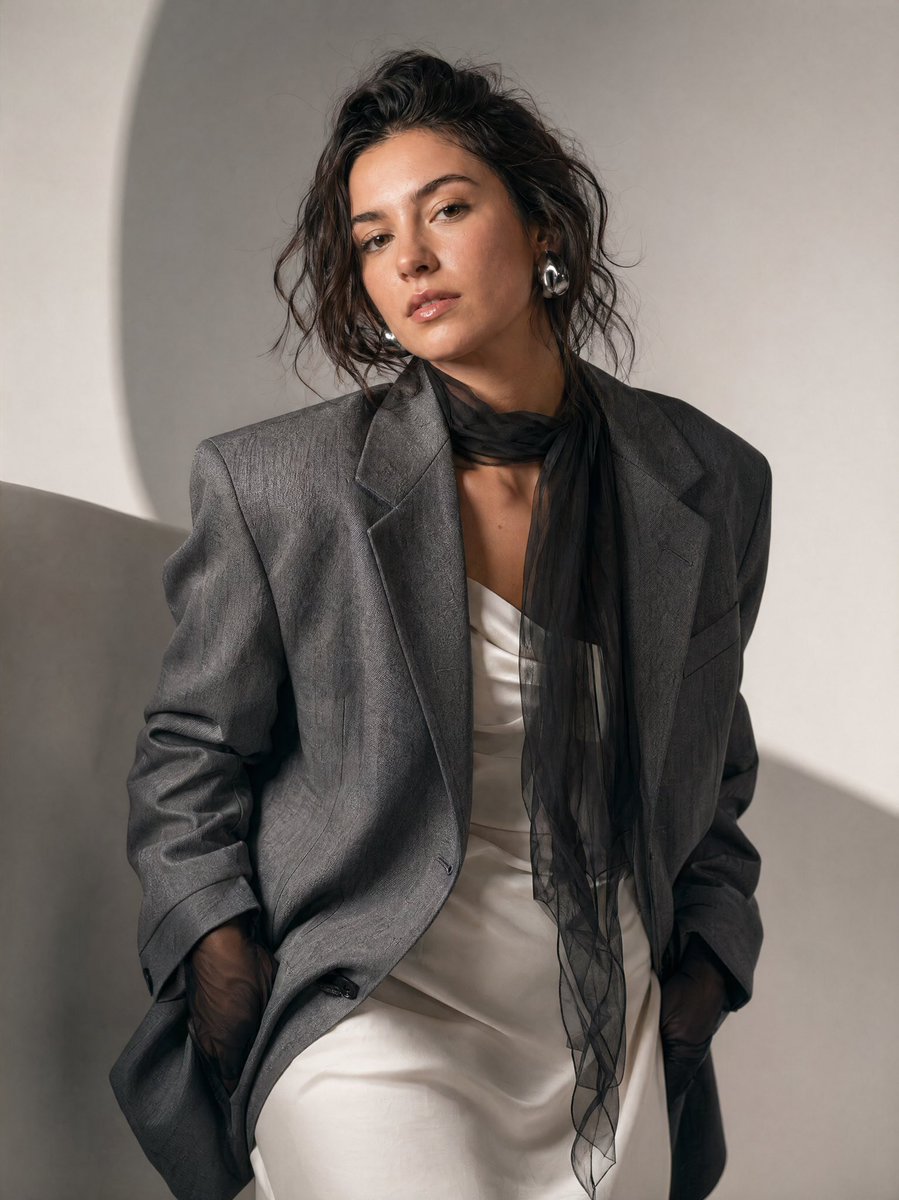
High-Fashion Editorial Portrait Prompt
A detailed fashion photography prompt for generating a luxury editorial portrait in a minimalist studio setting.
This is a gpt-image-2 prompt case for Fashion & Beauty. Use the copy-ready prompt below to generate similar visuals, and review YouMind OpenLab awesome-gpt-image-2 attribution plus commercial-use rights before reuse.
Prompt
Copy-ready prompt
A portrait of a high-fashion editor, with the main subject being {argument name="subject" default="woman"} The scene is set in{argument name="setting" default="Minimalist Photography Studio"} She leans slightly forward, her head tilted to the side, creating a dynamic and asymmetrical composition. Her expression is neutral and confident, her gaze deep and direct at the camera. She wears a structured, oversized garment.{argument name="clothing" default="gray suit jacket"} She wore a soft white dress underneath a coat with a delicately textured pattern. A black sheer scarf was tied around her neck, hanging loosely to add contrast and fluidity. Her hands were half-tucked into her suit pockets, revealing black sheer gloves. Her hairstyle was a slightly messy, casual updo, with a few strands falling beside her cheeks. She wore bold, modern silver earrings. Her makeup was natural and dewy, with soft eye contours and a neutral lip color. The lighting was soft and even, creating delicate shadows and a clean, editorial feel. The background was minimalist, presenting a smooth, light gray tone with subtle curves that added depth without being distracting. The color palette was soft and sophisticated: gray, white, and black dominated the entire image. The overall atmosphere was elegant, modern, and slightly melancholic, like a high-fashion magazine photoshoot. Style keywords: fashion editor, minimalism, soft lighting, neutral tones, modern elegance, high detail, shallow depth of field, studio photography, cinematic composition.Prompt variables
Editable argument placeholders found in the prompt, with their default values.
Variable
subject
Default
woman
Variable
setting
Default
Minimalist Photography Studio
Variable
clothing
Default
gray suit jacket
Reuse and source notes
Use this prompt safely after previewing the case.
- 1.Copy the prompt or open it directly in Dovoo with the generation button.
- 2.Adjust variables, aspect ratio, and reference images for your own use case.
- 3.Before publishing or paid usage, verify source rights, attribution requirements, and brand or likeness risks.
Can I use this prompt commercially?
Commercial-use status is unknown. Review the original source, license, brand constraints, and legal requirements before paid usage.
Where does this case come from?
This case is imported from YouMind OpenLab awesome-gpt-image-2; keep attribution visible and check the source URL before reuse.