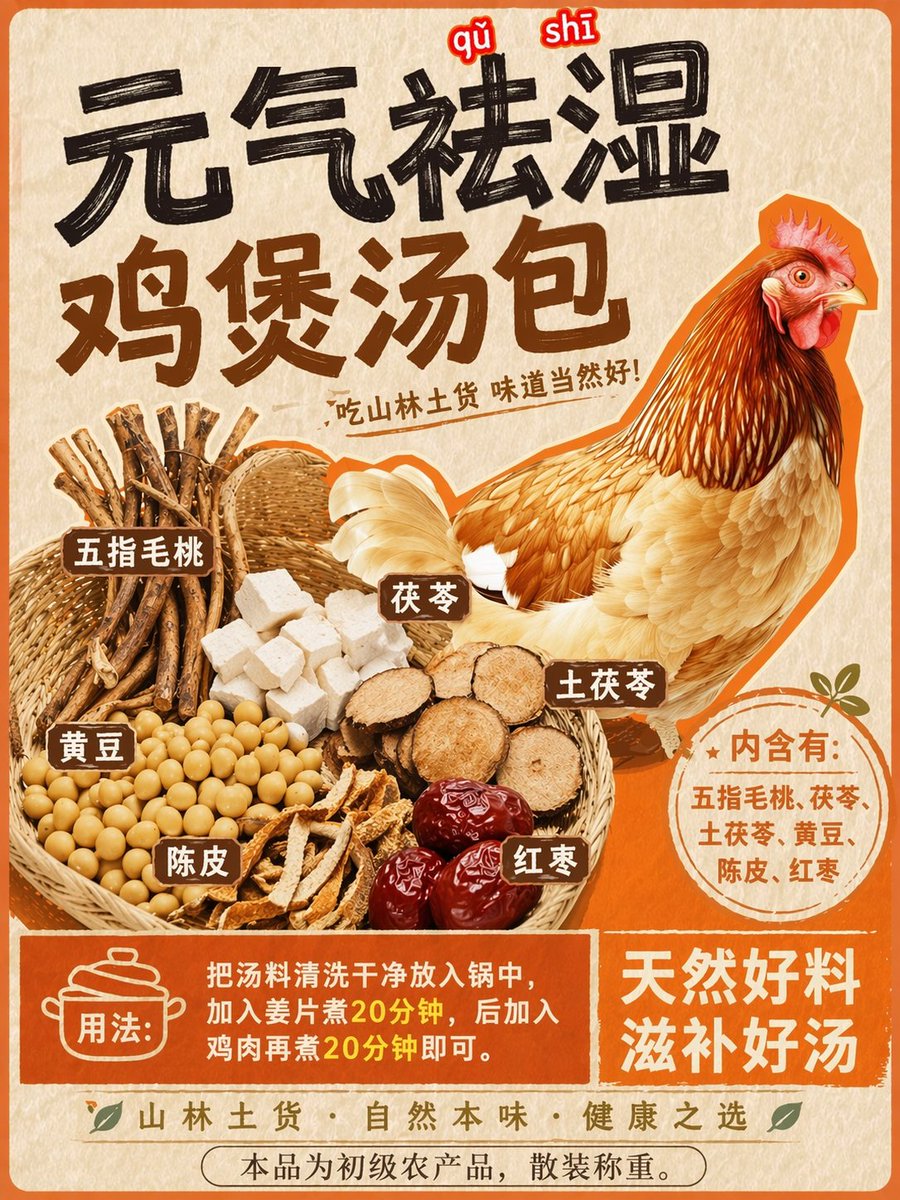
Herbal Chicken Soup Label Transformation
Transforms a promotional chicken poster into a detailed product label with a basket of specific herbal ingredients and instructional text.
This is a gpt-image-2 prompt case for 产品商业. Use the copy-ready prompt below to generate similar visuals, and review YouMind OpenLab awesome-gpt-image-2 attribution plus commercial-use rights before reuse.

Prompt
Copy-ready prompt
Based on the REFERENCE_0 style, while retaining the central chicken illustration, the image was transformed into a product packaging label for a medicinal soup packet. The chicken was moved to the right. The top text was replaced with a striking, large, black-stroke title.{argument name="main headline" default="Vitality-Boosting and Dampness-Clearing Chicken Soup Pack"} and smaller subheadings{argument name="subtitle" default="Food from the mountains and forests tastes delicious!"} Add a brand new woven basket on the left, containing six different piles of ingredients: woody root vegetables, white cubes, round brown root vegetable slices, soybeans, dried tangerine peel strips, and dark red dates. Label these ingredients with six small brown rectangles with white text. Below the chicken, add a round orange badge with text inside.{argument name="ingredients list" default="It contains: five-finger peach, poria cocos, smilax glabra, soybean, dried tangerine peel, and red dates."} At the bottom, create a solid orange rectangular banner containing a cooking pot icon and text.{argument name="usage instructions" default="Instructions: Rinse the soup ingredients and put them in a pot. Add ginger slices and cook for 20 minutes. Then add chicken and cook for another 20 minutes."} And a supplementary slogan{argument name="bottom slogan" default="Natural and nourishing soup"} .Prompt variables
Editable argument placeholders found in the prompt, with their default values.
More cases in this category
Prioritized by category, input mode compatibility, quality, and lower risk.






Reuse and source notes
Use this prompt safely after previewing the case.
- 1.Copy the prompt or open it directly in Dovoo with the generation button.
- 2.Adjust variables, aspect ratio, and reference images for your own use case.
- 3.Before publishing or paid usage, verify source rights, attribution requirements, and brand or likeness risks.
Can I use this prompt commercially?
Commercial-use status is unknown. Review the original source, license, brand constraints, and legal requirements before paid usage.
Where does this case come from?
This case is imported from YouMind OpenLab awesome-gpt-image-2; keep attribution visible and check the source URL before reuse.