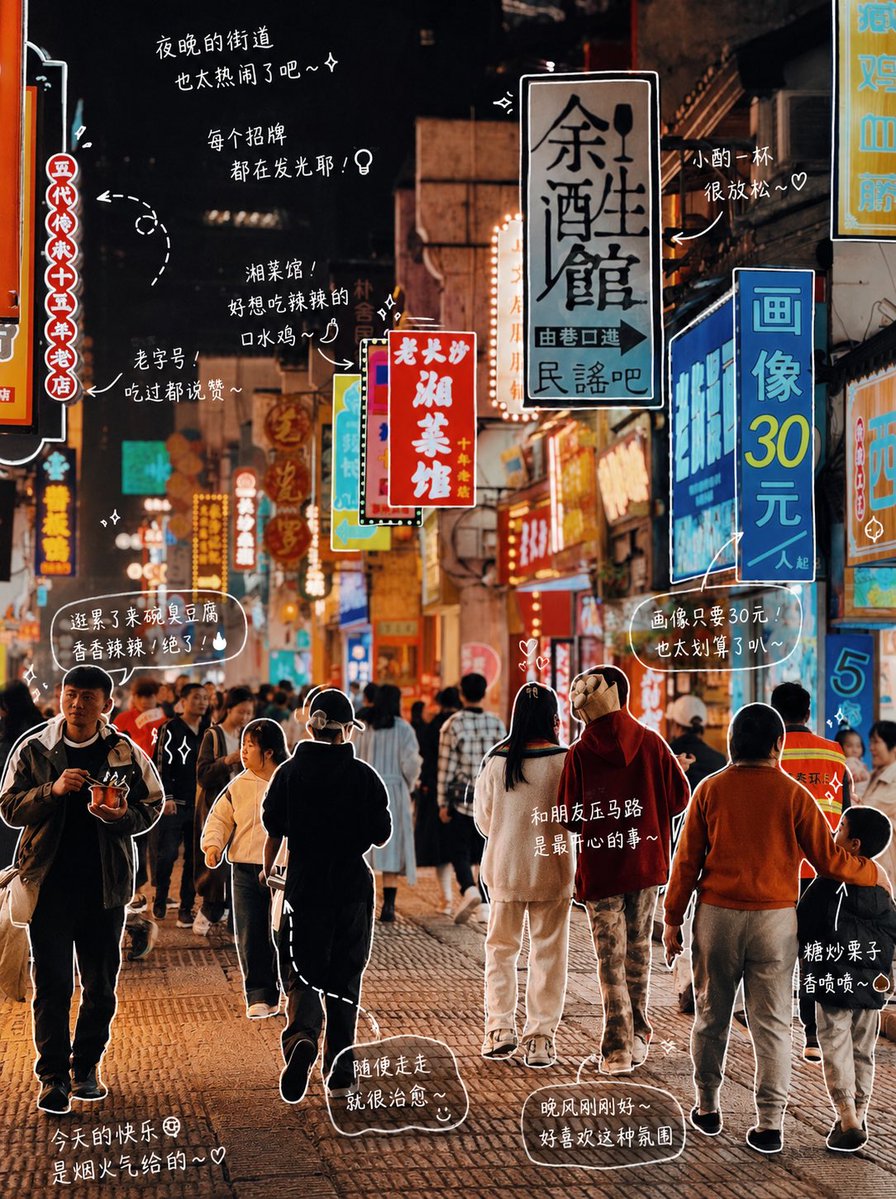
Hand-drawn Photo Annotation
A specialized prompt for adding cute, hand-drawn annotations and handwritten notes to photos, creating a Japanese diary aesthetic.
This is a gpt-image-2 prompt case for 插画艺术. Use the copy-ready prompt below to generate similar visuals, and review YouMind OpenLab awesome-gpt-image-2 attribution plus commercial-use rights before reuse.
Prompt
Copy-ready prompt
Edit the photo: Observe the elements in the photo and add meaningful hand-drawn style labels to each object. Fill in the objects in the photo (e.g.:{argument name="item list" default="Pizza, soda"} [Drawing Rules]: • Use thin, hand-drawn lines similar to a white brush. • One-stroke style, free and slightly irregular. • Add outlines to objects. • Use arrows or dotted lines for visual guidance. [Text Rules]: • Handwritten font (cute Japanese style). • Short sentences, like talking to yourself. • Diary style with emotional color. [Annotation Rules]: • Drinks -> taste, temperature, mood (e.g., refreshing, slightly sweet, just right). • Food -> texture, deliciousness (e.g., soft and sticky, super delicious). • Space -> atmosphere (e.g., very relaxing, I like this feeling). • Overall -> a summary sentence (e.g.,{argument name="mood summary" default="I'm feeling a little happy today~"} [Decoration]: • Add elements such as steam, glitter, hearts, stars, and emoticons as needed. Avoid over-decoration and leave some white space.Prompt variables
Editable argument placeholders found in the prompt, with their default values.
More cases in this category
Prioritized by category, input mode compatibility, quality, and lower risk.






Reuse and source notes
Use this prompt safely after previewing the case.
- 1.Copy the prompt or open it directly in Dovoo with the generation button.
- 2.Adjust variables, aspect ratio, and reference images for your own use case.
- 3.Before publishing or paid usage, verify source rights, attribution requirements, and brand or likeness risks.
Can I use this prompt commercially?
Commercial-use status is unknown. Review the original source, license, brand constraints, and legal requirements before paid usage.
Where does this case come from?
This case is imported from YouMind OpenLab awesome-gpt-image-2; keep attribution visible and check the source URL before reuse.