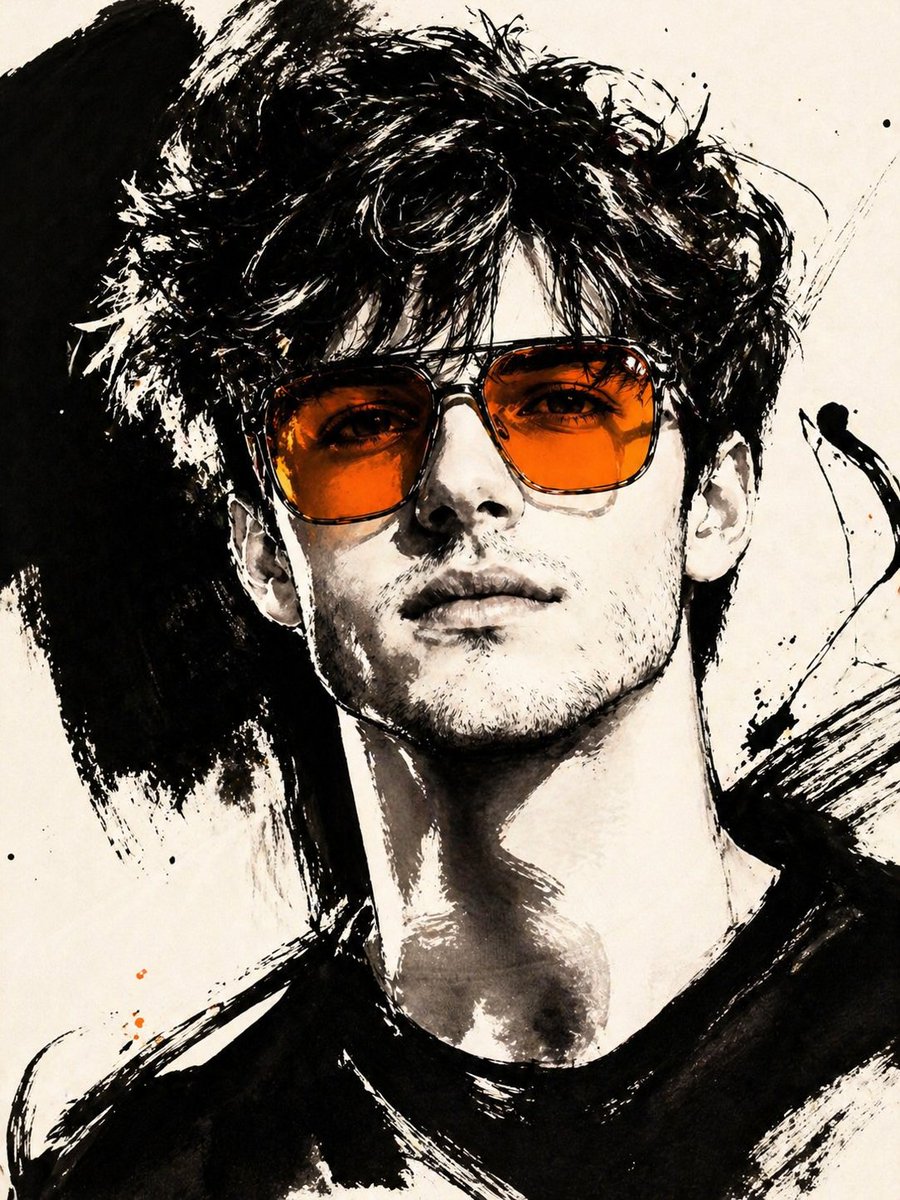
Gestural Ink Fashion Illustration
An advanced image-to-image prompt that transforms a photo into a bold, high-fashion black ink illustration with a specific color accent.
This is a gpt-image-2 prompt case for 时尚美妆. Use the copy-ready prompt below to generate similar visuals, and review YouMind OpenLab awesome-gpt-image-2 attribution plus commercial-use rights before reuse.

Prompt
Copy-ready prompt
ASPECT_RATIO: [{argument name="长宽比" default="3:4"} SOURCE_IMAGE: [{argument name="参考图" default="Uploaded photos"} ACCENT_COLOR: [{argument name="点缀色" default="Single, vibrant highlight color"} Use the uploaded photo as the base image and sole source of identity. Keep the subject completely consistent and clearly identifiable. Ignore the original composition; always recompose it into a compact close-up or upper-body edited crop, making the face the main focus. Transform the image into a gesture-style, editable ink fashion illustration. The style must be constructed with bold black strokes, not delicate sketch lines. Use: extremely thick black strokes, broad dry-brush strokes, large asymmetrical black ink blocks, long and free-flowing calligraphic lines, broken outlines, auxiliary lines with a scraped feel, strong black and white contrast (ivory background), smooth monochrome skin, and bold strokes must dominate. Do not primarily use fine outlines to draw the portrait. Do not make it appear neat, delicate, or soft. The image should have a painterly feel, saturated with ink, and finish with sharp, expressive strokes. Maintain the portrait's fashionable and haute couture feel. Use one key accessory, preferably oversized, semi-transparent tinted sunglasses. The accent color [ACCENT_COLOR] must be prominently featured in the accessory, especially the lenses, and should be a bold, bright hue. Only a very small amount of similar color accents are permitted elsewhere.Prompt variables
Editable argument placeholders found in the prompt, with their default values.
More cases in this category
Prioritized by category, input mode compatibility, quality, and lower risk.






Reuse and source notes
Use this prompt safely after previewing the case.
- 1.Copy the prompt or open it directly in Dovoo with the generation button.
- 2.Adjust variables, aspect ratio, and reference images for your own use case.
- 3.Before publishing or paid usage, verify source rights, attribution requirements, and brand or likeness risks.
Can I use this prompt commercially?
Commercial-use status is unknown. Review the original source, license, brand constraints, and legal requirements before paid usage.
Where does this case come from?
This case is imported from YouMind OpenLab awesome-gpt-image-2; keep attribution visible and check the source URL before reuse.