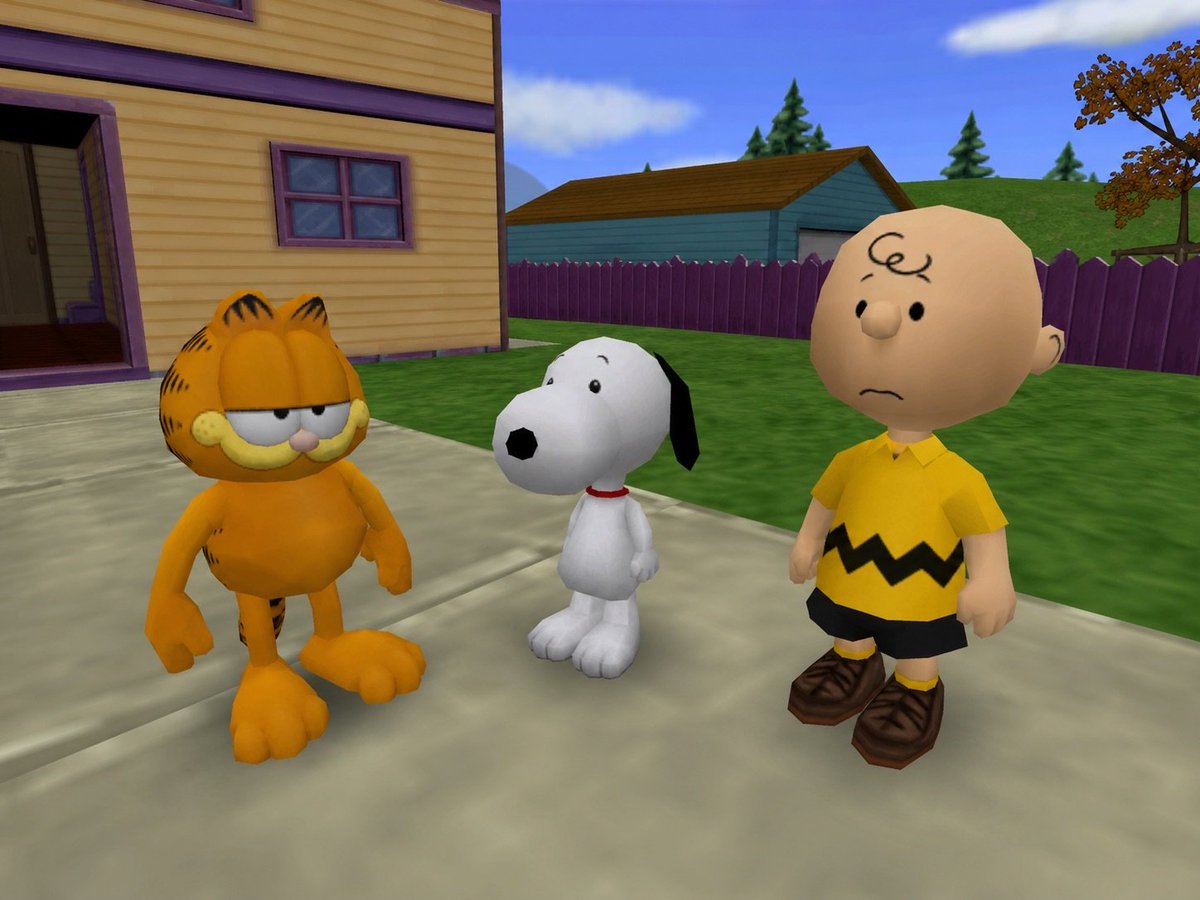
3D Cartoon Crossover Suburban Scene
Generates a low-poly early-2000s game-style suburban scene with Garfield, Snoopy, and Charlie Brown standing together outdoors.
This is a gpt-image-2 prompt case for Anime & Game. Use the copy-ready prompt below to generate similar visuals, and review YouMind OpenLab awesome-gpt-image-2 attribution plus commercial-use rights before reuse.
Prompt
Copy-ready prompt
Create a bright and nostalgic 3D cartoon video game scene, featuring three iconic characters standing side-by-side on a suburban sidewalk:{argument name="left character" default="Garfield"} On the left is an orange striped cat with droopy, half-closed eyes and a bored expression;{argument name="middle character" default="Snoopy"} In the center is a small white beagle with black ears, a black nose, and a red collar; and{argument name="right character" default="Charlie Brown"} On the right is a bald, round-faced little boy wearing a yellow shirt with black jagged stripes, black shorts, yellow socks, and brown shoes. The background is a yellow wooden house with purple accents, an open porch, and a small window with a purple frame; the foreground is a light-colored concrete path with green lawns, purple picket fences, a cyan garage-style building, undulating grassy slopes, pine trees, an autumn tree, blue sky, and soft white clouds. Employing the low-poly aesthetics of early 21st-century console games, with rounded, toy-like proportions, smooth, simple textures, saturated colors, slightly exaggerated heads and feet, soft sunlight, and a fixed third-person camera perspective that slightly looks down on the three characters, the three characters appearing somewhat confused or indifferent.Prompt variables
Editable argument placeholders found in the prompt, with their default values.
Variable
left character
Default
Garfield
Variable
middle character
Default
Snoopy
Variable
right character
Default
Charlie Brown
Reuse and source notes
Use this prompt safely after previewing the case.
- 1.Copy the prompt or open it directly in Dovoo with the generation button.
- 2.Adjust variables, aspect ratio, and reference images for your own use case.
- 3.Before publishing or paid usage, verify source rights, attribution requirements, and brand or likeness risks.
Can I use this prompt commercially?
Commercial-use status is unknown. Review the original source, license, brand constraints, and legal requirements before paid usage.
Where does this case come from?
This case is imported from YouMind OpenLab awesome-gpt-image-2; keep attribution visible and check the source URL before reuse.