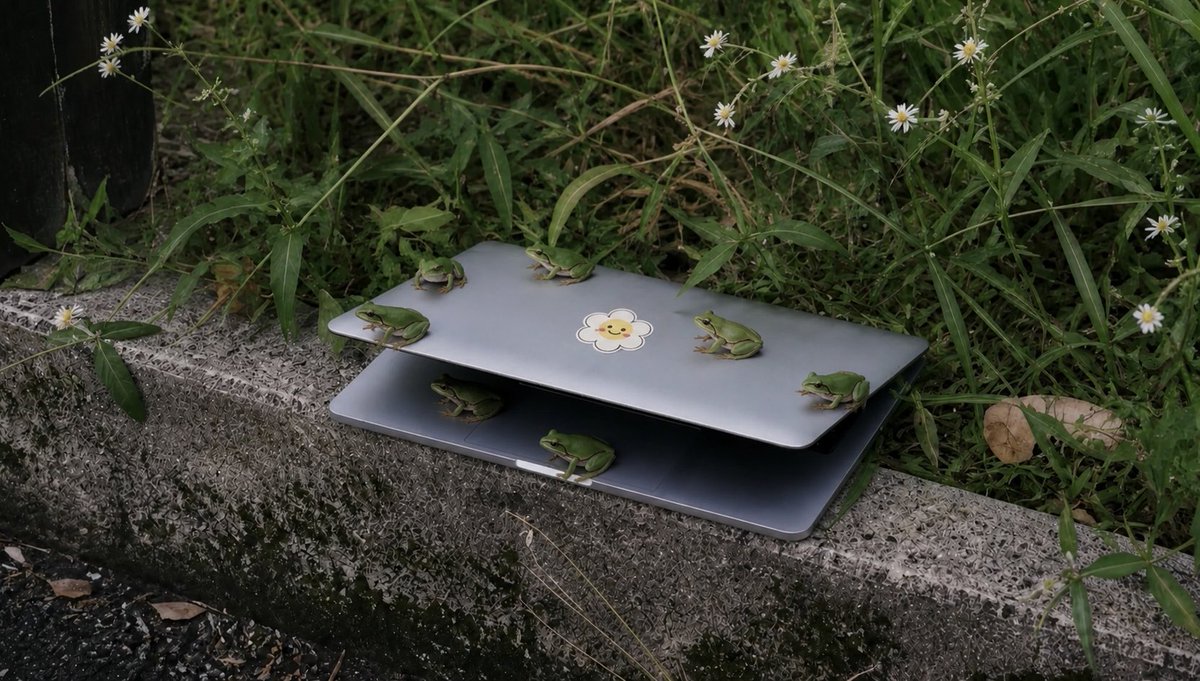
Frogs on a Laptop in Wild Grass
A realistic outdoor photo prompt showing six small green frogs gathered on a partially open laptop beside overgrown grass and wildflowers.
This is a gpt-image-2 prompt case for 风景自然. Use the copy-ready prompt below to generate similar visuals, and review YouMind OpenLab awesome-gpt-image-2 attribution plus commercial-use rights before reuse.
Prompt
Copy-ready prompt
Create a realistic, documentary-style outdoor photograph showcasing a semi-open {argument name="device" default="silver laptop"} It sat on a rough concrete curb beside overgrown weeds. The laptop was only a few inches open, like a shelter, with a shadowy gap between the lid and the base, and a cute little sticker in the center of the top cover.{argument name="sticker design" default="Smiley Flower Stickers"} The image needs to precisely depict six small green tree frogs: four frogs perched on the roof, including one facing left on the left edge, one facing left in the center behind, one facing left in the center on the right, and one facing left on the far right edge; two frogs in the lower half or below, including one curled up in a shadowy crevice on the left, and another sitting facing right in the center of the lower front edge. The scene is surrounded by tall, tangled green weeds, slender stems, and small white daisy-like wildflowers. A withered brown leaf is visible on the right, and a dark, vertical object is faintly visible on the far left edge. Soft, natural colors, soft lighting under overcast skies, and shallow depth of field are used to realistically depict the texture of moss-covered, stained curb stones, creating a slightly eerie atmosphere of "many small animals gathered around abandoned objects." The composition is horizontal (16:9), low-angle, with no human figures, no added text, and no watermark.Prompt variables
Editable argument placeholders found in the prompt, with their default values.
More cases in this category
Prioritized by category, input mode compatibility, quality, and lower risk.






Reuse and source notes
Use this prompt safely after previewing the case.
- 1.Copy the prompt or open it directly in Dovoo with the generation button.
- 2.Adjust variables, aspect ratio, and reference images for your own use case.
- 3.Before publishing or paid usage, verify source rights, attribution requirements, and brand or likeness risks.
Can I use this prompt commercially?
Commercial-use status is unknown. Review the original source, license, brand constraints, and legal requirements before paid usage.
Where does this case come from?
This case is imported from YouMind OpenLab awesome-gpt-image-2; keep attribution visible and check the source URL before reuse.