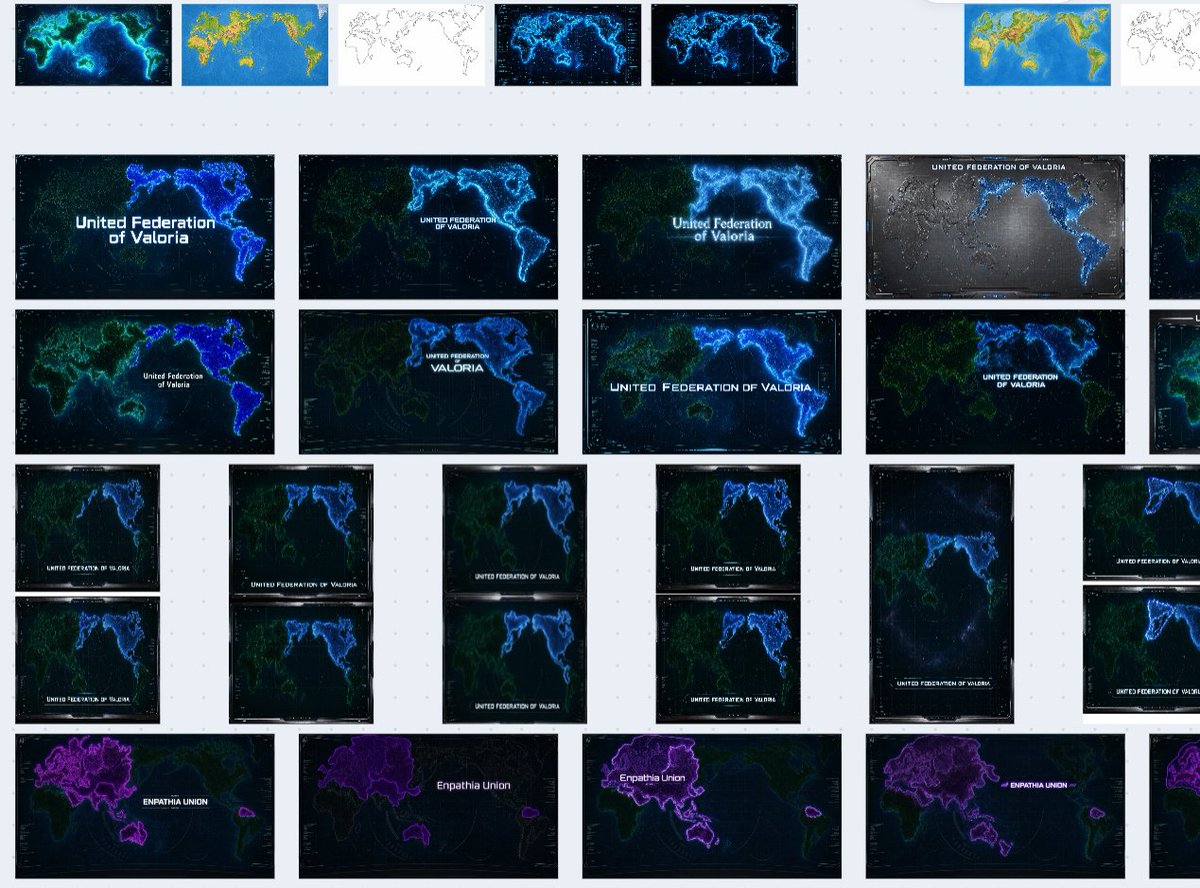
Fictional World Map Attempts Collage
Generates a zoomed-out contact sheet of many failed futuristic fictional world map variations for creative worldbuilding.
This is a gpt-image-2 prompt case for 插画艺术. Use the copy-ready prompt below to generate similar visuals, and review YouMind OpenLab awesome-gpt-image-2 attribution plus commercial-use rights before reuse.
Prompt
Copy-ready prompt
目标:创建一张类似截图的拼贴画,展示在浅灰色工作区上堆叠的、不可用的 AI 生成虚构世界地图尝试,就像在图像生成历史项目(board)中查看一样。主题不是单张地图,而是为某个未来虚构国家生成的许多地图缩略图组成的杂乱合集。

画布:宽屏 16:10 横向画布,浅灰色背景,带有淡淡的虚线网格图案。缩略图之间留出充足的间距。整体构图应呈现出缩小后的浏览器或设计项目视图感,右侧边缘应有一些被截断的缩略图。

布局:在不规则网格中排列 35 个可见的地图缩略图。具体分布为:顶行 8 个小缩略图,中间两行 10 个大型横向缩略图,中下部 12 个以成对列排列的较小纵向/横向缩略图,以及底行 5 个大型紫色主题缩略图。在最右侧边缘包含几个部分被裁剪的缩略图,以暗示项目(board)在屏幕外还有延伸。

缩略图内容:每个缩略图都是针对 {argument name="fictional nation name" default="United Federation of Valoria"} 的未来主义世界地图的不同失败变体。大多数地图显示的是改变后的类地大陆,而非准确的现实世界地图。使用深海军蓝或黑色海洋背景、霓虹蓝色海岸线、青色发光边界、淡淡的绿色陆地、卫星地图纹理、网格叠加层、类似 HUD 的小刻度以及偶尔出现的白色标题文本。部分缩略图应看起来像色彩测试:一张明亮的蓝黄地形图、一张白色背景上的简单黑色轮廓图,以及多个发光的赛博朋克版本。底行应使用不同的紫色派系标签 {argument name="bottom faction name" default="Empathia Union"},并带有围绕欧亚大陆/澳大利亚形状的紫色高亮陆地。

可见标签:在许多缩略图上重复标题文本,通常居中或位于下三分之一处,内容为 {argument name="main map label" default="United Federation of Valoria"}。稍微改变排版和大小,使一些标签看起来微小、未对齐或放置得比较尴尬。底行缩略图应改为显示 {argument name="purple map label" default="Empathia Union"}。由于比例、裁剪或发光效果,一些标签可能部分难以辨认。

视觉风格:使其看起来像是一系列生成的图像结果,而不是精美的信息图。使用不一致的地图构图、不一致的海岸线形状、不同的缩放级别、不同的标题位置以及略有差异的纵横比。主色调为黑色、深海军蓝、电青色、蓝色、绿色和紫色,偶尔夹杂白色缩略图和一两张明亮的地形图缩略图。

约束:不要创建单一的完整世界地图。不要使大陆与真实地球完全吻合。不要添加人物、UI 控件、大标题、水印或精美的最终设计。保留许多被丢弃的尝试散落在浅色虚线画布上的感觉。
Prompt variables
Editable argument placeholders found in the prompt, with their default values.
More cases in this category
Prioritized by category, input mode compatibility, quality, and lower risk.






Reuse and source notes
Use this prompt safely after previewing the case.
- 1.Copy the prompt or open it directly in Dovoo with the generation button.
- 2.Adjust variables, aspect ratio, and reference images for your own use case.
- 3.Before publishing or paid usage, verify source rights, attribution requirements, and brand or likeness risks.
Can I use this prompt commercially?
Commercial-use status is unknown. Review the original source, license, brand constraints, and legal requirements before paid usage.
Where does this case come from?
This case is imported from YouMind OpenLab awesome-gpt-image-2; keep attribution visible and check the source URL before reuse.