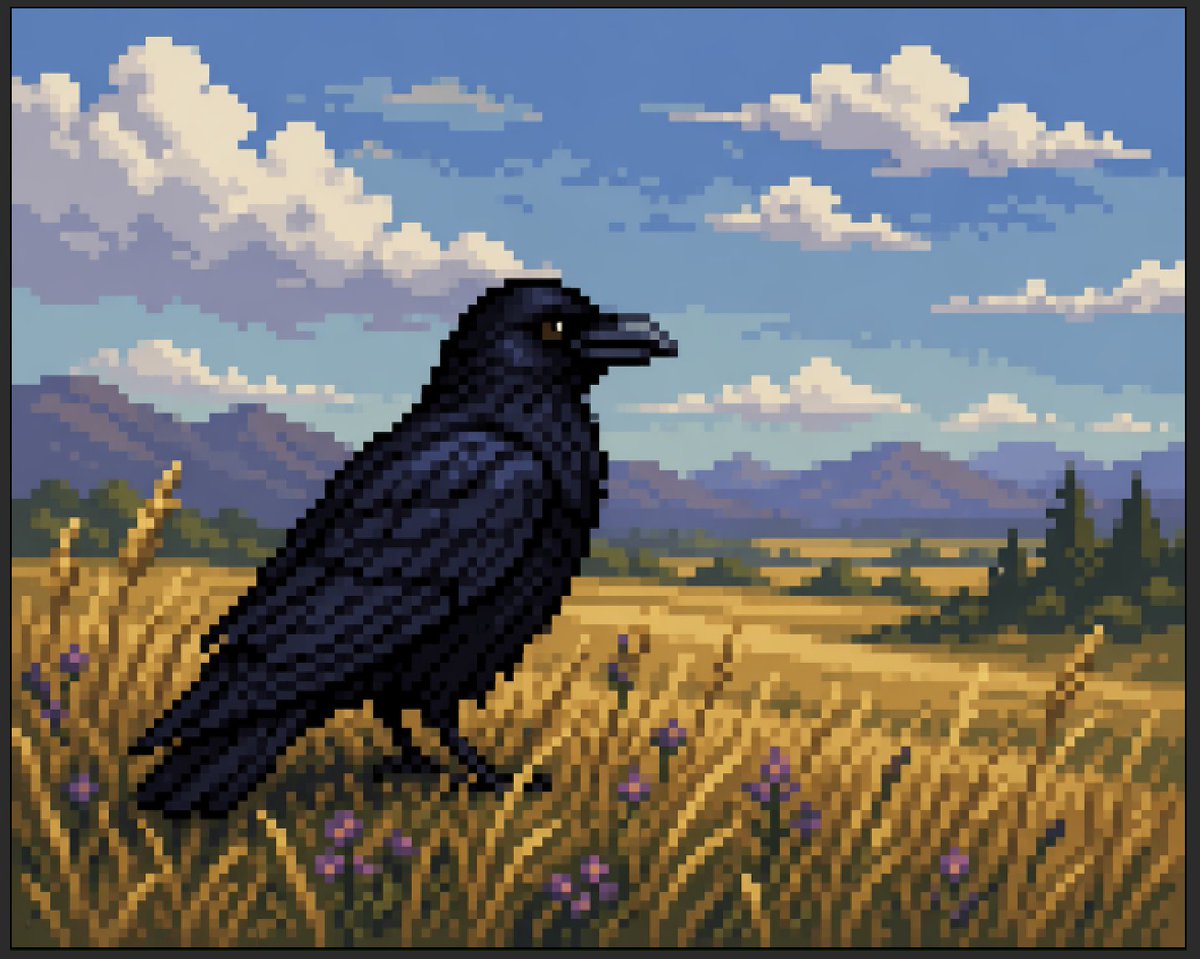
Faux Pixel Raven in Wheat Field
A retro-inspired faux pixel art scene showing a dark raven in a golden field under clouds, suitable for demonstrating pixel-art-like AI imagery or creating nostalgic game-style landscapes.
This is a gpt-image-2 prompt case for Illustration & Art. Use the copy-ready prompt below to generate similar visuals, and review YouMind OpenLab awesome-gpt-image-2 attribution plus commercial-use rights before reuse.
Prompt
Copy-ready prompt
A stylized pseudo-pixel art landscape illustration depicting a{argument name="bird species" default="Black Crow"} Standing sideways in a golden wheat field, facing right. When viewed at a reduced scale, the image should initially resemble retro pixel art, but not a completely grid-aligned or pure pixel art based on sprites; instead, it should have a painterly quality that mimics pixel art, with blocky shapes and edges with a soft, irregular feel. Position the bird large, slightly to the left of the foreground, its glossy, near-black feathers tinged with deep navy and indigo, its beak dark, revealing a small amber-brown eye. Surrounded by tall, golden grasses, nine clearly visible purple wildflowers are scattered in the foreground. In the midground, a vast rural plain is shown, with scattered fields and deep green woods, including several tall, narrow conifers on the right. In the distance, add a low mountain range in soft blue-purple tones. Above, create a bright {argument name="sky color" default="Soft blue"} The sky, filled with large cumulus clouds and a few smaller cloud bands, is presented entirely as a limited palette of shimmering blocks of color. Warm evening hues, including gold, blue, lavender, and deep charcoal, create a strong sense of spatial depth and a tranquil, pastoral atmosphere. The full-frame composition, horizontal layout, and thin black borders around the entire image, with sharp, blocky edges, evoke a retro gaming aesthetic. Highly detailed yet simple, it contains no text, no UI, and no other animals.Prompt variables
Editable argument placeholders found in the prompt, with their default values.
Reuse and source notes
Use this prompt safely after previewing the case.
- 1.Copy the prompt or open it directly in Dovoo with the generation button.
- 2.Adjust variables, aspect ratio, and reference images for your own use case.
- 3.Before publishing or paid usage, verify source rights, attribution requirements, and brand or likeness risks.
Can I use this prompt commercially?
Commercial-use status is unknown. Review the original source, license, brand constraints, and legal requirements before paid usage.
Where does this case come from?
This case is imported from YouMind OpenLab awesome-gpt-image-2; keep attribution visible and check the source URL before reuse.