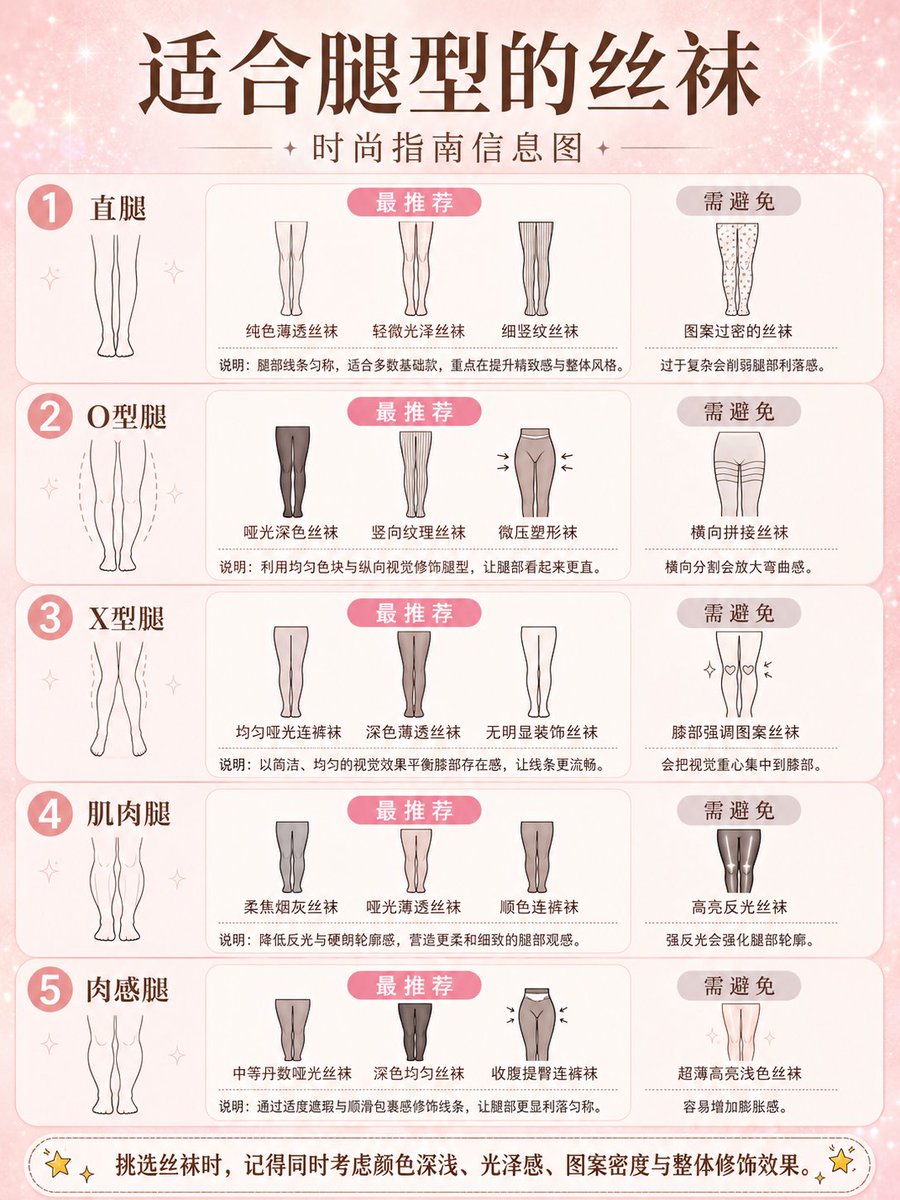
Fashion Style Guide Infographic Poster
A professional prompt for creating clean, minimalist fashion guide posters that match specific body shapes with clothing items.
This is a gpt-image-2 prompt case for Graphic & Poster. Use the copy-ready prompt below to generate similar visuals, and review YouMind OpenLab awesome-gpt-image-2 attribution plus commercial-use rights before reuse.
Prompt
Copy-ready prompt
Please create a simple and practical fashion guide poster with the title "{argument name="fashion item" default="Eyewear"} Matching{argument name="body part and shape" default="Face Shape"} "Guide". Layout: A soft pink shimmering background, clearly divided into multiple rows by category, covering various combinations of [body parts and shapes] (e.g., face shape: oval, round, square, heart, diamond; body shape: hourglass, pear, apple, rectangle, inverted triangle; head shape: oval, round, square; neck length: short, medium, long; shoulder shape: narrow, wide, sloping). Each section includes reference illustrations of specific body part shapes, accompanied by simple line icons and text labels in the style of the most suitable [fashion items]. Includes a "Highly Recommended" section, with an optional "Avoid Selecting" section. Style: Minimalist design, neutral brown text, soft pastel tones, clear typography, directly generated images. Theme: "{argument name="item type" default="Eyewear"} Suitable{argument name="body part" default="Face Shape"} A fashion guide infographic. Body parts:{argument name="body part" default="Face Shape"} Fashion items:{argument name="item category" default="Eyewear"} Aspect Ratio: 3:4Prompt variables
Editable argument placeholders found in the prompt, with their default values.
Variable
fashion item
Default
Eyewear
Variable
body part and shape
Default
Face Shape
Variable
item type
Default
Eyewear
Variable
body part
Default
Face Shape
Variable
item category
Default
Eyewear
Reuse and source notes
Use this prompt safely after previewing the case.
- 1.Copy the prompt or open it directly in Dovoo with the generation button.
- 2.Adjust variables, aspect ratio, and reference images for your own use case.
- 3.Before publishing or paid usage, verify source rights, attribution requirements, and brand or likeness risks.
Can I use this prompt commercially?
Commercial-use status is unknown. Review the original source, license, brand constraints, and legal requirements before paid usage.
Where does this case come from?
This case is imported from YouMind OpenLab awesome-gpt-image-2; keep attribution visible and check the source URL before reuse.