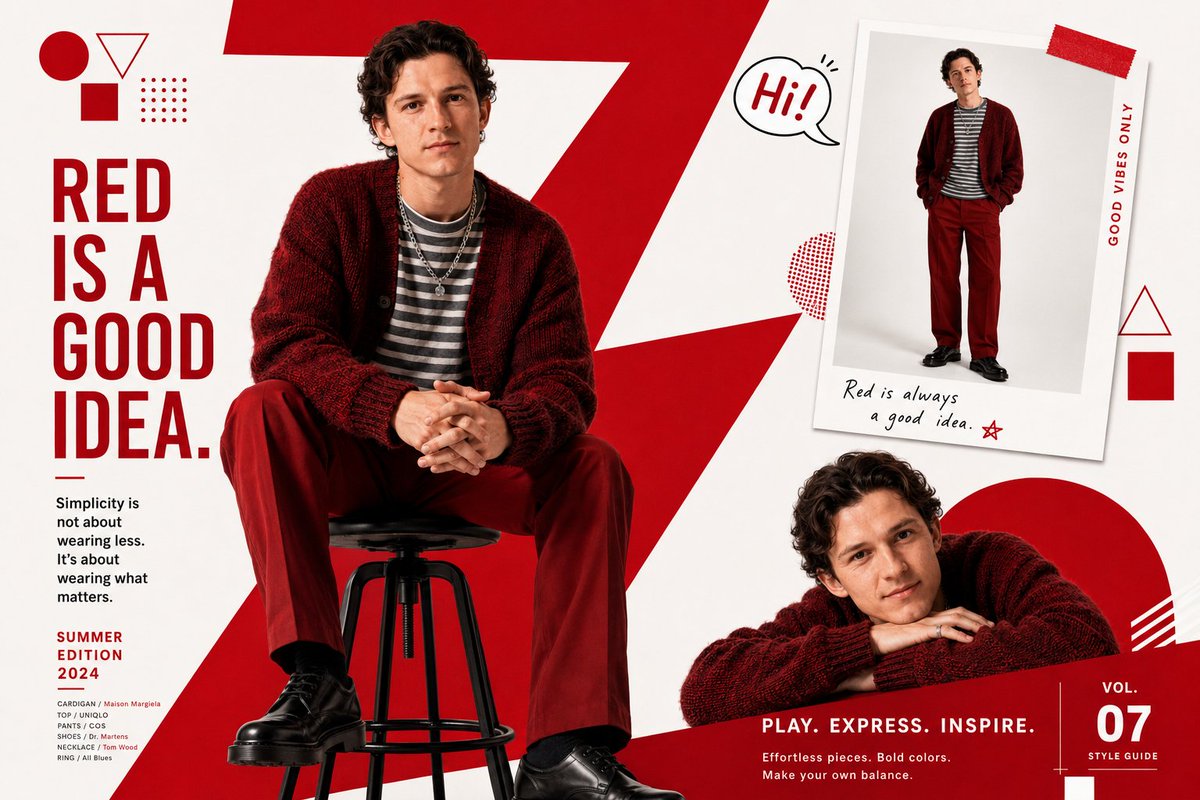
Fashion Magazine Editorial Spread
A structured prompt for creating a multi-pose fashion magazine layout with geometric graphic overlays and bold color design.
This is a gpt-image-2 prompt case for 时尚美妆. Use the copy-ready prompt below to generate similar visuals, and review YouMind OpenLab awesome-gpt-image-2 attribution plus commercial-use rights before reuse.

Prompt
Copy-ready prompt
A fashion magazine editor used a bold layout.{argument name="primary color" default="red"} The layout features white graphics. The background graphic element is a large red diagonal jagged "Z" shape. (Young male model){argument name="face reference" default="Use the facial reference image I uploaded."} The model, sporting a short black bowl cut, sits on a black bar stool, wearing an oversized deep red/burgundy knit cardigan over a grey and white striped shirt, red straight-leg trousers, and black leather shoes, accessorized with a layered necklace and rings. Her confident and relaxed posture is accentuated by her folded hands. The image showcases three instances of the same model: 1. A large, center-left seated pose; 2. A small Polaroid-style illustration in the upper right corner, showing a full-body shot of her in a red sweater; 3. A small, playful pose in the lower right corner, with her chin resting on her hand, smiling, leaning forward, or crouching. Background: Bold red and white geometric shapes—circles, triangles, and squares at the apex. Vertical Japanese typography on the left. A small "Hi!" bubble sticker near the Polaroid photo. White background with red graphic overlay. Clean, editorial magazine layout.Prompt variables
Editable argument placeholders found in the prompt, with their default values.
More cases in this category
Prioritized by category, input mode compatibility, quality, and lower risk.






Reuse and source notes
Use this prompt safely after previewing the case.
- 1.Copy the prompt or open it directly in Dovoo with the generation button.
- 2.Adjust variables, aspect ratio, and reference images for your own use case.
- 3.Before publishing or paid usage, verify source rights, attribution requirements, and brand or likeness risks.
Can I use this prompt commercially?
Commercial-use status is unknown. Review the original source, license, brand constraints, and legal requirements before paid usage.
Where does this case come from?
This case is imported from YouMind OpenLab awesome-gpt-image-2; keep attribution visible and check the source URL before reuse.