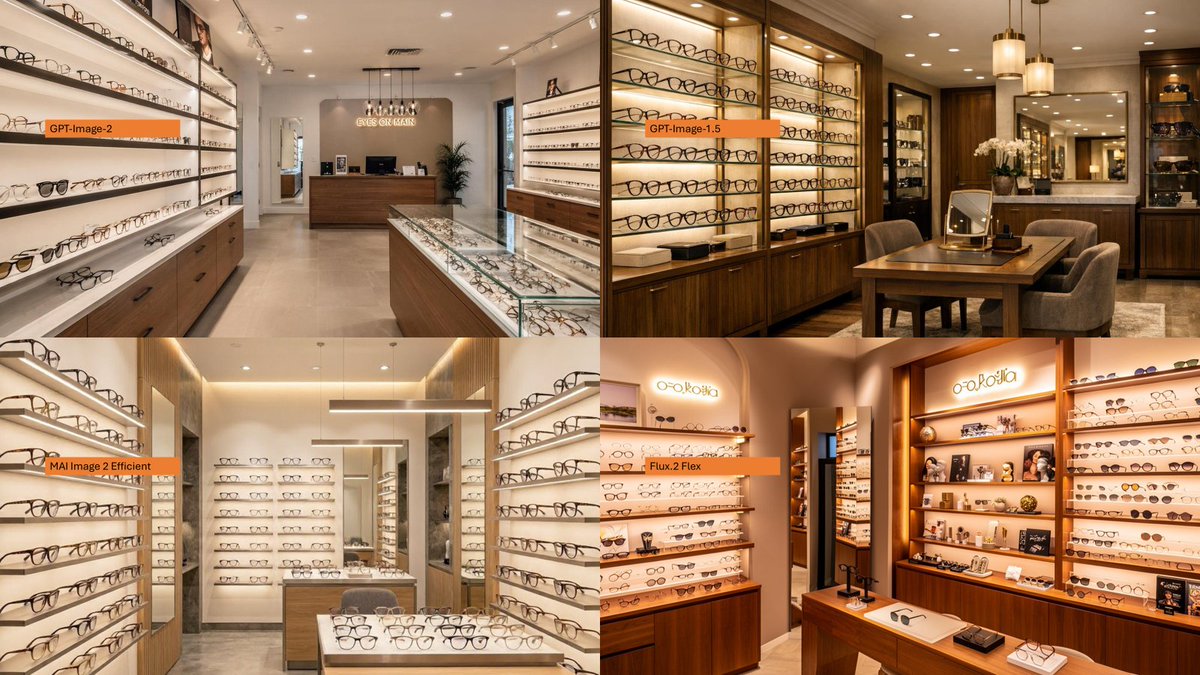
AI Model Eyewear Store Comparison
Creates a four-panel photorealistic comparison collage of optical shop interiors labeled by image model names.
This is a gpt-image-2 prompt case for 平面海报. Use the copy-ready prompt below to generate similar visuals, and review YouMind OpenLab awesome-gpt-image-2 attribution plus commercial-use rights before reuse.

Prompt
Copy-ready prompt
Using the provided reference images as inspiration for the model comparison layout, the original Japanese DX infographic was replaced with a 2x2 photorealistic collage of an eyewear store interior. Four panels were created: the top left corner is labeled as {argument name="first model label" default="GPT-Image-2"} The upper right corner is marked as{argument name="second model label" default="GPT-Image-1.5"} The bottom left corner is marked as{argument name="third model label" default="MAI Image 2 Efficient"} The bottom right corner is marked as{argument name="fourth model label" default="Flux.2 Flex"} Each panel should showcase a different interior scene of a high-end optical boutique, featuring wall-mounted display cases of eyeglass frames, glass counters, warm lighting, wooden cabinets, mirrors, and a sense of depth in the showroom. Use a small horizontal orange label bar with black text near the left side of each panel. The final image should be a 16:9 wide-format collage with narrow panel borders and should not contain additional explanatory text, Japanese report content, or watermarks.Prompt variables
Editable argument placeholders found in the prompt, with their default values.
More cases in this category
Prioritized by category, input mode compatibility, quality, and lower risk.






Reuse and source notes
Use this prompt safely after previewing the case.
- 1.Copy the prompt or open it directly in Dovoo with the generation button.
- 2.Adjust variables, aspect ratio, and reference images for your own use case.
- 3.Before publishing or paid usage, verify source rights, attribution requirements, and brand or likeness risks.
Can I use this prompt commercially?
Commercial-use status is unknown. Review the original source, license, brand constraints, and legal requirements before paid usage.
Where does this case come from?
This case is imported from YouMind OpenLab awesome-gpt-image-2; keep attribution visible and check the source URL before reuse.