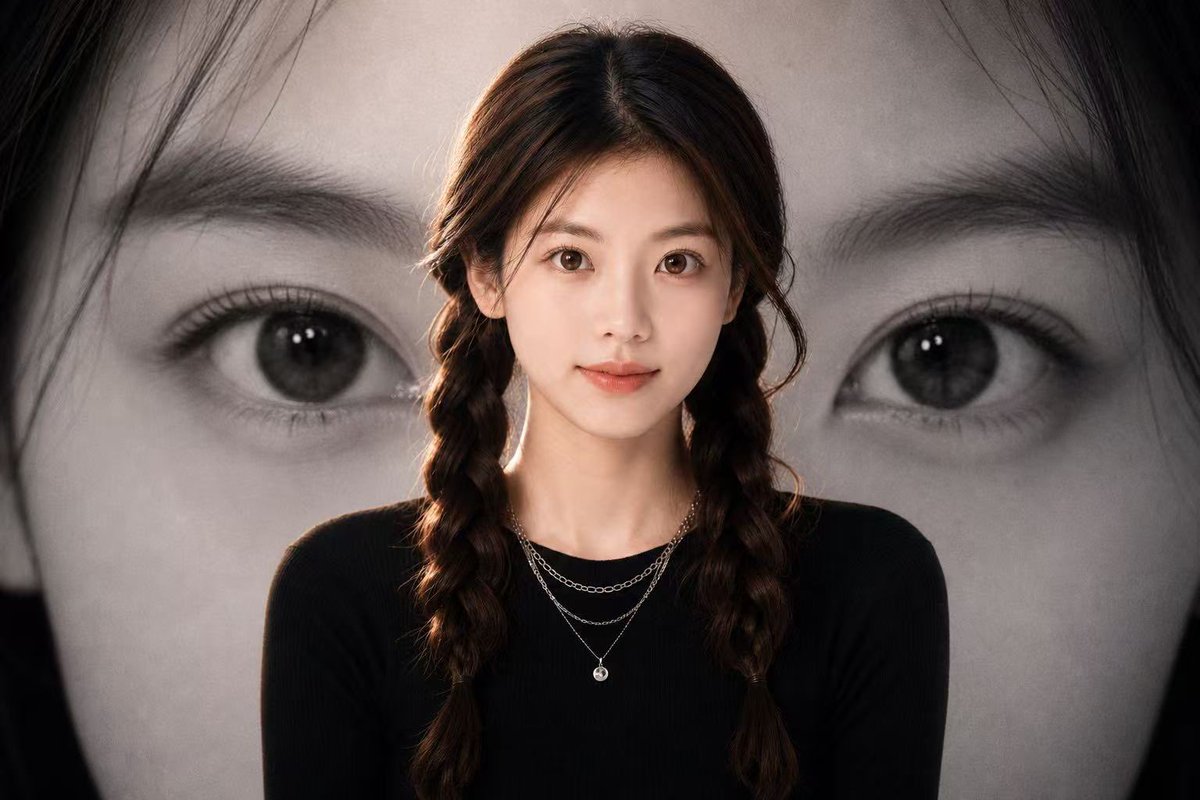
Black-and-White Eye Backdrop Portrait
Generates a cinematic portrait poster with a central subject in front of a dramatic oversized monochrome eye backdrop.
This is a gpt-image-2 prompt case for 人像角色. Use the copy-ready prompt below to generate similar visuals, and review YouMind OpenLab awesome-gpt-image-2 attribution plus commercial-use rights before reuse.
Prompt
Copy-ready prompt
Create a touching movie poster, with the foreground center position as {argument name="subject" default="young women"} A bust, dressed in a fitted outfit{argument name="outfit color" default="black"} The subject wears a long-sleeved top and delicate layered silver necklaces. Her long, dark brown hair is parted in the middle and braided into two loose braids. Soft studio lighting is used, with subtle warm rim lighting on her hair and shoulders. The entire background behind her is filled with a large black-and-white close-up of a face, focusing on a large eye, eyebrow, eyelashes, and part of the nose, dramatically cropped to position the eye on the right side of the image, with dark hair framing the edges. Using an emotional monochrome background, the foreground subject is rendered in soft, natural colors, with high contrast, shallow depth of field, and an edited fashion poster composition. The 16:9 aspect ratio is used, employing realistic photography, a clean and modern aesthetic, and no text or logo. A soft rectangular overlay is added on the left as a dark gray-brown block, and a smaller warm skin-toned rectangle is overlaid on the subject's face, creating an anonymous poster mockup effect.Prompt variables
Editable argument placeholders found in the prompt, with their default values.
More cases in this category
Prioritized by category, input mode compatibility, quality, and lower risk.






Reuse and source notes
Use this prompt safely after previewing the case.
- 1.Copy the prompt or open it directly in Dovoo with the generation button.
- 2.Adjust variables, aspect ratio, and reference images for your own use case.
- 3.Before publishing or paid usage, verify source rights, attribution requirements, and brand or likeness risks.
Can I use this prompt commercially?
Commercial-use status is unknown. Review the original source, license, brand constraints, and legal requirements before paid usage.
Where does this case come from?
This case is imported from YouMind OpenLab awesome-gpt-image-2; keep attribution visible and check the source URL before reuse.