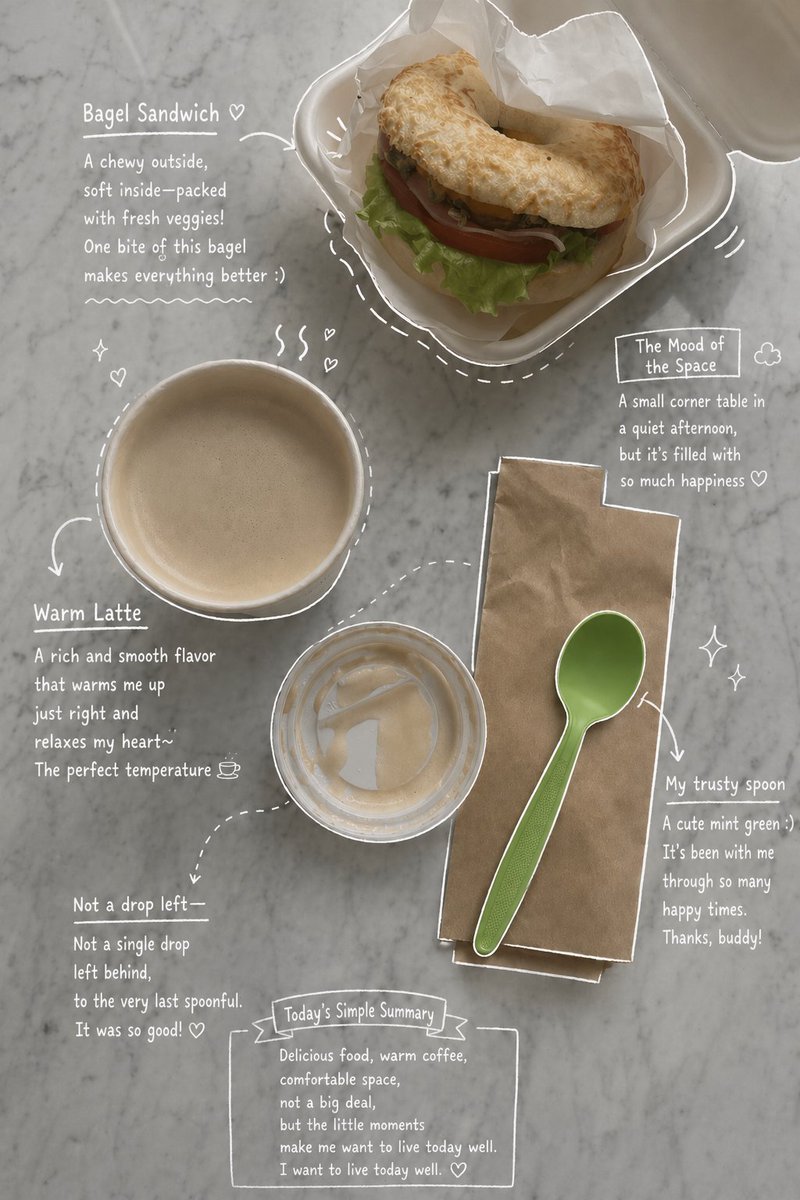
Emotional Hand-Drawn Annotations
Transforms a lifestyle or food photo into an emotionally-toned magazine layout featuring hand-drawn white ink annotations and casual notes.
This is a gpt-image-2 prompt case for 插画艺术. Use the copy-ready prompt below to generate similar visuals, and review YouMind OpenLab awesome-gpt-image-2 attribution plus commercial-use rights before reuse.

Prompt
Copy-ready prompt
Please use the uploaded photo as the main background image. Based on the image shown {argument name="elements" default="Coffee, beverages, desserts, plates, utensils, tableware"} And the overall composition, creating a visually appealing and emotionally resonant effect that naturally reflects the authentic elements in the photograph. Do not add people. Maintain a faithful reproduction of the actual types of food and drinks, their arrangement, and the atmosphere captured in the photograph. Then, carefully observe each element in the photograph and add elements that align with the main subject.{argument name="annotation style" default="Hand-drawn style annotation"} : use{argument name="line color" default="White pen-style sketch lines"} The image should have a rough, slightly uneven hand-drawn texture. Include object outlines, arrows, and dotted lines to guide the eye. Add short, handwritten notes in English, maintaining a casual, introspective, and emotional tone. For drinks: describe the taste, temperature, and mood. For desserts: describe the texture and flavor. For spaces: describe the atmosphere. Include a short summary of the scene. Subtly incorporate details such as steam, glitter, hearts, or tiny emojis. Maintain a clean, open layout, aiming for an Instagram Stories or magazine memo aesthetic. The final product should look like an emotional version of the original; avoid forcing elements that clash with the original.Prompt variables
Editable argument placeholders found in the prompt, with their default values.
More cases in this category
Prioritized by category, input mode compatibility, quality, and lower risk.






Reuse and source notes
Use this prompt safely after previewing the case.
- 1.Copy the prompt or open it directly in Dovoo with the generation button.
- 2.Adjust variables, aspect ratio, and reference images for your own use case.
- 3.Before publishing or paid usage, verify source rights, attribution requirements, and brand or likeness risks.
Can I use this prompt commercially?
Commercial-use status is unknown. Review the original source, license, brand constraints, and legal requirements before paid usage.
Where does this case come from?
This case is imported from YouMind OpenLab awesome-gpt-image-2; keep attribution visible and check the source URL before reuse.