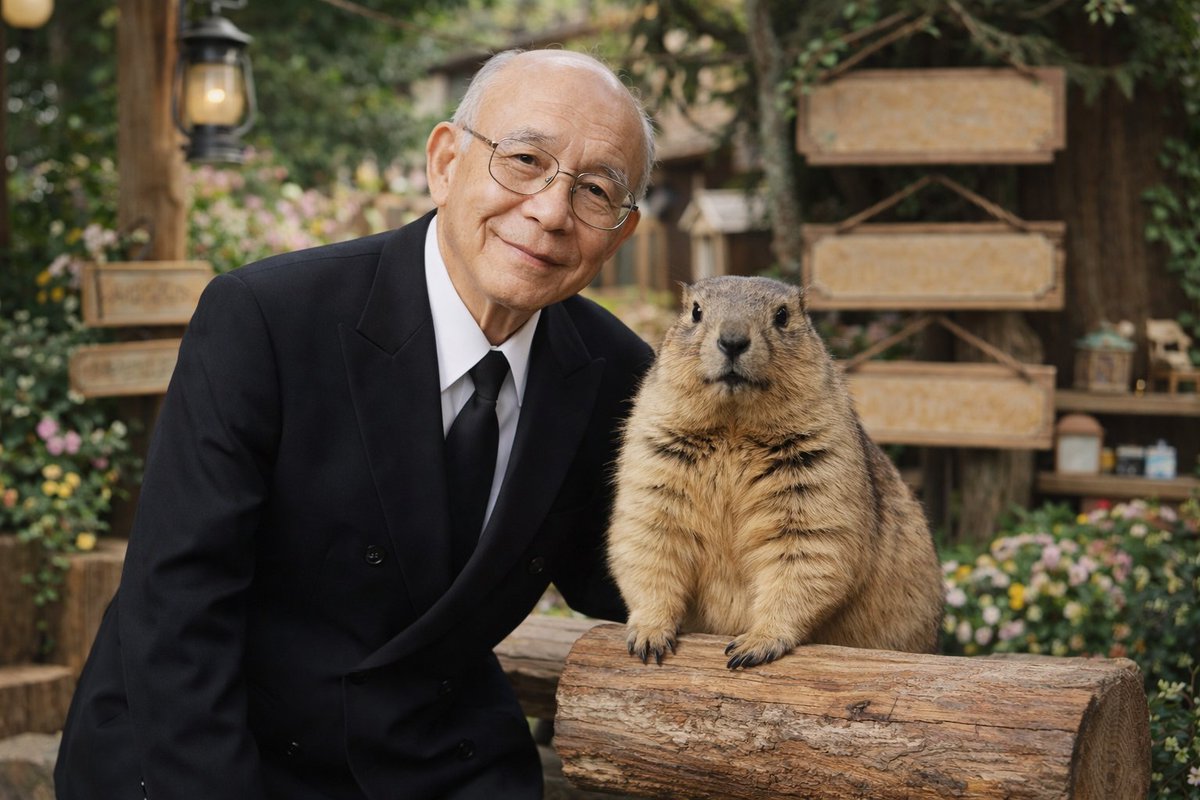
Elderly Man and Marmot Portrait
A photorealistic portrait of an elderly man in a suit posing next to a large marmot in a rustic garden setting.
This is a gpt-image-2 prompt case for Portrait & Character. Use the copy-ready prompt below to generate similar visuals, and review YouMind OpenLab awesome-gpt-image-2 attribution plus commercial-use rights before reuse.
Prompt
Copy-ready prompt
A realistic portrait, the subject is a{argument name="man description" default="An elderly Asian man wearing thin-rimmed metal glasses"} Wearing{argument name="man attire" default="Black double-breasted suit, with a white shirt and black tie."} He wore a gentle, kind smile and stood close to one {argument name="animal" default="A furry big groundhog"} Standing. The groundhog is standing, its front paws resting on a rough-textured piece of wood. The background is {argument name="setting" default="A charming, rustic outdoor garden, complete with blank wooden signs, vintage lanterns on pillars, lush greenery, and brightly colored flowers."} The image presents{argument name="lighting and style" default="The soft, natural lighting, high-quality photographic details, and shallow depth of field create a smooth, blurred background effect."} .Prompt variables
Editable argument placeholders found in the prompt, with their default values.
Variable
man description
Default
An elderly Asian man wearing thin-rimmed metal glasses
Variable
man attire
Default
Black double-breasted suit, with a white shirt and black tie.
Variable
animal
Default
A furry big groundhog
Variable
setting
Default
A charming, rustic outdoor garden, complete with blank wooden signs, vintage lanterns on pillars, lush greenery, and brightly colored flowers.
Variable
lighting and style
Default
The soft, natural lighting, high-quality photographic details, and shallow depth of field create a smooth, blurred background effect.
Reuse and source notes
Use this prompt safely after previewing the case.
- 1.Copy the prompt or open it directly in Dovoo with the generation button.
- 2.Adjust variables, aspect ratio, and reference images for your own use case.
- 3.Before publishing or paid usage, verify source rights, attribution requirements, and brand or likeness risks.
Can I use this prompt commercially?
Commercial-use status is unknown. Review the original source, license, brand constraints, and legal requirements before paid usage.
Where does this case come from?
This case is imported from YouMind OpenLab awesome-gpt-image-2; keep attribution visible and check the source URL before reuse.