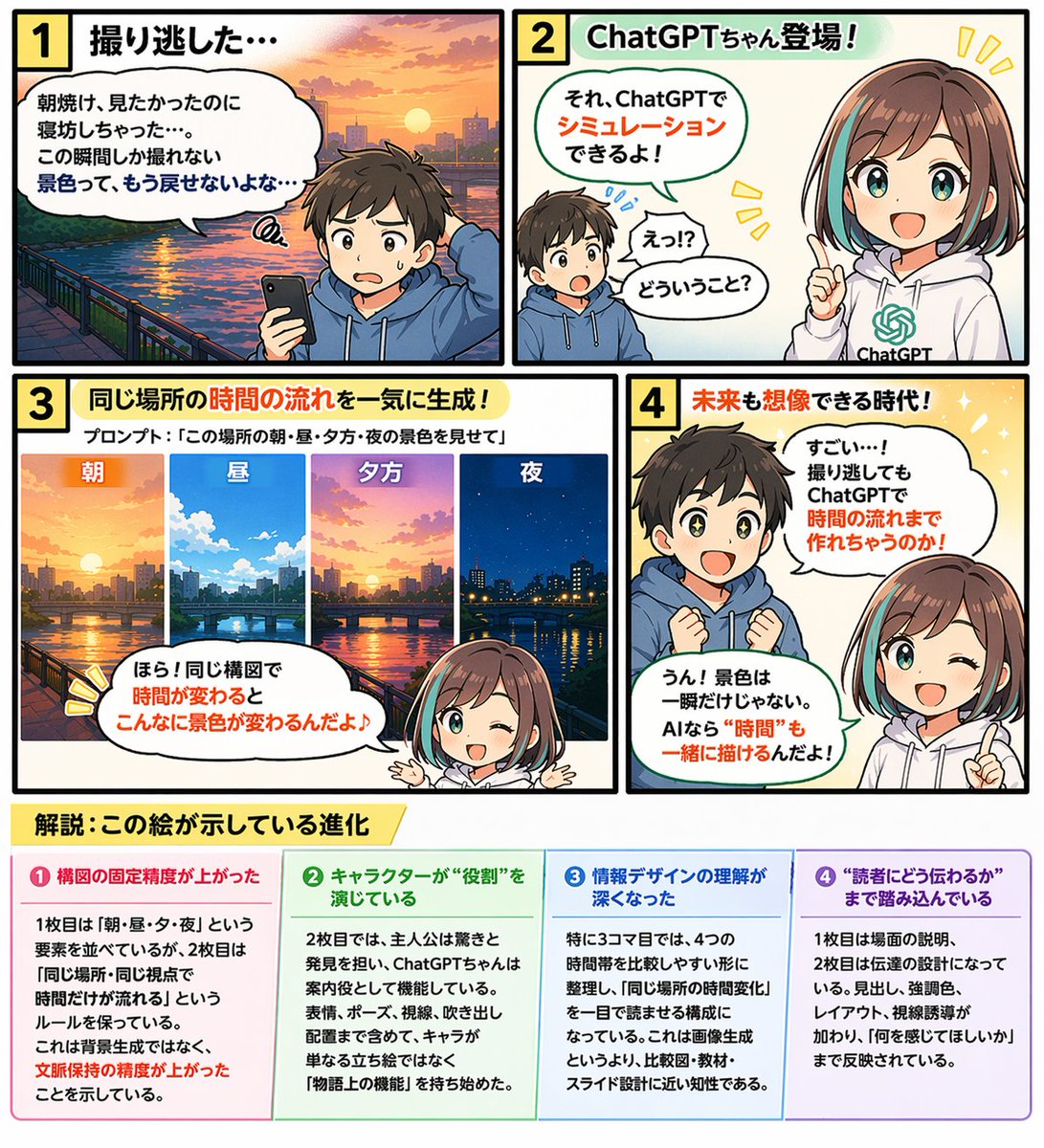
Educational 4-Panel Manga with Infographic
Generates a 4-panel comic strip featuring two characters discussing a topic, complete with an explanatory 4-column infographic footer.
This is a gpt-image-2 prompt case for Anime & Game. Use the copy-ready prompt below to generate similar visuals, and review YouMind OpenLab awesome-gpt-image-2 attribution plus commercial-use rights before reuse.
Prompt
Copy-ready prompt
{
  "type": "4-panel educational comic strip with bottom infographic",
  "characters": {
    "boy": {
      "description": "Little boy, brown hair",
      "outfit": "{argument name=\"boy outfit\" default=\"blue hoodie\"}"
    },
    "girl": {
      "name": "{argument name=\"main character name\" default=\"ChatGPT sauce\"}",
      "description": "Anime Girl",
      "hair": "{argument name=\"girl hair style\" default=\"Brown bob with blue highlights\"}",
      "outfit": "White hoodie with green AI logo"
    }
  },
  "layout": {
    "comic_panels": [
      {
        "panel_number": 1,
        "title": "1. We missed the filming opportunity...",
        "scene": "The boy looked disappointed as he held his smartphone, with a sunrise over a river and city in the background.",
        "speech_bubble": "I wanted to see the sunrise, but I overslept... This kind of fleeting view will never come back..."
      },
      {
        "panel_number": 2,
        "title": "2 ChatGPT-chan makes its debut!",
        "scene": "The boy was surprised, and the girl pointed ahead and smiled.",
        "speech_bubbles": [
          "Huh? What does that mean?",
          "You can simulate that using ChatGPT!"
        ]
      },
      {
        "panel_number": 3,
        "title": "3. Generate time flow for the same location all at once!",
        "sub_text": "Prompt words:{argument name=\"panel 3 prompt text\" default=\""Showcasing the scenery of this place in the morning, noon, evening, and at night."\"}",
        "sub_images": {
          "count": 4,
          "description": "The same cityscape at different times of day",
          "labels": [
            "morning",
            "middle",
            "Night",
            "night"
          ]
        },
        "scene": "The girl is pointing to the sub-image above.",
        "speech_bubble": "Look! With the composition remaining the same, the scenery changes so much over time!"
      },
      {
        "panel_number": 4,
        "title": "4 An era where even the future can be imagined!",
        "scene": "The boy's eyes sparkled with amazement; the girl blinked and pointed ahead.",
        "speech_bubbles": [
          "Wow, that's amazing! Even if you missed the filming, you can still create a time-lapse using ChatGPT!",
          "Yes! Scenery isn't just a fleeting moment. With AI, even \"time\" can be depicted!"
        ]
      }
    ],
    "infographic_section": {
      "position": "bottom",
      "title": "{argument name=\"infographic main title\" default=\"Analysis: This image illustrates evolution.\"}",
      "columns": {
        "count": 4,
        "headers": [
          "❶ The precision of the composition has been improved.",
          "❷ The character is playing a \"role\".",
          "❸ My understanding of information design has deepened.",
          "❹ It delves into the level of \"how to communicate with the reader\"."
        ],
        "content_description": "Detailed descriptions below each heading"
      }
    }
  }
}
Prompt variables
Editable argument placeholders found in the prompt, with their default values.
Variable
boy outfit
Default
blue hoodie
Variable
main character name
Default
ChatGPT sauce
Variable
girl hair style
Default
Brown bob with blue highlights
Variable
panel 3 prompt text
Default
"Showcasing the scenery of this place in the morning, noon, evening, and at night."
Variable
infographic main title
Default
Analysis: This image illustrates evolution.
Reuse and source notes
Use this prompt safely after previewing the case.
- 1.Copy the prompt or open it directly in Dovoo with the generation button.
- 2.Adjust variables, aspect ratio, and reference images for your own use case.
- 3.Before publishing or paid usage, verify source rights, attribution requirements, and brand or likeness risks.
Can I use this prompt commercially?
Commercial-use status is unknown. Review the original source, license, brand constraints, and legal requirements before paid usage.
Where does this case come from?
This case is imported from YouMind OpenLab awesome-gpt-image-2; keep attribution visible and check the source URL before reuse.