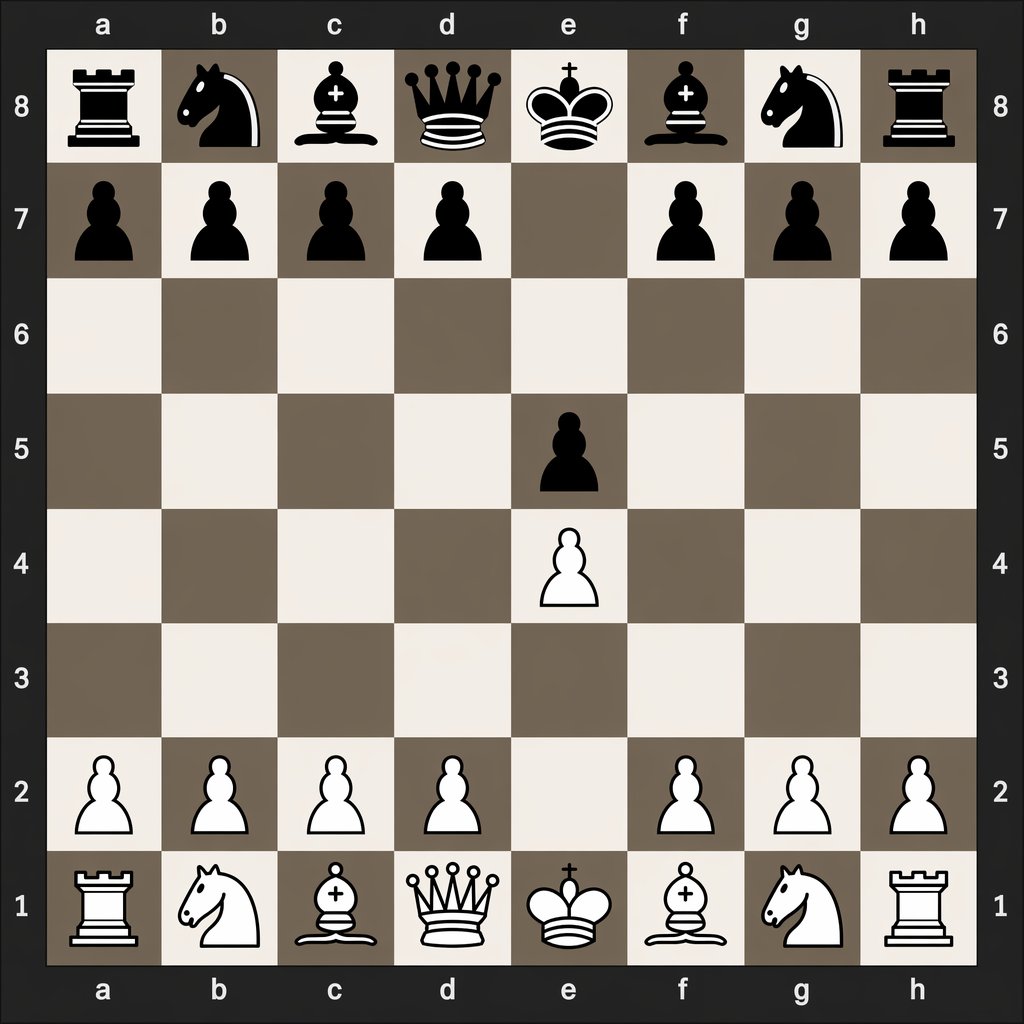
Digital Chessboard After 1.e4 e5
This prompt generates a clean digital chess diagram showing the exact board position after the opening moves 1.e4 e5, useful for chess tutorials and move-notation comparisons.
This is a gpt-image-2 prompt case for 平面海报. Use the copy-ready prompt below to generate similar visuals, and review YouMind OpenLab awesome-gpt-image-2 attribution plus commercial-use rights before reuse.

Prompt
Copy-ready prompt
A clear, flat, numerically-oriented chessboard is centered in the image. The chessboard is an 8x8 grid, with algebraic coordinates displayed around its edges: letters a through h at the top and bottom, and numbers 8 through 1 on the left and right. A dark charcoal gray is used for the outer background and border, while the chessboard squares alternate between light beige and soft gray-brown. The rendered graphics are simple, high-contrast 2D chess icons, with black pieces at the top and white pieces at the bottom, exhibiting a clean vector style, devoid of wood grain textures, realistic lighting, and superfluous interface elements. Demonstration 1. The precise positions after the opening moves e4 e5: Black's major pieces are located at a8 (rook), b8 (knight), c8 (bishop), d8 (queen), e8 (king), f8 (bishop), g8 (knight), and h8 (rook); Black's pawns are located at a7, b7, c7, d7, f7, g7, h7, and e5; White's pawns are located at a2, b2, c2, d2, f2, g2, h2, and e4; White's major pieces are located at a1 (rook), b1 (knight), c1 (bishop), d1 (queen), e1 (king), f1 (bishop), g1 (knight), and h1 (rook). The remaining squares are left empty. Maintaining absolute symmetry, this diagram is educational and easily recognizable, similar to a numerical chess diagram used to illustrate opening moves.
More cases in this category
Prioritized by category, input mode compatibility, quality, and lower risk.

Premium Sports Editorial Poster
Text to Imageunknown

Hyper Realistic FIFA Football Poster
Text to Imageunknown

Hand-Drawn Sketch Photo Annotation
Text to Imageunknown

Vintage Film Projection Portrait
Image to Imageunknown

Cosmic Big Bang Snooze Comic
Text to Imageunknown

Direct Flash Editorial Portrait
Text to Imageunknown
Reuse and source notes
Use this prompt safely after previewing the case.
- 1.Copy the prompt or open it directly in Dovoo with the generation button.
- 2.Adjust variables, aspect ratio, and reference images for your own use case.
- 3.Before publishing or paid usage, verify source rights, attribution requirements, and brand or likeness risks.
Can I use this prompt commercially?
Commercial-use status is unknown. Review the original source, license, brand constraints, and legal requirements before paid usage.
Where does this case come from?
This case is imported from YouMind OpenLab awesome-gpt-image-2; keep attribution visible and check the source URL before reuse.