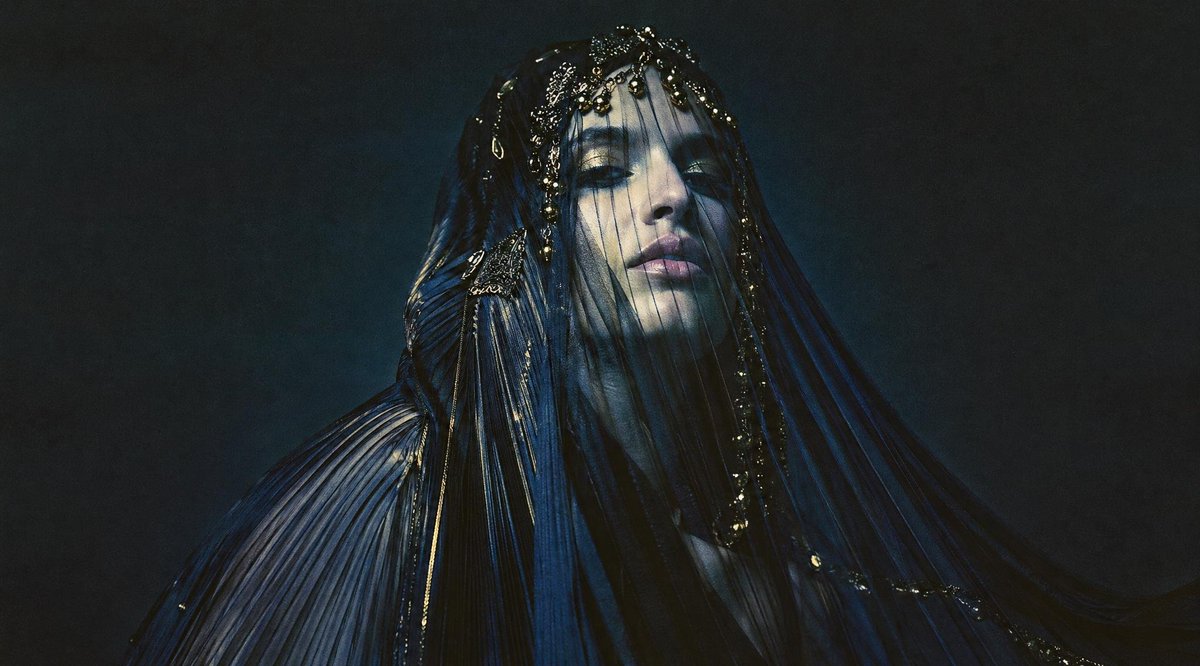
Dark Veiled Couture Portrait
A cinematic fashion editorial prompt for creating a mysterious veiled couture figure with glossy pleated fabric and an obscured face.
This is a gpt-image-2 prompt case for 时尚美妆. Use the copy-ready prompt below to generate similar visuals, and review YouMind OpenLab awesome-gpt-image-2 attribution plus commercial-use rights before reuse.
Prompt
Copy-ready prompt
Create a high-fashion portrait with a dark cinematic feel, showcasing a mysterious veiled figure dressed in exquisite {argument name="garment color" default="Midnight Blue and Black"} The pleated haute couture gown, with its sheen and dewy fabric, features long, flowing sleeves, and a semi-transparent veil cascading down from the head and shoulders. The figure is slightly centered to the right, showcasing the upper body, with the head and face covered by a flat, opaque sheet.{argument name="face block color" default="Dark gray"} Rectangular obscuring blocks are deliberately used to conceal. Ornate metallic beads, tiny jewels, chains, and gold highlights are added to the veil and corset to capture sparse light. An emotional, smoky effect is employed.{argument name="background color" default="Charcoal blue and black"} The studio background employs low-key lighting, deep shadows, and subtle film grain to create a dramatic contrast in a fashion photography style. The fabric should fan out to the left and right, forming sweeping, folded curves to emphasize texture, wrinkles, subtle light, and movement. The image is a wide, horizontal composition with a 16:9 aspect ratio, and contains no text, logos, or watermarks.Prompt variables
Editable argument placeholders found in the prompt, with their default values.
More cases in this category
Prioritized by category, input mode compatibility, quality, and lower risk.






Reuse and source notes
Use this prompt safely after previewing the case.
- 1.Copy the prompt or open it directly in Dovoo with the generation button.
- 2.Adjust variables, aspect ratio, and reference images for your own use case.
- 3.Before publishing or paid usage, verify source rights, attribution requirements, and brand or likeness risks.
Can I use this prompt commercially?
Commercial-use status is unknown. Review the original source, license, brand constraints, and legal requirements before paid usage.
Where does this case come from?
This case is imported from YouMind OpenLab awesome-gpt-image-2; keep attribution visible and check the source URL before reuse.