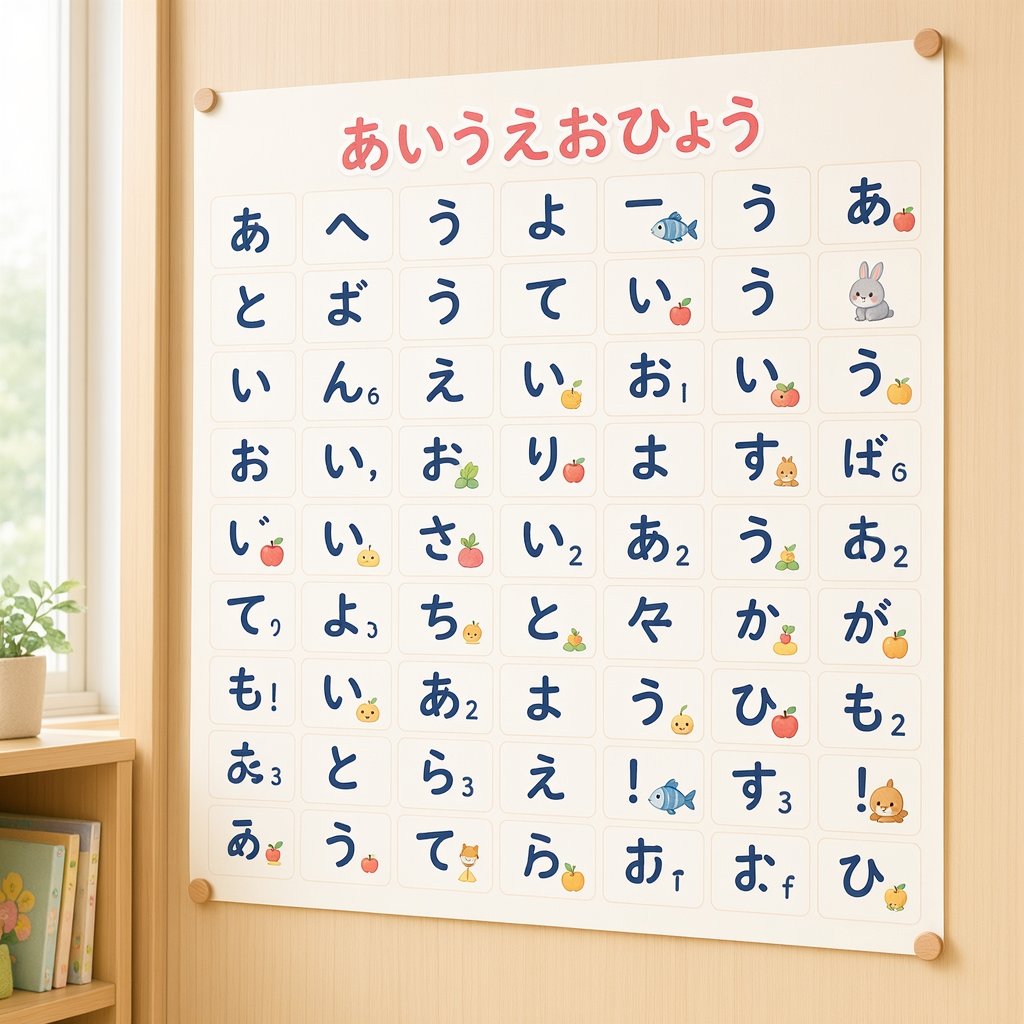
Cute Hiragana Chart Poster
Generates a cozy square image of a nursery-style hiragana learning poster with a 63-tile kana grid, kawaii icons, and warm wooden room decor.
This is a gpt-image-2 prompt case for 平面海报. Use the copy-ready prompt below to generate similar visuals, and review YouMind OpenLab awesome-gpt-image-2 attribution plus commercial-use rights before reuse.
Prompt
Copy-ready prompt
Objective: To create a cute, preschool-style Japanese hiragana learning poster on a light-colored wooden wall, resembling a plain text-generated alphabet chart with a slightly imperfect AI-generated feel. Canvas: A 1:1 square image with soft natural light streaming in from the window on the left. The poster is a cream-colored sheet of paper, secured to the wall with four small round wooden tacks, one near each corner. A small potted plant and a low bookshelf are partially visible in the lower left corner, creating a warm classroom or children's room atmosphere. Main element: A large hiragana chart with the title written in rounded pink lettering (with a white outline) at the top center.{argument name="headline text" default="あいうえおひょう"} Below the title is a neat grid containing 63 rounded rectangular squares arranged in 9 rows and 7 columns. Each square contains a large, dark navy blue handwritten-style kana or punctuation mark, sometimes with tiny superscript numbers, punctuation marks, or small decorative icons. The text should look attractive but not entirely accurate, presenting the texture of an AI-generated hiragana table. Grid content: using 63 visible squares. Row 1: あ、へ、う、よ、ー (with a small blue fish), う、あ (with a small apple). Row 2: と、ば、う、て、い (with a small apple), う、rabbit icon. Row 3: い、ん (with the number 6), え、い (with a small yellow fruit), お (with the number 1), い (with a small apple), う (with a small orange). Line 4: お、い (with comma), お (with small green grape), り (with small apple), ま、す (with small rabbit face), ば (with number 6). Line 5: じ (with small apple), い (with small yellow chick face), さ (with small pink fruit), い (with number 2), あ (with number 2), う (with small green grape), あ (with number 2). Line 6: て (with comma), よ (with number 3), ち (with chick face), と (with small green grape), 々、か (with small yellow fruit), が (with small orange). Line 7: も (with exclamation mark), い (with chick face), あ (with number 2), よ、う (with chick face), ひ (with small apple), も (with number 2). Row 8: お (with the number 3), と, ら (with the number 3), え, ! (with a small blue fish), す (with the number 3), ! (with a small squirrel icon). Row 9: あ (with a small apple), う (with a small apple), て (with a cat icon), ら (with a small orange), お (with the number 1), お (with a small f-shaped symbol), ひ (with a small yellow chick). Visual Style: Soft and warm color tones, simple rounded corner poster design, child-friendly educational wall charts, delicate paper texture, light beige thin square borders, dark blue calligraphy kana, cute fruit and animal stickers.{argument name="wall material" default="Light-colored vertical striped wood"} ,{argument name="poster paper color" default="Warm Ivory White"} as well as{argument name="letter color" default="Deep Navy Blue"} Constraints: Keep the image square, frontal view with slight natural perspective, no watermark, no additional text except for the title and grid characters, ensuring the poster is readable while retaining the wonderful imperfections of AI-generated kana posters.Prompt variables
Editable argument placeholders found in the prompt, with their default values.
More cases in this category
Prioritized by category, input mode compatibility, quality, and lower risk.






Reuse and source notes
Use this prompt safely after previewing the case.
- 1.Copy the prompt or open it directly in Dovoo with the generation button.
- 2.Adjust variables, aspect ratio, and reference images for your own use case.
- 3.Before publishing or paid usage, verify source rights, attribution requirements, and brand or likeness risks.
Can I use this prompt commercially?
Commercial-use status is unknown. Review the original source, license, brand constraints, and legal requirements before paid usage.
Where does this case come from?
This case is imported from YouMind OpenLab awesome-gpt-image-2; keep attribution visible and check the source URL before reuse.