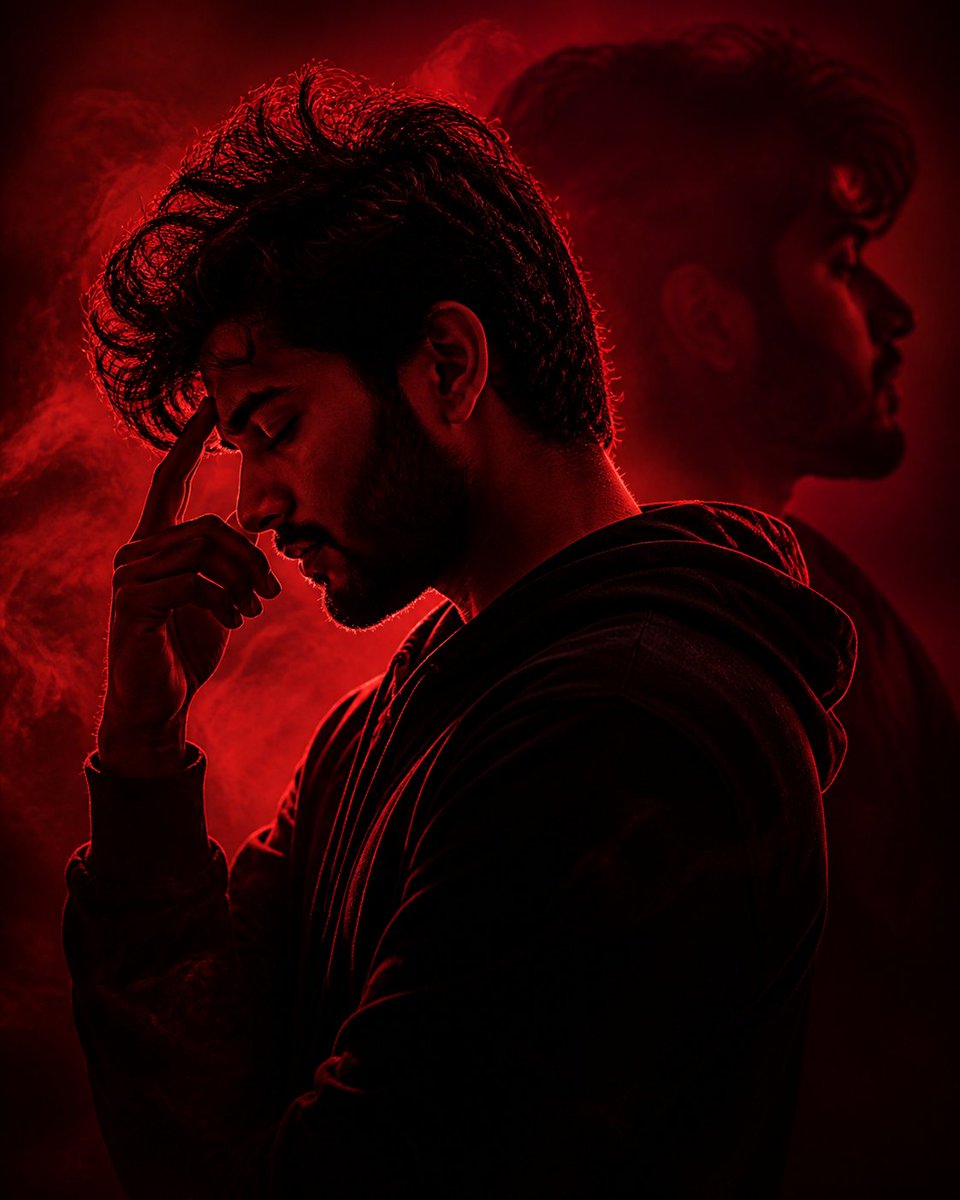
Crimson Moody Double Exposure Portrait
Generates a cinematic red-lit portrait of a stressed anonymous figure with smoke and a ghostly background silhouette for dramatic editorial use.
This is a gpt-image-2 prompt case for 人像角色. Use the copy-ready prompt below to generate similar visuals, and review YouMind OpenLab awesome-gpt-image-2 attribution plus commercial-use rights before reuse.

Prompt
Copy-ready prompt
Create a dramatic, cinematic studio portrait, with the subject being {argument name="subject" default="A young man"} The side profile, wearing{argument name="clothing" default="black hooded sweatshirt"} His head was slightly lowered, one hand resting on his forehead, as if under immense pressure or deep in thought. (Using strong...){argument name="lighting color" default="Deep crimson"} The lighting, with its heavy rim lighting, outlines the messy, dark curls, ears, neck, hands, and folds of the sweatshirt, while the subject is mostly immersed in near-pure black shadows. A diffused smoke or mist is added to the background, illuminated by red light; a large, soft, ghostly outline of the same head and shoulders is added to the right side of the background, creating a psychological double exposure effect. The composition is vertical, a close-up from chest to head, with the subject facing left, featuring high contrast, a melancholic film noir style, shallow depth of field, deep red and black tones, delicate film grain, realistic photographic texture, and an introspective emotional atmosphere. Keeping most of the face hidden in shadow and pose, rather than clearly visible, emphasizes anonymity and tension.Prompt variables
Editable argument placeholders found in the prompt, with their default values.
More cases in this category
Prioritized by category, input mode compatibility, quality, and lower risk.






Reuse and source notes
Use this prompt safely after previewing the case.
- 1.Copy the prompt or open it directly in Dovoo with the generation button.
- 2.Adjust variables, aspect ratio, and reference images for your own use case.
- 3.Before publishing or paid usage, verify source rights, attribution requirements, and brand or likeness risks.
Can I use this prompt commercially?
Commercial-use status is unknown. Review the original source, license, brand constraints, and legal requirements before paid usage.
Where does this case come from?
This case is imported from YouMind OpenLab awesome-gpt-image-2; keep attribution visible and check the source URL before reuse.