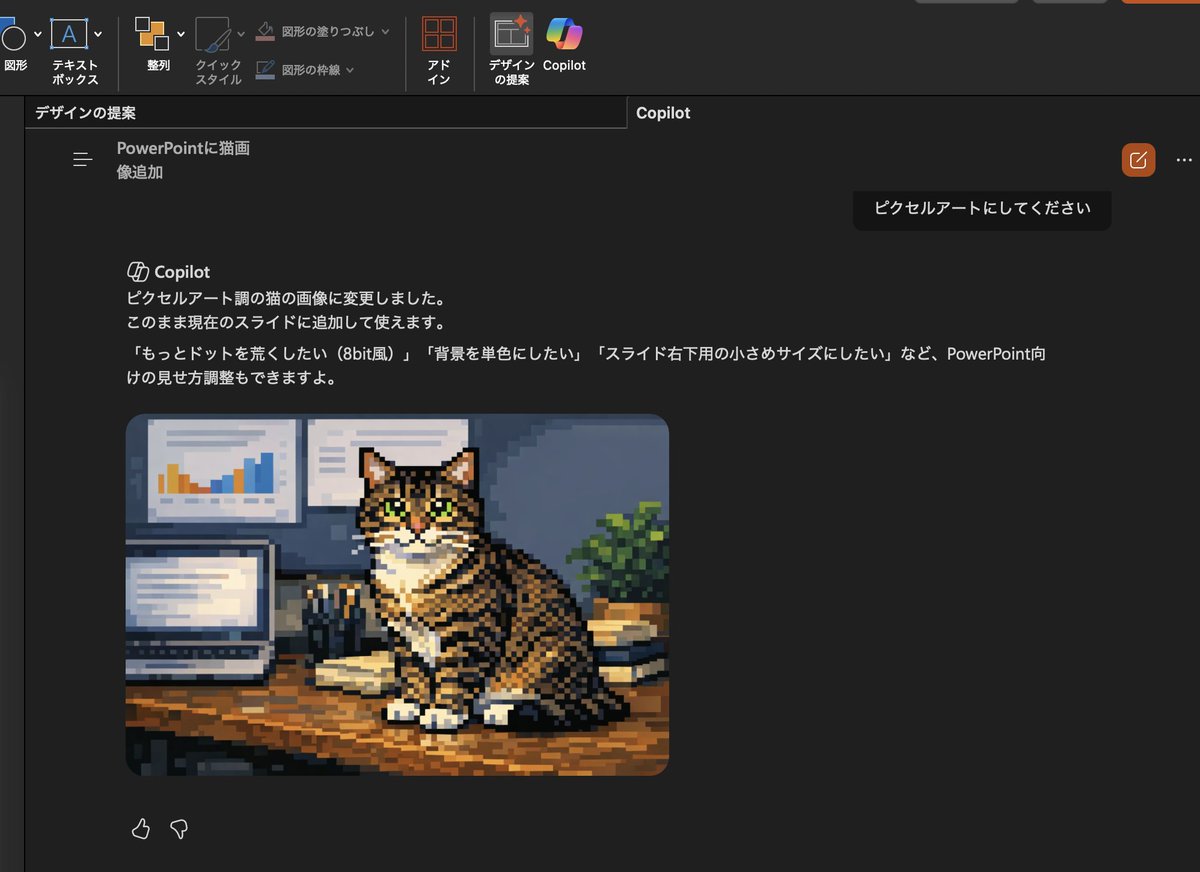
Convert Copilot cat image to pixel art
This prompt turns the generated cat photo inside a PowerPoint Copilot screenshot into pixel art and updates the Japanese UI text to match the new edit request.
This is a gpt-image-2 prompt case for Illustration & Art. Use the copy-ready prompt below to generate similar visuals, and review YouMind OpenLab awesome-gpt-image-2 attribution plus commercial-use rights before reuse.

Prompt
Copy-ready prompt
Using the provided reference image, simply convert the inserted cat photo into retro pixel art, while preserving the screenshot layout, interface, and composition of Copilot in PowerPoint Dark Mode. Retain the same tabby cat, pose, desktop setup, laptop, wall charts, books, and plants, but redraw the image as coarse-grained, low-resolution, game-style pixel art with prominent blocky pixels, simplified shadows, and an 8-bit aesthetic. At the same time, the visible Japanese Copilot request and response text is updated so that the request becomes "ピクセルアートにしてください", and the response states that the cat picture has been changed to a pixel art style, and provides 3 Follow-up suggestions for options: "もっとドットを野くしたい(8bit wind)", " "Background is a simple color" and "スライドの小さめサイズにしたい".
Reuse and source notes
Use this prompt safely after previewing the case.
- 1.Copy the prompt or open it directly in Dovoo with the generation button.
- 2.Adjust variables, aspect ratio, and reference images for your own use case.
- 3.Before publishing or paid usage, verify source rights, attribution requirements, and brand or likeness risks.
Can I use this prompt commercially?
Commercial-use status is unknown. Review the original source, license, brand constraints, and legal requirements before paid usage.
Where does this case come from?
This case is imported from YouMind OpenLab awesome-gpt-image-2; keep attribution visible and check the source URL before reuse.