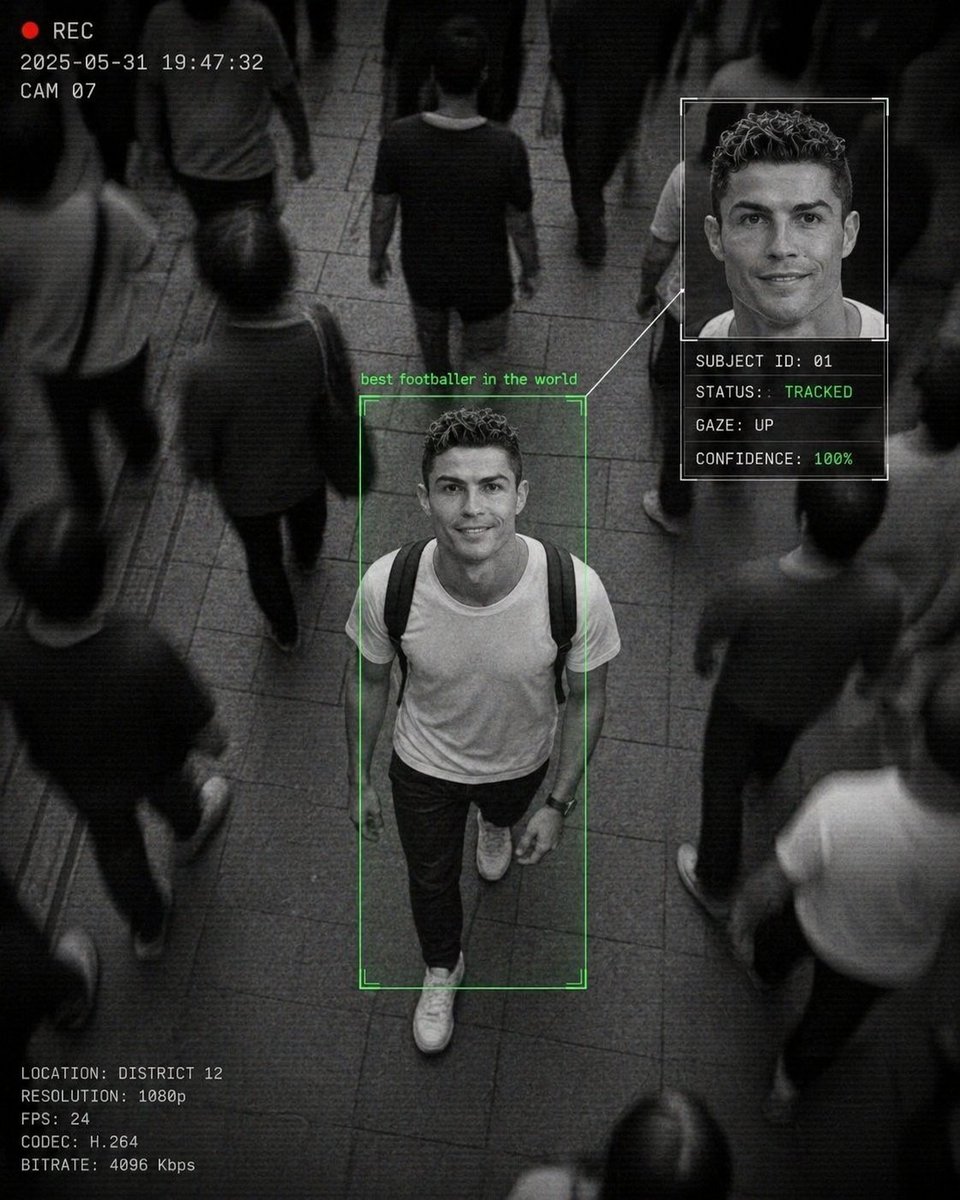
Cinematic Surveillance Interface Aesthetic
Generates a monochrome CCTV-style surveillance shot of a person of interest in a crowd, complete with digital UI overlays and motion blur.
This is a gpt-image-2 prompt case for Portrait & Character. Use the copy-ready prompt below to generate similar visuals, and review YouMind OpenLab awesome-gpt-image-2 attribution plus commercial-use rights before reuse.
Prompt
Copy-ready prompt
A CCTV-style surveillance video, taken from above.{argument name="location" default="Crowded street scene"} The person in the center of the picture{argument name="subject" default="young man"} She is walking forward and looking up at the camera, giving a warm and friendly smile, while the surrounding pedestrians are blurred.{argument name="color tone" default="Black and white monochrome"} The surrounding crowd exhibits strong motion blur, while the main subject remains clearly in focus, creating a dramatic contrast. A top-down perspective is used, and an AI facial recognition interface overlay is employed. The woman is surrounded by a green border labeled "PERSON OF INTEREST." A sidebar displays an enlarged facial portrait and data text: "SUBJECT ID: 01," "STATUS: TRACKED," "GAZE: UP," and "CONFIDENCE: 86%." A connecting line exists between the facial panel and the main subject. A timestamp is overlaid in the corner, along with a "REC" indicator light. The design features grainy textures, digital noise, compression artifacts, subtle scan lines, cinematic surveillance aesthetics, a documentary style, slightly distorted perspective, an urban environment, and dynamic composition.Prompt variables
Editable argument placeholders found in the prompt, with their default values.
Variable
location
Default
Crowded street scene
Variable
subject
Default
young man
Variable
color tone
Default
Black and white monochrome
Reuse and source notes
Use this prompt safely after previewing the case.
- 1.Copy the prompt or open it directly in Dovoo with the generation button.
- 2.Adjust variables, aspect ratio, and reference images for your own use case.
- 3.Before publishing or paid usage, verify source rights, attribution requirements, and brand or likeness risks.
Can I use this prompt commercially?
Commercial-use status is unknown. Review the original source, license, brand constraints, and legal requirements before paid usage.
Where does this case come from?
This case is imported from YouMind OpenLab awesome-gpt-image-2; keep attribution visible and check the source URL before reuse.