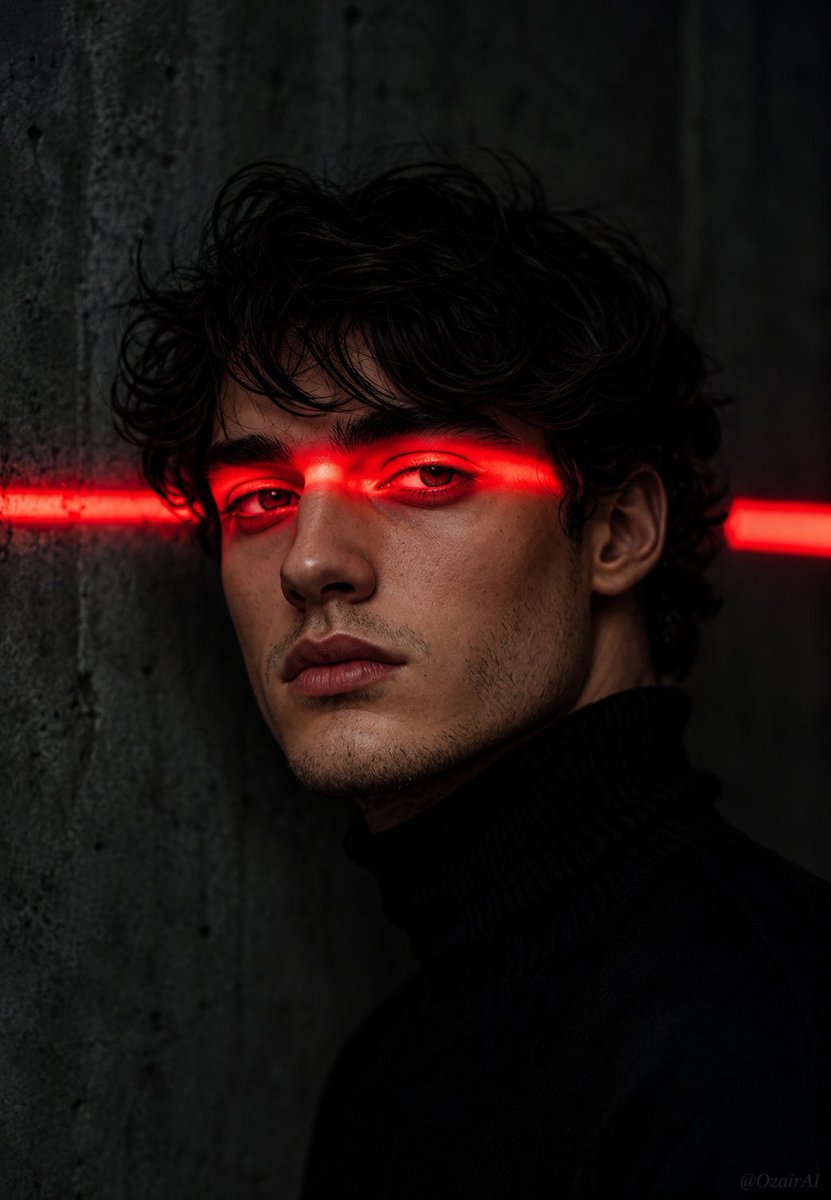
Cinematic Noir Neon Identity Portrait
A complex identity-preserving prompt that places a specific subject's face into a dark, cinematic noir scene featuring intense red neon lighting.
This is a gpt-image-2 prompt case for 人像角色. Use the copy-ready prompt below to generate similar visuals, and review YouMind OpenLab awesome-gpt-image-2 attribution plus commercial-use rights before reuse.

Prompt
Copy-ready prompt
Please use the face from the reference image I uploaded as the subject. Do not alter facial features, jawline, eye shape, nose, or stubble. Ensure the face is 100% identical to the reference image. Now, place this face in the following scene: a cinematic dark portrait, where the person possesses {argument name="facial detail" default="A defined jawline and light stubble."} Her messy black hair hung down her forehead, and she wore {argument name="clothing" default="black turtleneck sweater"} A strong horizontal{argument name="light color" default="red"} Neon light strips traverse the eyes, casting a deep red glow on the eyelids, eyebrows, and bridge of the nose. The eyes are half-open, staring coldly and sharply into the camera. The background is a dark gray concrete wall, with a second, slightly out-of-focus, blurry red light strip visible on the right. Deep shadows, dramatic lighting, a film noir atmosphere. A faint "OzairAI" watermark is present in the lower right corner. 9:13 aspect ratio. Hyperrealistic, 8K resolution, cinematic color grading.Prompt variables
Editable argument placeholders found in the prompt, with their default values.
More cases in this category
Prioritized by category, input mode compatibility, quality, and lower risk.






Reuse and source notes
Use this prompt safely after previewing the case.
- 1.Copy the prompt or open it directly in Dovoo with the generation button.
- 2.Adjust variables, aspect ratio, and reference images for your own use case.
- 3.Before publishing or paid usage, verify source rights, attribution requirements, and brand or likeness risks.
Can I use this prompt commercially?
Commercial-use status is unknown. Review the original source, license, brand constraints, and legal requirements before paid usage.
Where does this case come from?
This case is imported from YouMind OpenLab awesome-gpt-image-2; keep attribution visible and check the source URL before reuse.