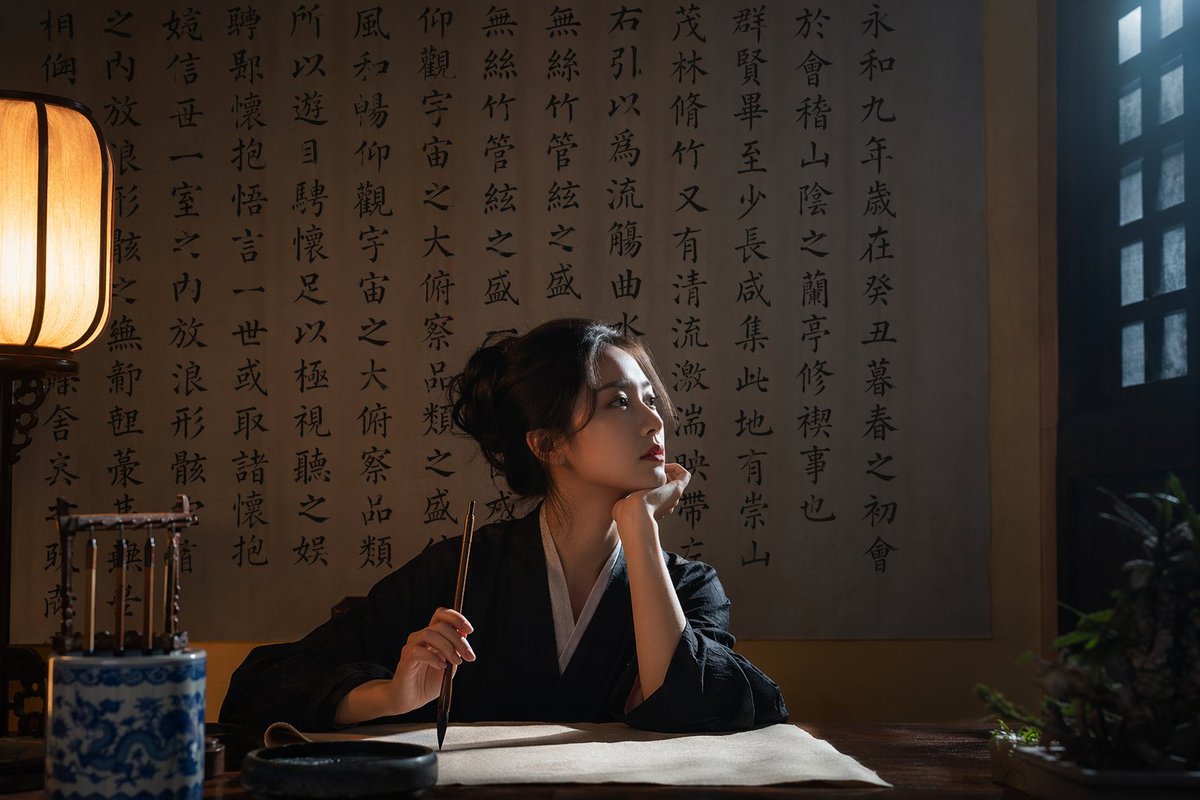
Cinematic Calligraphy Portrait
Generates a highly realistic, moody portrait of a person in traditional attire practicing calligraphy in a classic study.
This is a gpt-image-2 prompt case for Portrait & Character. Use the copy-ready prompt below to generate similar visuals, and review YouMind OpenLab awesome-gpt-image-2 attribution plus commercial-use rights before reuse.
Prompt
Copy-ready prompt
A highly realistic, cinematic photograph, in which {argument name="subject description" default="A young Asian woman"} Wearing{argument name="clothing" default="Traditional black and white Hanfu"} She sat at a dark wooden table in a dimly lit, traditional study. Her right hand held a calligraphy brush, suspended above a blank scroll; her left hand supported her chin, her expression {argument name="expression" default="Contemplative and focused"} Looking to the right, towards the grilled window. The background is a wall covered with {argument name="background calligraphy" default="Traditional Chinese calligraphy"} The large wall. The scene is created by {argument name="lighting style" default="Dramatic cinematic lighting effects with contrasting warm and cool colors"} Illuminated, the traditional paper lanterns on the left cast a warm glow, while cool-toned natural light streamed in from the window. An inkstone, a blue-and-white porcelain brush holder, and a small potted plant sat on the table, creating a refined and atmospheric ambiance.Prompt variables
Editable argument placeholders found in the prompt, with their default values.
Variable
subject description
Default
A young Asian woman
Variable
clothing
Default
Traditional black and white Hanfu
Variable
expression
Default
Contemplative and focused
Variable
background calligraphy
Default
Traditional Chinese calligraphy
Variable
lighting style
Default
Dramatic cinematic lighting effects with contrasting warm and cool colors
Reuse and source notes
Use this prompt safely after previewing the case.
- 1.Copy the prompt or open it directly in Dovoo with the generation button.
- 2.Adjust variables, aspect ratio, and reference images for your own use case.
- 3.Before publishing or paid usage, verify source rights, attribution requirements, and brand or likeness risks.
Can I use this prompt commercially?
Commercial-use status is unknown. Review the original source, license, brand constraints, and legal requirements before paid usage.
Where does this case come from?
This case is imported from YouMind OpenLab awesome-gpt-image-2; keep attribution visible and check the source URL before reuse.