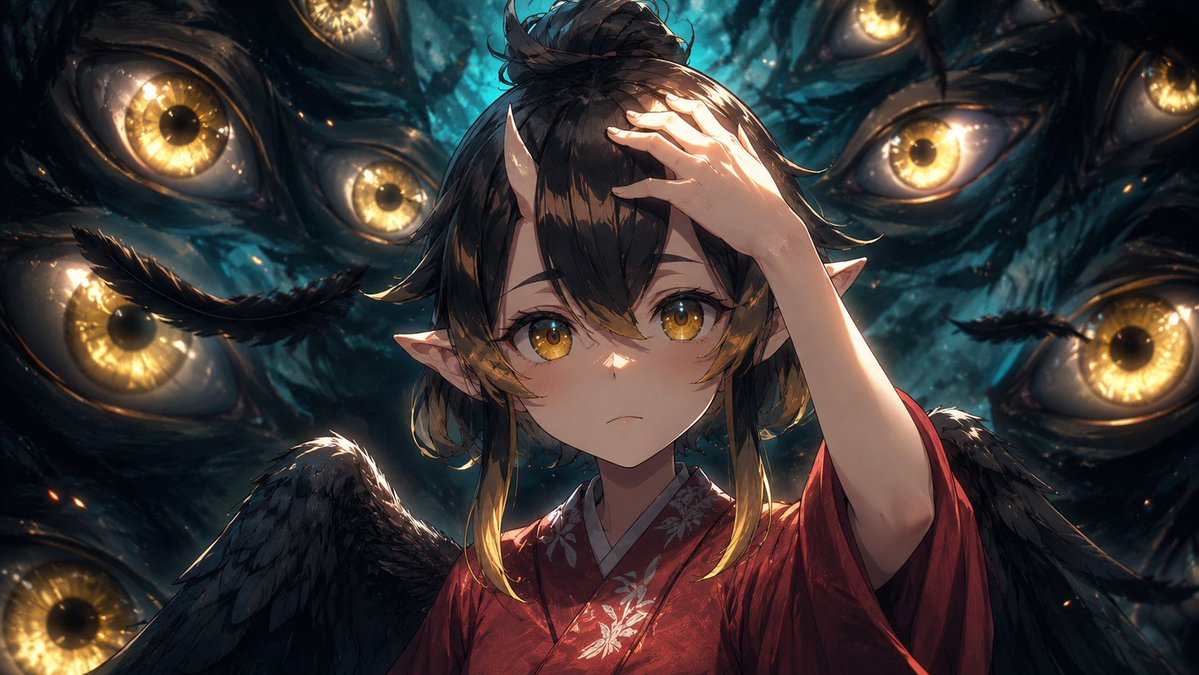
Cinematic Anime Frame Brush-Up
Transforms a reference anime scene into a more polished cinematic production still while preserving the original pose, framing, and masked face.
This is a gpt-image-2 prompt case for 动漫游戏. Use the copy-ready prompt below to generate similar visuals, and review YouMind OpenLab awesome-gpt-image-2 attribution plus commercial-use rights before reuse.

Prompt
Copy-ready prompt
Using the provided reference image as a base frame, refine it into a high-end, cinematic anime key visual while preserving the original composition, character pose, clothing, wings, pointed ears, hand placement, and the rectangular privacy mask in the center of the face. Maintain the same dark, supernatural scene with eight clearly visible golden eyes, but significantly increase paint density, shadow detail, rim lighting, depth, texture, and contrast. Make the eyes in the background sharper and more luminous, with a wet, organic texture, bluish-black tones, glowing amber irises, subtle sparks, and layered depth of field. Optimize hair, feathers, kimono fabric, floral embroidery, skin shadows, and highlights to make the image look more like a polished production still than a rough anime screenshot. Maintain the same widescreen cropping and overall composition. Visual Style:{argument name="visual style" default="High-quality cinematic anime illustrations"} Increase strength:{argument name="enhancement strength" default="Powerful retouching, adding more detail, shadows, and depth."} Light and shadow atmosphere:{argument name="lighting mood" default="Dramatic lapis lazuli dual-color supernatural light and shadow"} Privacy mask:{argument name="privacy mask" default="Preserve the opaque rectangular mask covering the face"} .Prompt variables
Editable argument placeholders found in the prompt, with their default values.
More cases in this category
Prioritized by category, input mode compatibility, quality, and lower risk.






Reuse and source notes
Use this prompt safely after previewing the case.
- 1.Copy the prompt or open it directly in Dovoo with the generation button.
- 2.Adjust variables, aspect ratio, and reference images for your own use case.
- 3.Before publishing or paid usage, verify source rights, attribution requirements, and brand or likeness risks.
Can I use this prompt commercially?
Commercial-use status is unknown. Review the original source, license, brand constraints, and legal requirements before paid usage.
Where does this case come from?
This case is imported from YouMind OpenLab awesome-gpt-image-2; keep attribution visible and check the source URL before reuse.