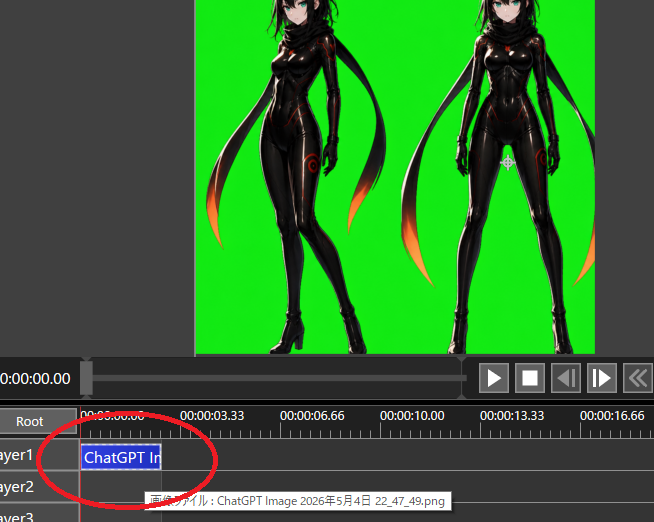
Chroma Key Video Editor Screenshot
Creates a dark video editing interface screenshot showing two anime characters on a green screen with a circled timeline clip for transparency workflow tutorials.
This is a gpt-image-2 prompt case for Other Inspiration. Use the copy-ready prompt below to generate similar visuals, and review YouMind OpenLab awesome-gpt-image-2 attribution plus commercial-use rights before reuse.

Prompt
Copy-ready prompt
Objective: Create a screenshot-style image of a video editing/compositing workspace, demonstrating the preparation for Chroma Key workarounds for transparency adjustments. Canvas: 654×522 pixel landscape screenshot, dark gray software interface, no browser borders or desktop frames. The main preview area occupies the upper half, and the timeline occupies the lower half. Preview Area: A bright, pure green Chroma Key background rectangle centered. Two full-body anime cyberpunk ninja women are placed on the background as imported image assets: the left figure is in a three-quarter profile pose with one leg crossed forward; the right figure is standing facing forward with legs apart. Both have {argument name="hair color" default="black"} Hair, pale skin, blue eyes, a glossy black bodysuit with subtle red/orange glowing seams, black gloves, high-heeled boots, and a long black scarf/ribbon trailing behind with orange-red glowing ends. The tops of the two characters' heads are slightly cropped at the top edge of the preview area to match the actual editor viewport. A dark gray margin is left outside the green preview area. Interface layout: Below the preview, the playback bar and transfer controls are displayed. Six visible transfer buttons are shown on the right: a play triangle, a stop square, a rewind/forward single-frame button, a double-arrow rewind button, and additional controls visible on the far right. White timecode text is displayed to the left of the time display.{argument name="current timecode" default="0:00:00.00"} Use small white UI text and gray panels. Timeline: Displays a ruler with time labels, containing 5 visible labels: 0:00:00.00, 0:00:03.33, 0:00:06.66, 0:00:10.00, and 0:00:13.33, with a partially visible 0:00:16.66 on the far right. Displays 3 layer rows labeled Layer1, Layer2, and Layer3, with a Root row above. Add a red vertical playhead near the start of 0:00:00.00. Place a blue selected segment on Layer1, starting from the beginning and labeled {argument name="clip label" default="ChatGPT Im"} Draw a thick, hand-drawn red ellipse/circle at the beginning of the Layer 1 clip and timeline, as if marking the click location. Display a small tooltip near Layer 2, containing {argument name="tooltip text" default="Image file: ChatGPT Image May 4, 2026 22_47_49.png"} The opening Japanese text. Visual style: Realistic low-resolution software screenshots, clean UI elements with slight jagged edges, a functional dark theme, and no decorative borders. Anime assets should look like sophisticated AI-generated character art embedded in the editor, not flat icons. Constraints: Keep the Chroma Key green pure and vibrant. Do not add extra characters, extra clips, or extra marker circles. Do not include watermarks. Preserve the screenshot cropping effect, cutting off the right-hand controls and the rightmost time tag portion.Prompt variables
Editable argument placeholders found in the prompt, with their default values.
Variable
hair color
Default
black
Variable
current timecode
Default
0:00:00.00
Variable
clip label
Default
ChatGPT Im
Variable
tooltip text
Default
Image file: ChatGPT Image May 4, 2026 22_47_49.png
Reuse and source notes
Use this prompt safely after previewing the case.
- 1.Copy the prompt or open it directly in Dovoo with the generation button.
- 2.Adjust variables, aspect ratio, and reference images for your own use case.
- 3.Before publishing or paid usage, verify source rights, attribution requirements, and brand or likeness risks.
Can I use this prompt commercially?
Commercial-use status is unknown. Review the original source, license, brand constraints, and legal requirements before paid usage.
Where does this case come from?
This case is imported from YouMind OpenLab awesome-gpt-image-2; keep attribution visible and check the source URL before reuse.