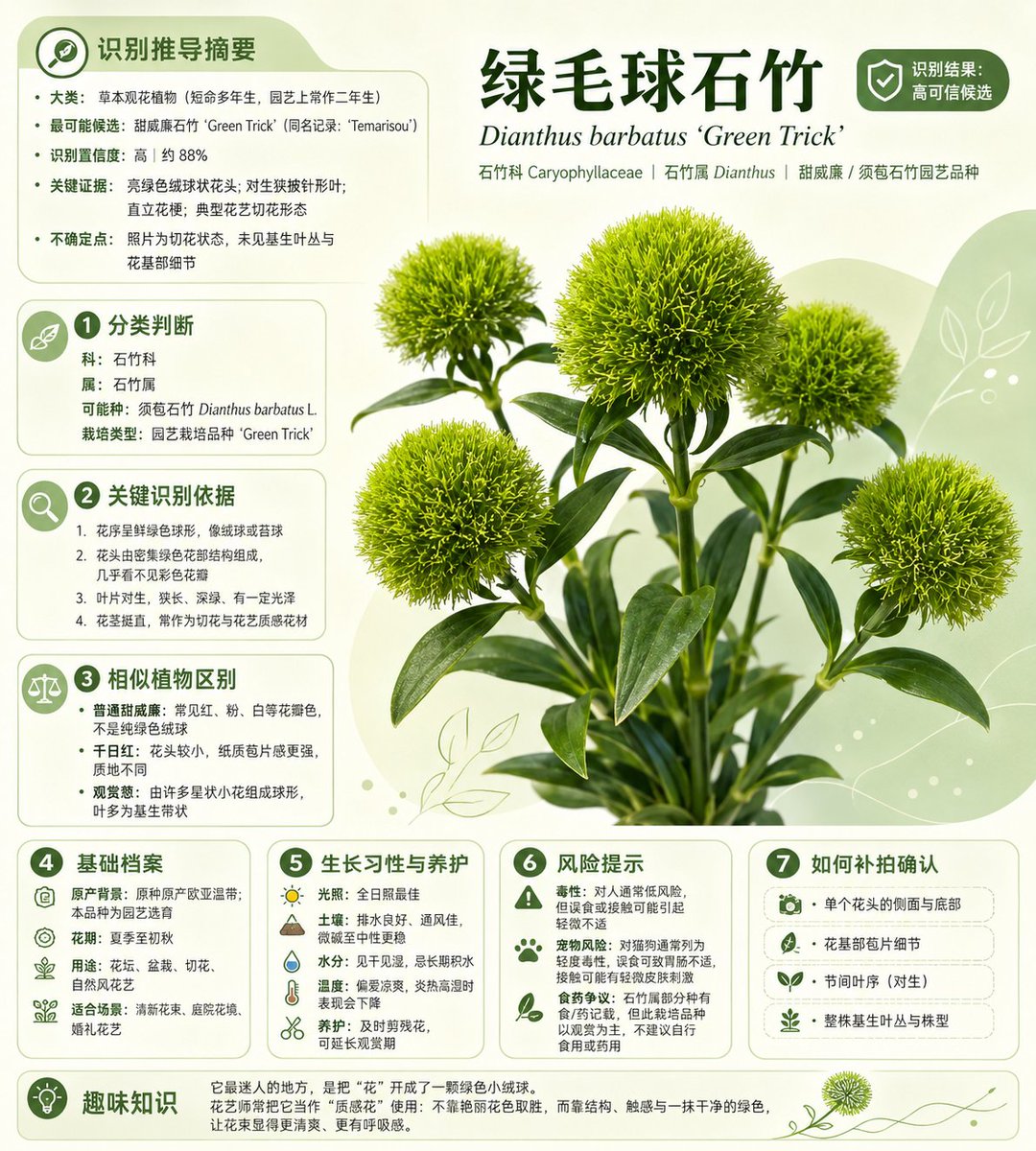
Chinese Plant ID Infographic
Generates a polished Chinese plant-identification poster from a reference plant photo, suitable for botanical apps, social sharing, or care guides.
This is a gpt-image-2 prompt case for 平面海报. Use the copy-ready prompt below to generate similar visuals, and review YouMind OpenLab awesome-gpt-image-2 attribution plus commercial-use rights before reuse.

Prompt
Copy-ready prompt
Using the provided reference photo as the source plant, it was transformed into a concise plant identification infographic poster. The fuzzy green, spherical carnation stems from a cluttered street/florist background were extracted, refined into a sharp, studio-quality plant silhouette, and placed within a soft, light green plant layout. Rounded information cards, leaf vein decorations, and small green icons complete the look, presenting a trustworthy plant app aesthetic. Simplified Chinese typography is used. Main title:{argument name="headline text" default="Green hairy carnation"} Latin scientific name subtitle:{argument name="latin name" default="Dianthus barbatus ‘Green Trick’"} A badge labeled "High Confidence Identification" will be displayed in the upper right corner. Nine content sections will be added: 1. Top-left identification recommendation summary, 2. Classification judgment, 3. Key identification evidence, 4. Similar plant identification, 5. Basic profile, 6. Growth habits and care, 7. Risk warning, 8. How to confirm, and 9. Fun facts at the bottom. Keep the infographic text compact and neatly aligned. Sections 2 through 8 will be marked with numbered green dots, each topic will have a corresponding icon, and a plant image will be the visual center. The presented plant identity:{argument name="identified plant" default="Dianthus barbatus 'Green Trick', also known as Green Trick Dianthus barbatus"} ; Category/Genre Information Line:{argument name="taxonomy line" default="Caryophyllaceae | Dianthus | Dianthus barbatus / Dianthus barbatus horticultural varieties"} .Prompt variables
Editable argument placeholders found in the prompt, with their default values.
More cases in this category
Prioritized by category, input mode compatibility, quality, and lower risk.






Reuse and source notes
Use this prompt safely after previewing the case.
- 1.Copy the prompt or open it directly in Dovoo with the generation button.
- 2.Adjust variables, aspect ratio, and reference images for your own use case.
- 3.Before publishing or paid usage, verify source rights, attribution requirements, and brand or likeness risks.
Can I use this prompt commercially?
Commercial-use status is unknown. Review the original source, license, brand constraints, and legal requirements before paid usage.
Where does this case come from?
This case is imported from YouMind OpenLab awesome-gpt-image-2; keep attribution visible and check the source URL before reuse.