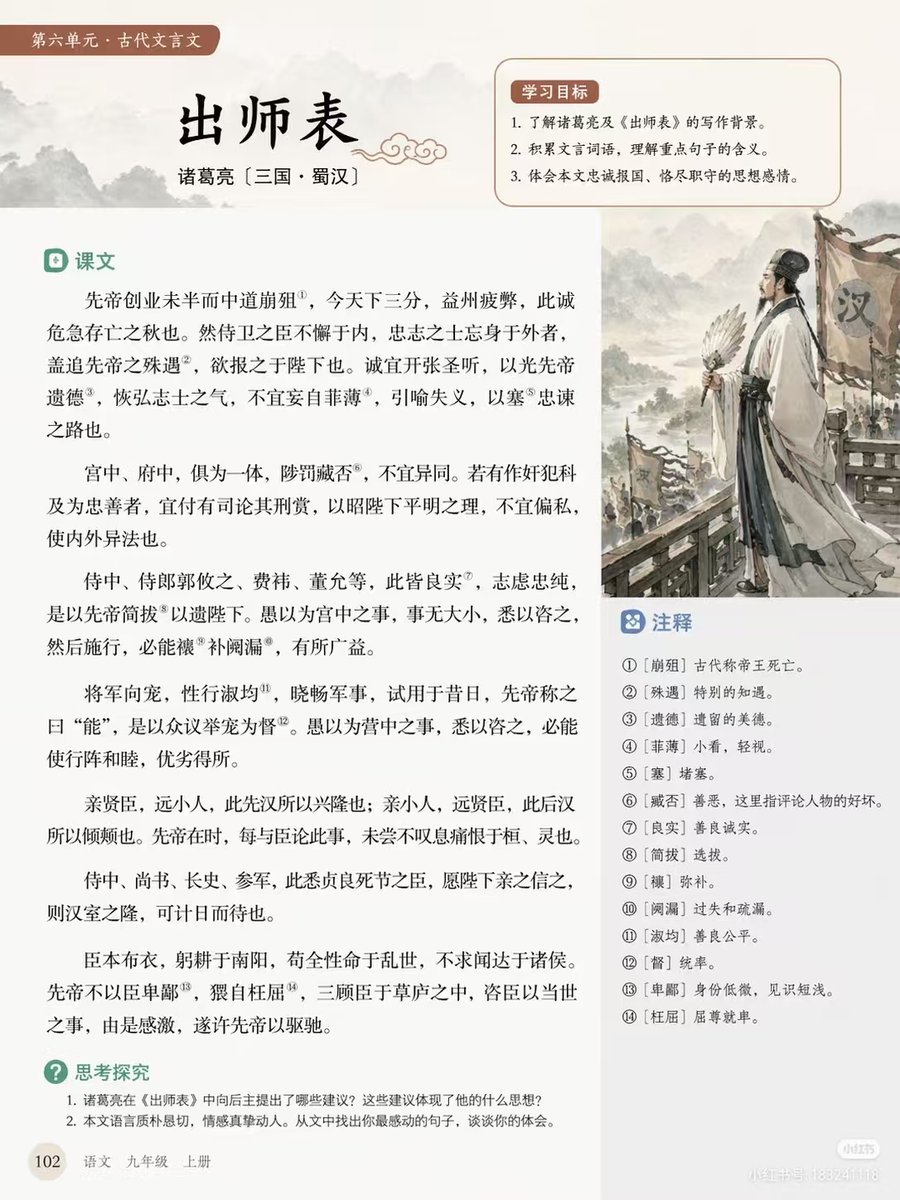
Chinese Literature Textbook Page Layout
Generates a structured educational textbook page featuring classical text, annotations, learning objectives, and an ink-wash illustration.
This is a gpt-image-2 prompt case for 平面海报. Use the copy-ready prompt below to generate similar visuals, and review YouMind OpenLab awesome-gpt-image-2 attribution plus commercial-use rights before reuse.
Prompt
Copy-ready prompt
{
  "type": "Educational textbook page layout",
  "style": "Simple layout, traditional Chinese aesthetics, soft beige background",
  "header": {
    "tag": "Unit 6: Classical Chinese",
    "title": "{argument name=\"main title\" default=\"Memorial on Dispatching the Troops\"}",
    "author": "{argument name=\"author info\" default=\"Zhuge Liang (Three Kingdoms period, Shu Han)\"}"
  },
  "layout": {
    "sections": [
      {
        "title": "Learning Objectives",
        "position": "Top right corner box",
        "count": 3,
        "description": "Numbered learning objectives with a soft red background"
      },
      {
        "title": "text",
        "position": "Left sidebar",
        "count": 6,
        "description": "Classical Chinese passages containing 14 superscripted annotation numbers"
      },
      {
        "title": "Notes",
        "position": "Box below the illustration on the right",
        "count": 14,
        "description": "Explanation of the numbered words corresponding to the superscript in the text"
      },
      {
        "title": "Thinking and Exploring",
        "position": "bottom left corner",
        "count": 2,
        "description": "Numbered discussion questions"
      }
    ],
    "illustration": {
      "position": "Middle right",
      "description": "{argument name=\"illustration subject\" default=\"Zhuge Liang, holding a feather fan, stands before the Han army banner, in the style of a traditional Chinese ink painting.\"}"
    },
    "footer": {
      "page_number": "102",
      "book_info": "{argument name=\"textbook info\" default=\"Chinese Language Textbook for Ninth Grade, First Semester\"}"
    }
  }
}
Prompt variables
Editable argument placeholders found in the prompt, with their default values.
More cases in this category
Prioritized by category, input mode compatibility, quality, and lower risk.






Reuse and source notes
Use this prompt safely after previewing the case.
- 1.Copy the prompt or open it directly in Dovoo with the generation button.
- 2.Adjust variables, aspect ratio, and reference images for your own use case.
- 3.Before publishing or paid usage, verify source rights, attribution requirements, and brand or likeness risks.
Can I use this prompt commercially?
Commercial-use status is unknown. Review the original source, license, brand constraints, and legal requirements before paid usage.
Where does this case come from?
This case is imported from YouMind OpenLab awesome-gpt-image-2; keep attribution visible and check the source URL before reuse.