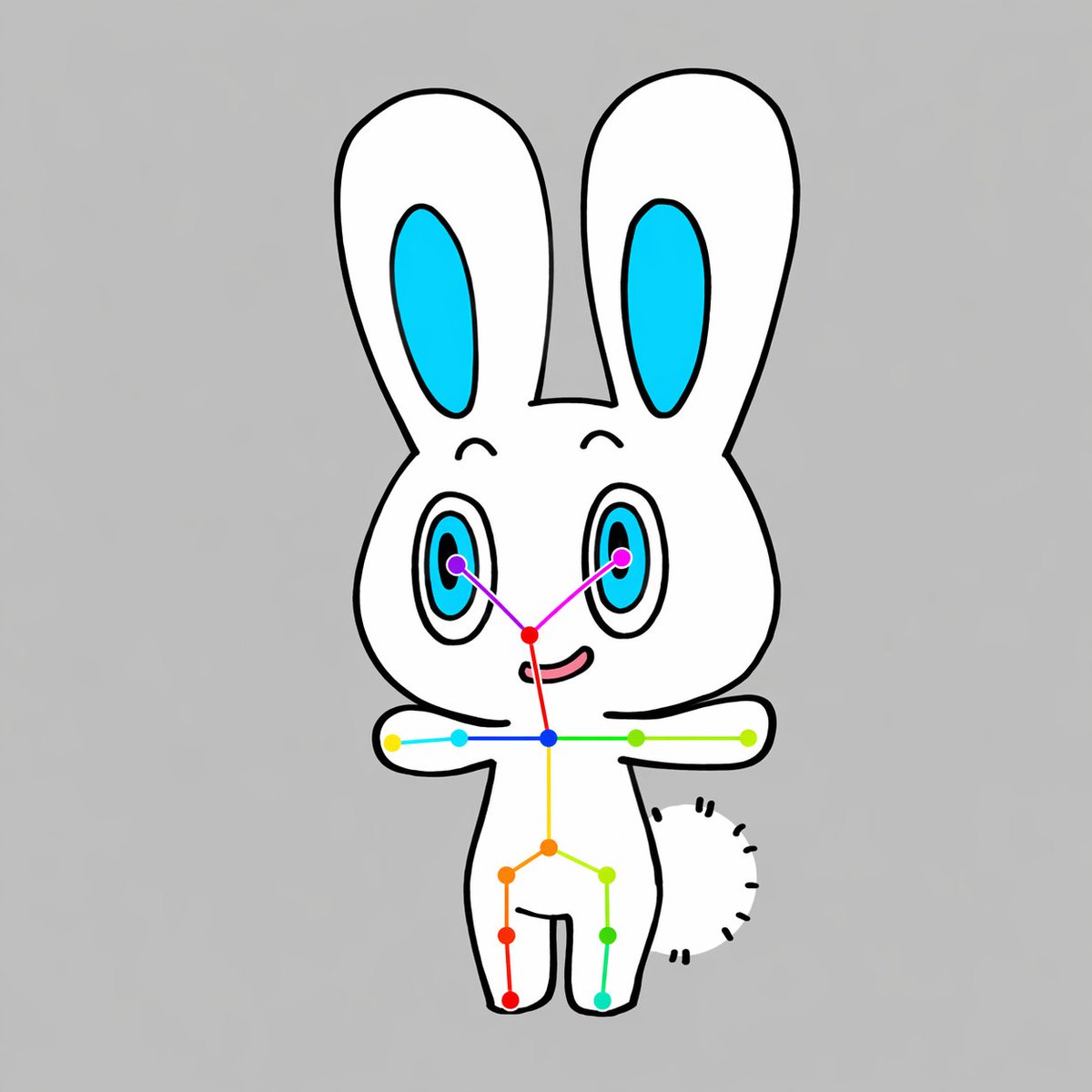
Chibi Rabbit OpenPose Diagram
A clean cartoon prompt for generating a front-facing chibi animal character with a visible OpenPose-style keypoint skeleton, useful for pose-estimation demos, dataset examples, or AI vision illustrations.
This is a gpt-image-2 prompt case for 插画艺术. Use the copy-ready prompt below to generate similar visuals, and review YouMind OpenLab awesome-gpt-image-2 attribution plus commercial-use rights before reuse.
Prompt
Copy-ready prompt
A simple, centered full-body illustration showcasing an adorable chibi version.{argument name="animal type" default="rabbit"} Character, background is solid color{argument name="background color" default="Light gray"} The character is drawn in a flat cartoon style, featuring clear, bold black outlines and minimalist shadows. The character has a white body, a large, round head, two long, erect ears (with bright cyan inner ears), two large oval eyes with cyan irises, black pupils, and tiny highlights, thin, curved eyebrows, a small, pinkish-red nose, and a slightly upturned mouth. The character faces forward, with arms outstretched horizontally to the sides and legs apart in a simple standing pose. A short, semi-circular, fluffy tail, formed by short black dotted lines, is visible on the right side of the body. A clear OpenPose-style skeletal marker system is overlaid on the character: 2 purple eye keypoints, 1 red nose keypoint, 1 blue neck keypoint, 2 shoulder keypoints, 2 elbow keypoints, 2 wrist keypoints, 1 yellow spine or pelvic center point, 2 hip keypoints, 2 knee keypoints, and 2 ankle keypoints, totaling 17 colored points, connected to the face, shoulders, torso, arms, and legs by thin colored lines. Vibrant colors such as purple, magenta, red, blue, cyan, green, yellow, orange, and turquoise are used to make the overlays of poses clearly visible. The composition maintains vertical centering, symmetry, cleanliness, and a graphic feel, using the cute mascot character and poses of the overlays as the sole main subject.Prompt variables
Editable argument placeholders found in the prompt, with their default values.
More cases in this category
Prioritized by category, input mode compatibility, quality, and lower risk.






Reuse and source notes
Use this prompt safely after previewing the case.
- 1.Copy the prompt or open it directly in Dovoo with the generation button.
- 2.Adjust variables, aspect ratio, and reference images for your own use case.
- 3.Before publishing or paid usage, verify source rights, attribution requirements, and brand or likeness risks.
Can I use this prompt commercially?
Commercial-use status is unknown. Review the original source, license, brand constraints, and legal requirements before paid usage.
Where does this case come from?
This case is imported from YouMind OpenLab awesome-gpt-image-2; keep attribution visible and check the source URL before reuse.