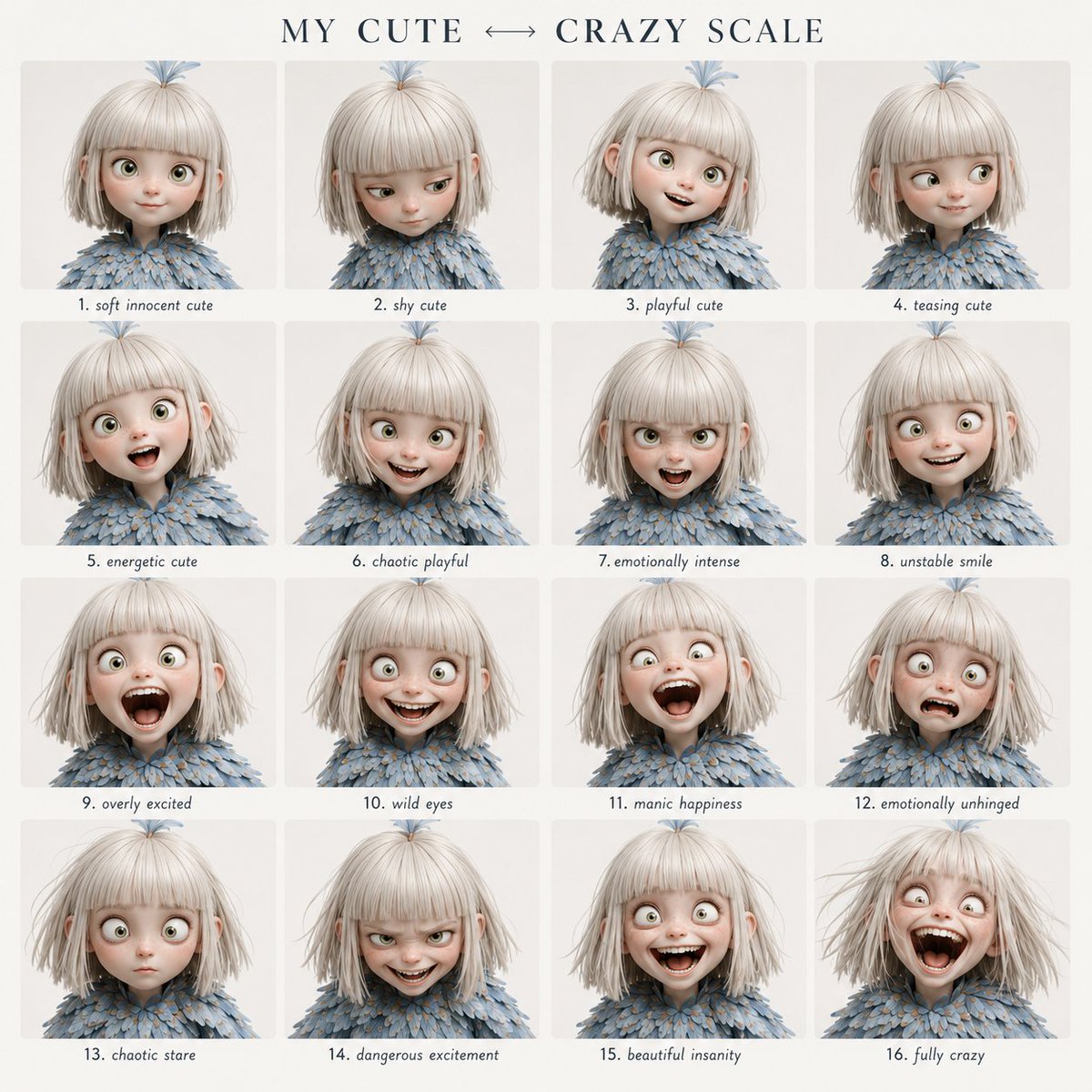
Character Emotional Performance Grid
A highly structured prompt for generating a 4x4 grid of character expressions, transitioning from cute to crazy while maintaining perfect facial identity.
This is a gpt-image-2 prompt case for 人像角色. Use the copy-ready prompt below to generate similar visuals, and review YouMind OpenLab awesome-gpt-image-2 attribution plus commercial-use rights before reuse.

Prompt
Copy-ready prompt
Using the provided roles as fixed identity references, create a clear 4x4 grid of emotional expressions. Visual style: Clean, modern flat design layout. An elegant serif font title at the top, a soft off-white background, even spacing, and an easily readable small handwritten-style label centered below each panel. Title text: "{argument name="grid title" default="My cuteness↔ Crazy scale"} "Maintain strict consistency in facial features across all 16 panels. Follow a precise order of emotional evolution from top left to bottom right. Do not randomize expressions or intensity. Grid order: Row 1: 1. Gentle and innocent cute 2. Shy cute 3. Playful cute 4. Teasing cute Row 2: 5. Energetic cute 6. Chaotic playfulness 7. Intense emotion 8. Unstable smile Row 3: 9. Overexcited 10. Wild gaze 11. Manic joy 12. Emotional breakdown Row 4: 13. Confused gaze 14. Dangerous excitement 15. Beautiful madness 16. Utter madness Format: 4x4 grid"{argument name="style" default="Film portrait photography"} Style, neutral background, tight close-up composition, shallow depth of field, no watermark.Prompt variables
Editable argument placeholders found in the prompt, with their default values.
More cases in this category
Prioritized by category, input mode compatibility, quality, and lower risk.






Reuse and source notes
Use this prompt safely after previewing the case.
- 1.Copy the prompt or open it directly in Dovoo with the generation button.
- 2.Adjust variables, aspect ratio, and reference images for your own use case.
- 3.Before publishing or paid usage, verify source rights, attribution requirements, and brand or likeness risks.
Can I use this prompt commercially?
Commercial-use status is unknown. Review the original source, license, brand constraints, and legal requirements before paid usage.
Where does this case come from?
This case is imported from YouMind OpenLab awesome-gpt-image-2; keep attribution visible and check the source URL before reuse.