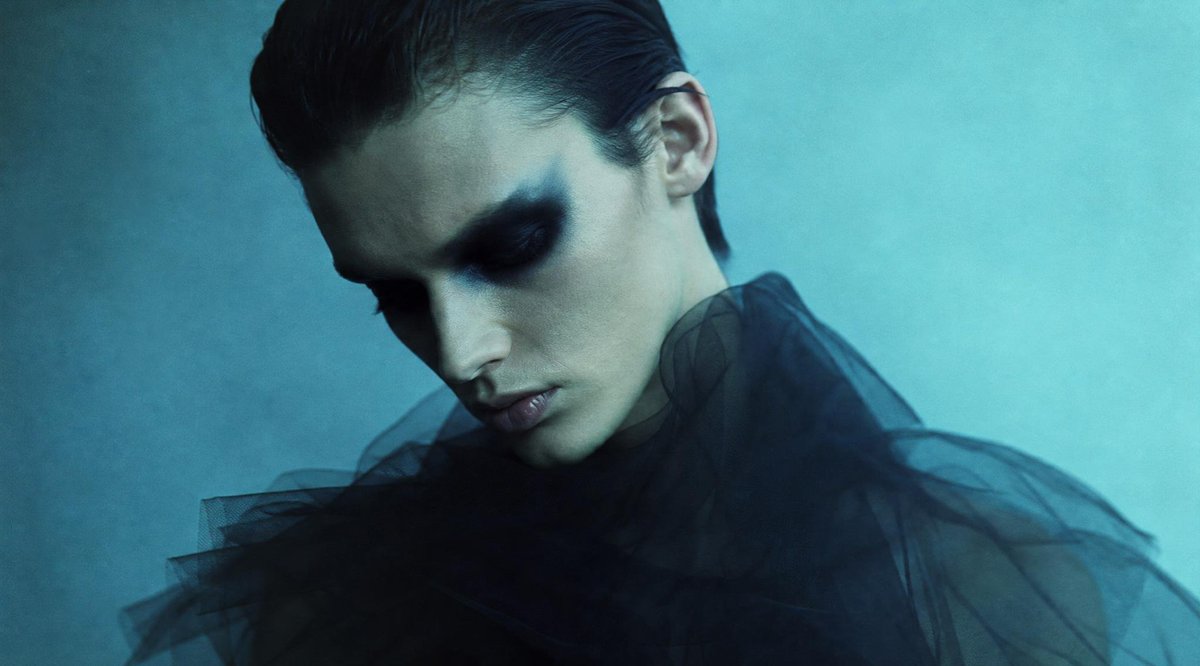
Censored Teal Fashion Portrait
A cinematic editorial portrait prompt featuring a model obscured by a square censor block, useful for moody fashion or conceptual imagery.
This is a gpt-image-2 prompt case for 时尚美妆. Use the copy-ready prompt below to generate similar visuals, and review YouMind OpenLab awesome-gpt-image-2 attribution plus commercial-use rights before reuse.
Prompt
Copy-ready prompt
Create a melancholic, cinematic fashion portrait with a 16:9 horizontal composition. A young, androgynous model possesses {argument name="hair color" default="Dark slicked-back hairstyle"} The model appears half-body against a soft, cyan-blue textured studio backdrop. Slightly off-center, only her top hairline, one ear, neck, and part of her shoulder are visible, as a large, opaque square obscuring her face and the central area of her head. Centered on her face, the square occupies approximately one-third of the image, exhibiting a subtle vertical gradient from a deep charcoal blue in the upper left corner to a soft gray-green on the right, with extremely sharp edges and no text. She wears a striking outfit.{argument name="garment" default="Black sheer tulle ruffled neckline or fluffy semi-transparent fabric"} The image is covered in the lower half, presenting a semi-transparent, smoky effect with layered folds. The lighting creates a low-key atmosphere, using cool cyan and dark blue tones with a soft film grain, shallow depth of field, a high-end fashion editorial style, minimalist composition, no visible eyes, no facial features, no logo, and no watermark.Prompt variables
Editable argument placeholders found in the prompt, with their default values.
More cases in this category
Prioritized by category, input mode compatibility, quality, and lower risk.






Reuse and source notes
Use this prompt safely after previewing the case.
- 1.Copy the prompt or open it directly in Dovoo with the generation button.
- 2.Adjust variables, aspect ratio, and reference images for your own use case.
- 3.Before publishing or paid usage, verify source rights, attribution requirements, and brand or likeness risks.
Can I use this prompt commercially?
Commercial-use status is unknown. Review the original source, license, brand constraints, and legal requirements before paid usage.
Where does this case come from?
This case is imported from YouMind OpenLab awesome-gpt-image-2; keep attribution visible and check the source URL before reuse.