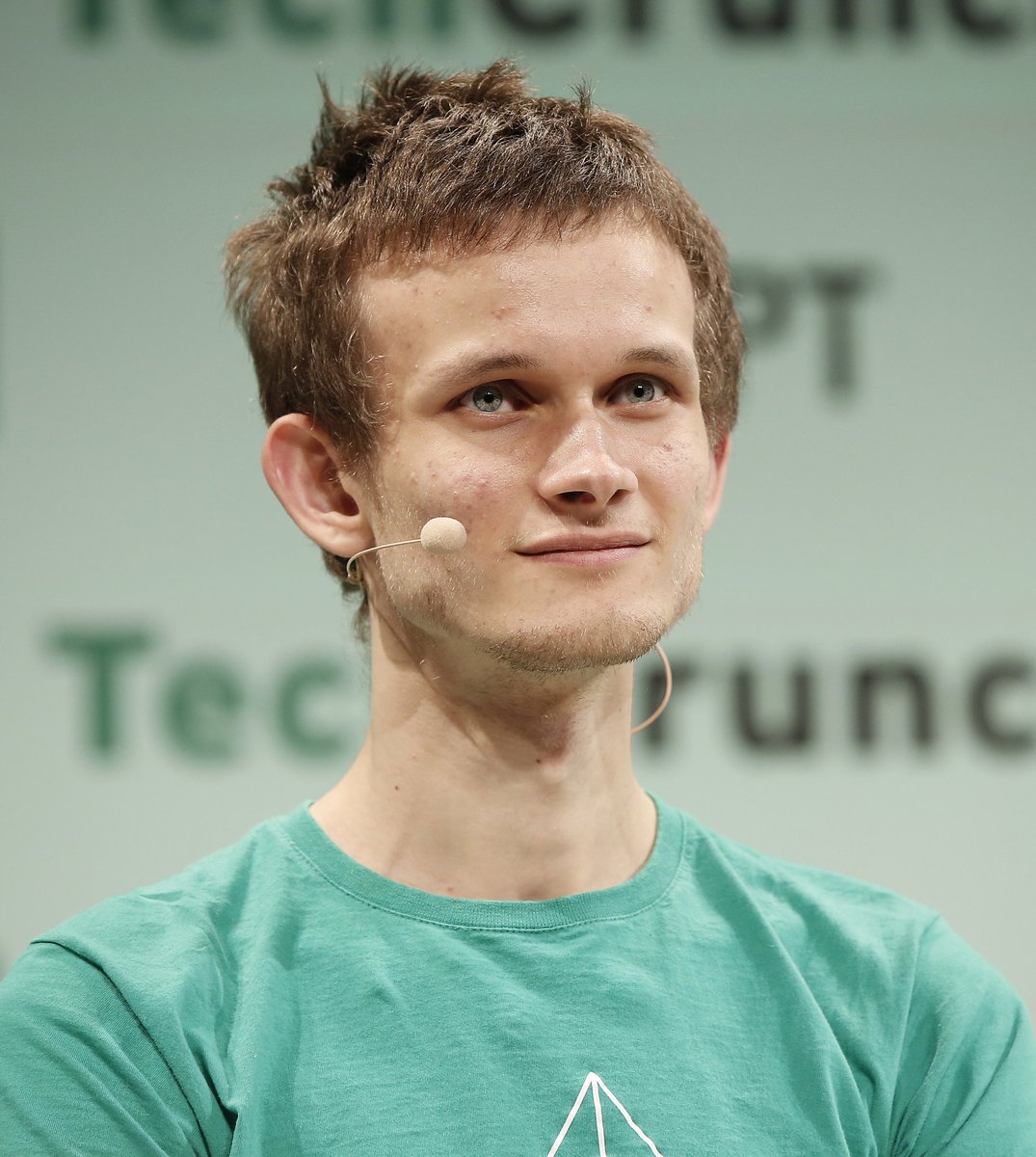
Censored Tech Conference Speaker
A realistic cropped event portrait of a headset-wearing conference speaker with the face obscured by a square censor block.
This is a gpt-image-2 prompt case for 人像角色. Use the copy-ready prompt below to generate similar visuals, and review YouMind OpenLab awesome-gpt-image-2 attribution plus commercial-use rights before reuse.
Prompt
Copy-ready prompt
Create a realistic portrait of a press conference, with the subject being {argument name="speaker description" default="A young man with messy brown short hair"} He stood on the stage, the camera angle cropping from his upper chest to above his hair. He was wearing a {argument name="shirt color" default="blue-green"} He wore a crew-neck T-shirt with a small white geometric logo faintly visible near the center of the hem. His head was slightly turned to the left of the audience, revealing one ear. A thin beige headset microphone cable wrapped around his right ear, extending down his cheek and neck. A large, opaque square review obscuring block, centered from the forehead to the chin, was placed over his entire face, obscuring all facial features while retaining partial visibility of his hair, ears, neck, shirt, and microphone. The background was a softly blurred conference wall with oversized dark green/black lettering; the visible text should suggest {argument name="background event text" default="TechCrunch"} However, it remains out of focus and partially cropped. It uses shallow depth of field, natural stage lighting, a soft gray-green background, a realistic DSLR/event photography style, centered composition, 4:3 aspect ratio, no added subtitles, and no watermark.Prompt variables
Editable argument placeholders found in the prompt, with their default values.
More cases in this category
Prioritized by category, input mode compatibility, quality, and lower risk.






Reuse and source notes
Use this prompt safely after previewing the case.
- 1.Copy the prompt or open it directly in Dovoo with the generation button.
- 2.Adjust variables, aspect ratio, and reference images for your own use case.
- 3.Before publishing or paid usage, verify source rights, attribution requirements, and brand or likeness risks.
Can I use this prompt commercially?
Commercial-use status is unknown. Review the original source, license, brand constraints, and legal requirements before paid usage.
Where does this case come from?
This case is imported from YouMind OpenLab awesome-gpt-image-2; keep attribution visible and check the source URL before reuse.