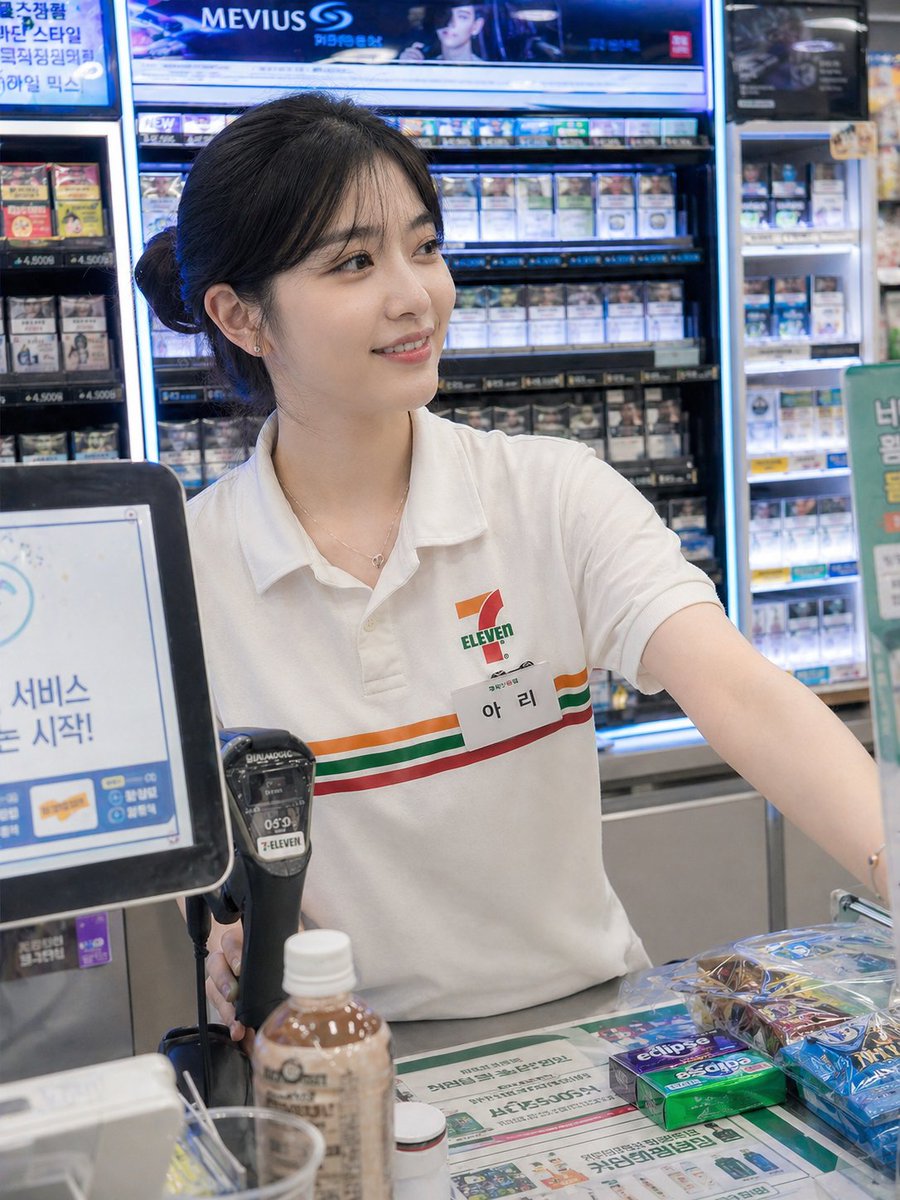
Candid Convenience Store Cashier
A photorealistic prompt for a candid-style shot of a convenience store cashier, designed to look like a spontaneous smartphone photo from a customer.
This is a gpt-image-2 prompt case for Portrait & Character. Use the copy-ready prompt below to generate similar visuals, and review YouMind OpenLab awesome-gpt-image-2 attribution plus commercial-use rights before reuse.
Prompt
Copy-ready prompt
A beautiful young woman in her twenties{argument name="nationality" default="South Korea"} Women work as cashiers in convenience stores, wearing typical {argument name="store brand" default="7-Eleven"} Uniform (white shirt with green, red, and orange accents, name tag reading "아리", hair neatly tied back). She stands behind the checkout counter, serving customers with a friendly and natural expression. A POS machine, barcode scanner, and small items like candy and drinks are on the counter. Captured Moment: The photo was taken discreetly from the customer's perspective using a smartphone; the foreground is slightly blurred, the composition is imperfect, and it has a spontaneous, unstaged feel. The lighting comes from the bright and evenly distributed neon lights of the convenience store. Environment: Inside a modern convenience store, the neatly arranged merchandise on the shelves behind the checkout counter creates a clean and bright atmosphere. Photography Style: Photorealistic, candid style, shallow depth of field, natural skin tones, high detail, slight motion blur for realism, 4K quality. Optional Variations: Slightly tilted angle, noise effect from the smartphone camera, reflections on the glass display case, and a gentle smile from the cashier as she hands over a receipt or gives change.Prompt variables
Editable argument placeholders found in the prompt, with their default values.
Variable
nationality
Default
South Korea
Variable
store brand
Default
7-Eleven
Reuse and source notes
Use this prompt safely after previewing the case.
- 1.Copy the prompt or open it directly in Dovoo with the generation button.
- 2.Adjust variables, aspect ratio, and reference images for your own use case.
- 3.Before publishing or paid usage, verify source rights, attribution requirements, and brand or likeness risks.
Can I use this prompt commercially?
Commercial-use status is unknown. Review the original source, license, brand constraints, and legal requirements before paid usage.
Where does this case come from?
This case is imported from YouMind OpenLab awesome-gpt-image-2; keep attribution visible and check the source URL before reuse.