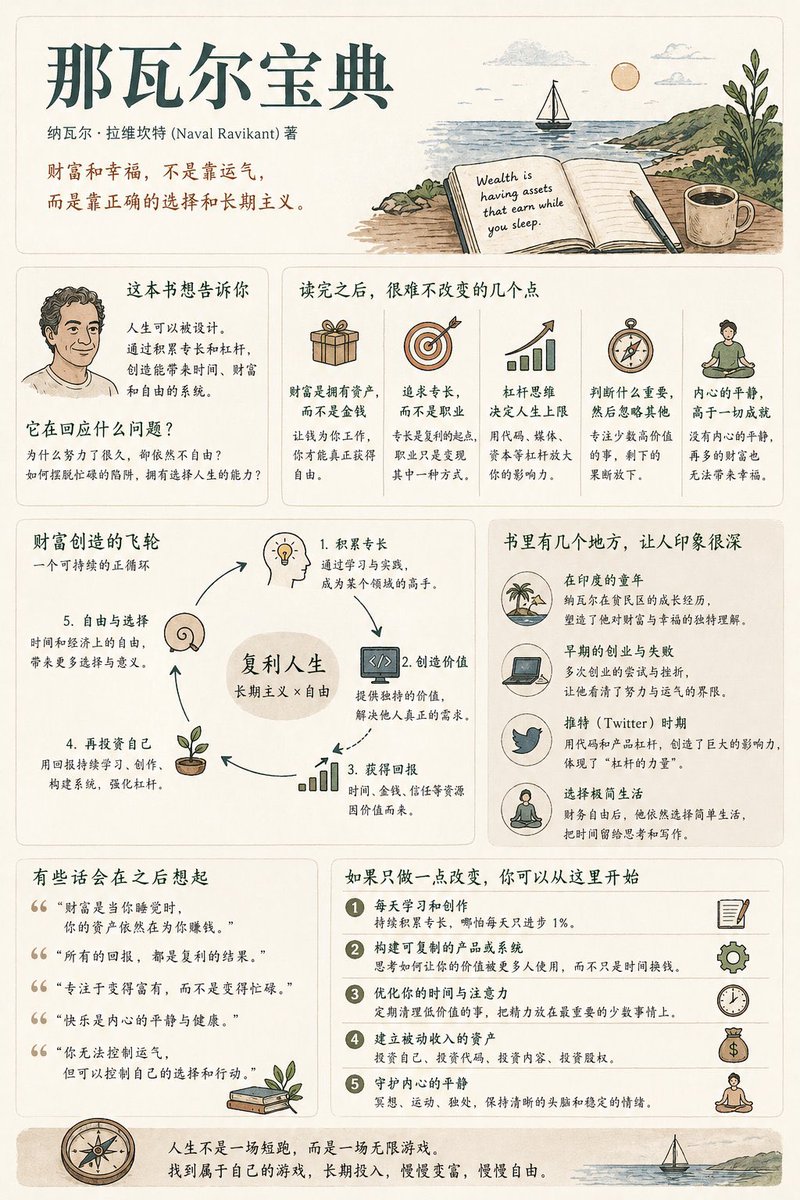
Book Summary Infographic Poster
A comprehensive, structured prompt for creating medium-information density book summary posters with a modern UI and vintage illustration style.
This is a gpt-image-2 prompt case for 平面海报. Use the copy-ready prompt below to generate similar visuals, and review YouMind OpenLab awesome-gpt-image-2 attribution plus commercial-use rights before reuse.
Prompt
Copy-ready prompt
Generate a book summary infographic poster with a medium information density and the theme "{argument name="book title" default="Book Title"} "--- Step 0 (Key Pre-Assessment) Before starting generation, determine the category of the book (multiple selections possible): * Cognitive Growth (Mindset/Self-Improvement) * Business/Wealth (Making Money/Career/Investment) * Psychology/Emotion (Interpersonal Relationships/Inner Self/Human Nature) * Fiction/Story (Narrative/Character/Metaphor) Adjust the content logic according to the category. [Overall Style] Modern minimalist UI + light retro illustration style. Soft light-colored background (cream/beige/light gray). Low-saturation tones (dark green/dark blue/brown). Keywords: quiet, substantial, easy to read. [Core Principles] Do not use fixed module titles. Do not force structural completeness. Organize information naturally according to the book type. [Content Modules] 1. Opening: Book title, author, one-sentence insight. 2. Core Understanding: "What this book really wants to express is..." 3. Highlights: Key points adjusted according to the category. 4. Visual Structure: Decision path, leverage system or character relationship diagram. 5. Example/ Excerpt: A memorable scene or case study. 6. Introduction: A meaningful sentence. 7. Action: Practical steps to take after reading. [Design Details] Adaptive grid layout, card-style information presentation, 6:4 text-to-image ratio, consistent illustration style, clear hierarchical structure. [Tone and Tone] It should sound like a human sharing insights and reflections on the book, rather than a dry summary.Prompt variables
Editable argument placeholders found in the prompt, with their default values.
More cases in this category
Prioritized by category, input mode compatibility, quality, and lower risk.






Reuse and source notes
Use this prompt safely after previewing the case.
- 1.Copy the prompt or open it directly in Dovoo with the generation button.
- 2.Adjust variables, aspect ratio, and reference images for your own use case.
- 3.Before publishing or paid usage, verify source rights, attribution requirements, and brand or likeness risks.
Can I use this prompt commercially?
Commercial-use status is unknown. Review the original source, license, brand constraints, and legal requirements before paid usage.
Where does this case come from?
This case is imported from YouMind OpenLab awesome-gpt-image-2; keep attribution visible and check the source URL before reuse.