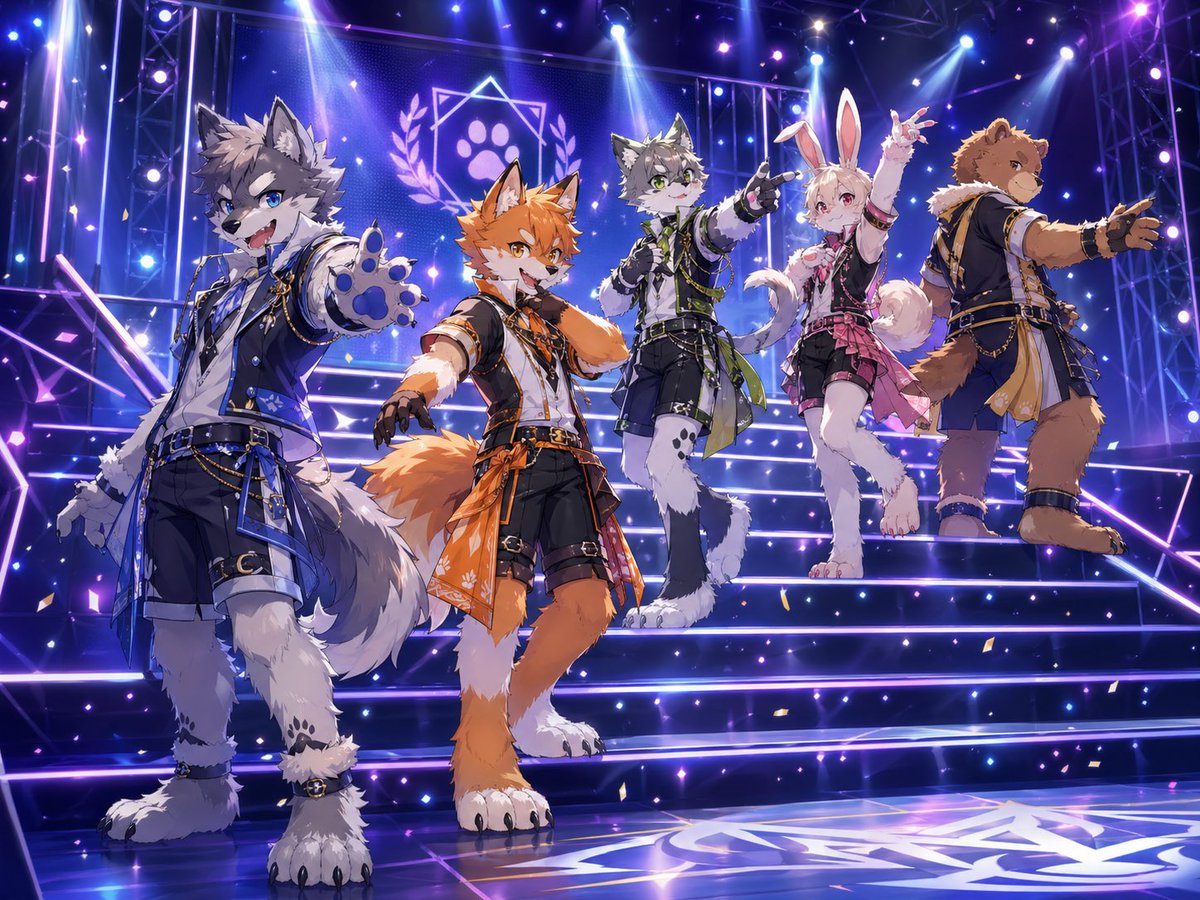
Anthro Idol Group Concert Poster
This prompt generates a high-detail anime-style concert poster of a five-member anthropomorphic idol group on a glowing stage, ideal for music visuals, key art, or VTuber-style unit branding.
This is a gpt-image-2 prompt case for 动漫游戏. Use the copy-ready prompt below to generate similar visuals, and review YouMind OpenLab awesome-gpt-image-2 attribution plus commercial-use rights before reuse.
Prompt
Copy-ready prompt
A meticulously crafted key visual for an anime idol concert. The scene is set on glowing dance steps, with five orc performers arranged in a dynamic diagonal formation, bathed in dramatic purple-blue concert lighting and flashing spotlights. The image employs a slightly upward-looking wide-angle perspective to emphasize depth and stage presence. The neon-lit steps extend upwards, with a background outlined by a metal truss structure. At the center of the background is a large, glowing emblem, a geometric star with an embedded paw print, flanked by laurel leaf patterns, hinting at the idol group's logo. Purple-blue outlines shimmer on the floor and steps, while tiny glitter particles and scattered gold confetti float in the air. The overall atmosphere is vibrant, triumphant, and glamorous, like a promotional poster for a live performance. The five performers are all orc idol characters with animal ears, dressed in coordinated fantasy stage costumes featuring belts, chains, layered fabrics, fingerless gloves, and custom accessories. Each member has their own theme color while sharing a unified group design language. From left to right: a gray wolf boy in a dark blue outfit, closest to the camera, confidently smiling and extending a paw to the audience; an orange fox boy in a black, white, and orange outfit, striding forward with a playful smile, one hand outstretched; a gray wolf boy in a black, white, and green outfit, standing behind the center, pointing diagonally upwards; a white rabbit girl in a black, white, and pink outfit, with long rabbit ears, a fluffy tail, and a layered skirt, one arm raised in a pose reminiscent of an idol; and a brown bear boy in a navy blue and gold outfit, standing with a cool, backward glance, one arm outstretched to the side. All characters should possess vivid anime facial expressions, fluffy fur rendering, detailed tails and paws, and high-quality illustrations. Each outfit should be given a unique accent color: blue for the wolf on the left, orange for the fox, green for the wolf in the middle, pink for the rabbit, and gold for the bear. Costumes should blend idol fashion with a fantasy military stage style: fitted jackets or vests, asymmetrical patchwork, shorts or layered skirts, belts, metallic trims, hanging chains, decorative ropes, and patterned fabric patchwork. The character should resemble someone named {argument name="group name" default="Pawlight"} A unified idol group. (Using){argument name="stage lighting color" default="Purple and blue"} The dominant lighting tone is complemented by bright white spotlights from above and soft lens flares. A screen is placed behind the camera.{argument name="emblem design" default="The star-shaped badge contains a paw print and a laurel branch."} The overall style should be{argument name="art style" default="High-detail anime idol promotional illustrations"} The atmosphere should present{argument name="performance mood" default="Climax of the live performance"} That feeling.Prompt variables
Editable argument placeholders found in the prompt, with their default values.
More cases in this category
Prioritized by category, input mode compatibility, quality, and lower risk.






Reuse and source notes
Use this prompt safely after previewing the case.
- 1.Copy the prompt or open it directly in Dovoo with the generation button.
- 2.Adjust variables, aspect ratio, and reference images for your own use case.
- 3.Before publishing or paid usage, verify source rights, attribution requirements, and brand or likeness risks.
Can I use this prompt commercially?
Commercial-use status is unknown. Review the original source, license, brand constraints, and legal requirements before paid usage.
Where does this case come from?
This case is imported from YouMind OpenLab awesome-gpt-image-2; keep attribution visible and check the source URL before reuse.