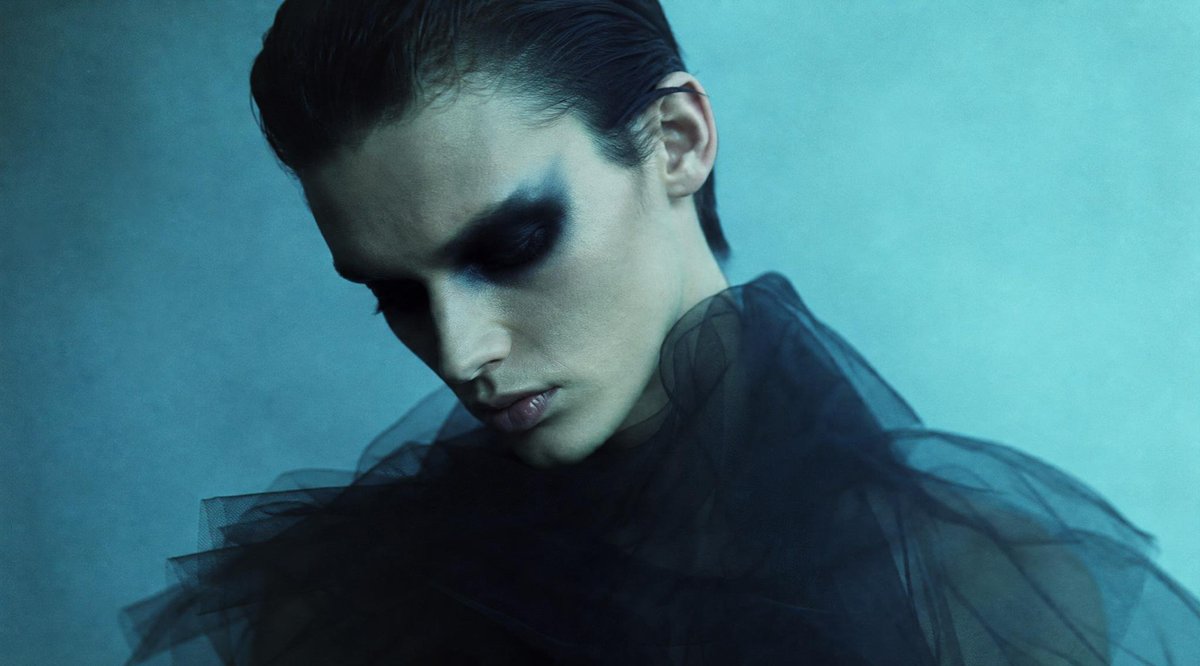
Anonymous Teal Fashion Portrait
A moody cinematic fashion portrait with a model in black tulle and an opaque square obscuring the face, useful for editorial or surreal anonymized portrait concepts.
This is a gpt-image-2 prompt case for Fashion & Beauty. Use the copy-ready prompt below to generate similar visuals, and review YouMind OpenLab awesome-gpt-image-2 attribution plus commercial-use rights before reuse.
Prompt
Copy-ready prompt
Create a cinematic-quality fashion portrait, with the subject being {argument name="subject" default="A young model with an androgynous style"} The composition is from the shoulders up, slightly to the left and centered, with a melancholic blue-green studio background featuring soft mist and film grain. The model has her hair styled in a slicked-back style.{argument name="hair color" default="Black hair"} The right ear is visible, and the model wears a dramatically sheer black tulle dress, with a voluminous, semi-transparent layer spreading across the lower half of the image. A large, opaque square of color is placed directly above the model's face, centered and covering the eyes, nose, mouth, and most of her facial features; this square should be a soft, deep bluish-gray with subtle vertical gradients, like a deliberately designed anonymous mask.{argument name="lighting style" default="Cool-toned diffused cinematic lighting effects"} Shallow depth of field, sophisticated fashion editorial composition, soft contrast, blue-green gradation, realistic textures, and a 16:9 widescreen crop. The image should be free of any text, logos, or extraneous objects, maintaining a minimalist, atmospheric, and mysterious feel.Prompt variables
Editable argument placeholders found in the prompt, with their default values.
Variable
subject
Default
A young model with an androgynous style
Variable
hair color
Default
Black hair
Variable
lighting style
Default
Cool-toned diffused cinematic lighting effects
Reuse and source notes
Use this prompt safely after previewing the case.
- 1.Copy the prompt or open it directly in Dovoo with the generation button.
- 2.Adjust variables, aspect ratio, and reference images for your own use case.
- 3.Before publishing or paid usage, verify source rights, attribution requirements, and brand or likeness risks.
Can I use this prompt commercially?
Commercial-use status is unknown. Review the original source, license, brand constraints, and legal requirements before paid usage.
Where does this case come from?
This case is imported from YouMind OpenLab awesome-gpt-image-2; keep attribution visible and check the source URL before reuse.