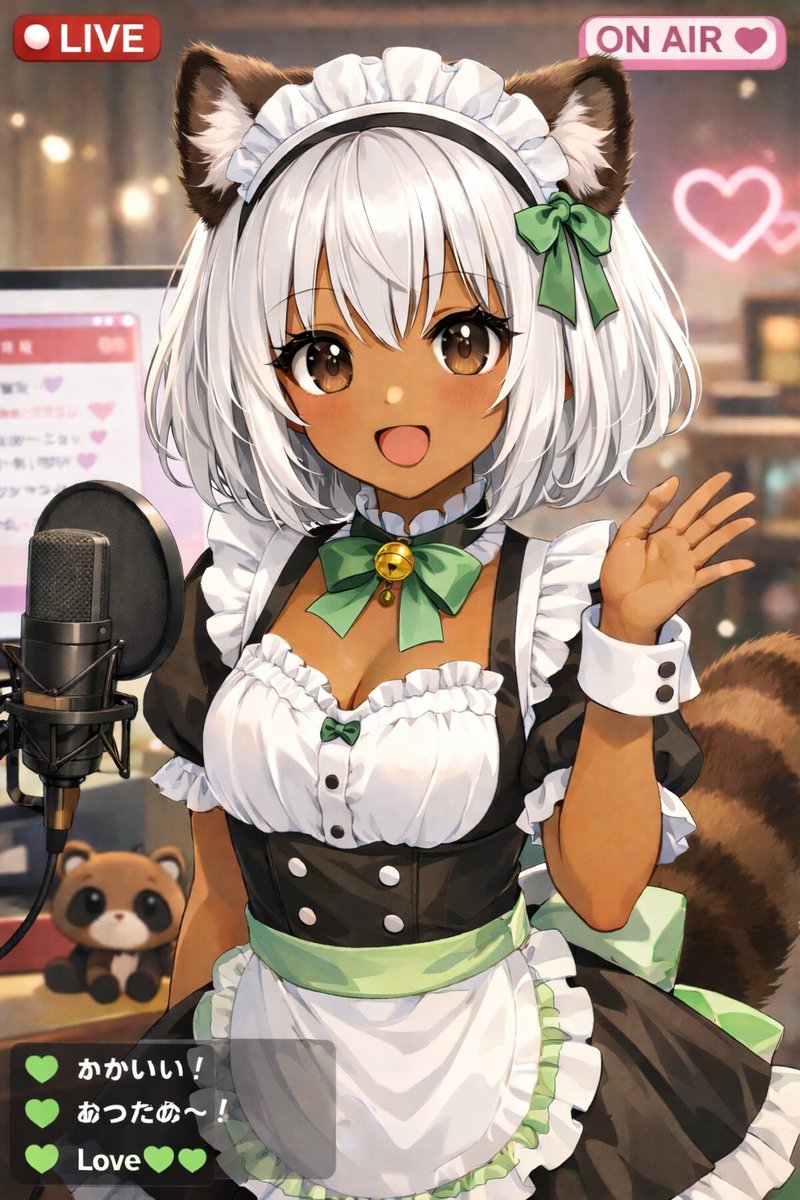
Anime VTuber Live Stream Overlay
Generates an anime-style illustration of a VTuber streaming with UI overlays like LIVE badges and a chat box.
This is a gpt-image-2 prompt case for 动漫游戏. Use the copy-ready prompt below to generate similar visuals, and review YouMind OpenLab awesome-gpt-image-2 attribution plus commercial-use rights before reuse.
Prompt
Copy-ready prompt
A cute anime-style picture{argument name="animal type" default="Tanuki"} -Illustration of a female VTuber's live stream. She has dark skin, a short white bob, fluffy brown animal ears, large brown eyes, and a fluffy striped tail. She is smiling happily, waving her left hand at the camera. She wears a black and white maid outfit with ruffles, a white apron with a light green belt, and a green ribbon collar with gold bells. The background is a warm, softly lit room with dappled lighting, and a glowing pink neon heart hangs on the wall. To her left is a professional black studio microphone on a stand, behind which is a computer monitor displaying a pink chat interface. Next to the microphone on the table is a small {argument name="plushie type" default="Tanuki doll"} The image contains a live UI overlay, consisting of three separate components: the top left corner has a text that reads "{argument name="top left badge" default="LIVE"} The red badge has a heart icon in the upper right corner and the words "...".{argument name="top right badge" default="ON AIR"} The badge is pink, and in the lower left corner is a semi-transparent dark gray chat box containing three messages. The first message has a green heart and the text "Cute!", the second has a green heart and the text "Warm~!", and the third reads "...".{argument name="chat message" default="Love"} It is accompanied by two green hearts.Prompt variables
Editable argument placeholders found in the prompt, with their default values.
More cases in this category
Prioritized by category, input mode compatibility, quality, and lower risk.






Reuse and source notes
Use this prompt safely after previewing the case.
- 1.Copy the prompt or open it directly in Dovoo with the generation button.
- 2.Adjust variables, aspect ratio, and reference images for your own use case.
- 3.Before publishing or paid usage, verify source rights, attribution requirements, and brand or likeness risks.
Can I use this prompt commercially?
Commercial-use status is unknown. Review the original source, license, brand constraints, and legal requirements before paid usage.
Where does this case come from?
This case is imported from YouMind OpenLab awesome-gpt-image-2; keep attribution visible and check the source URL before reuse.