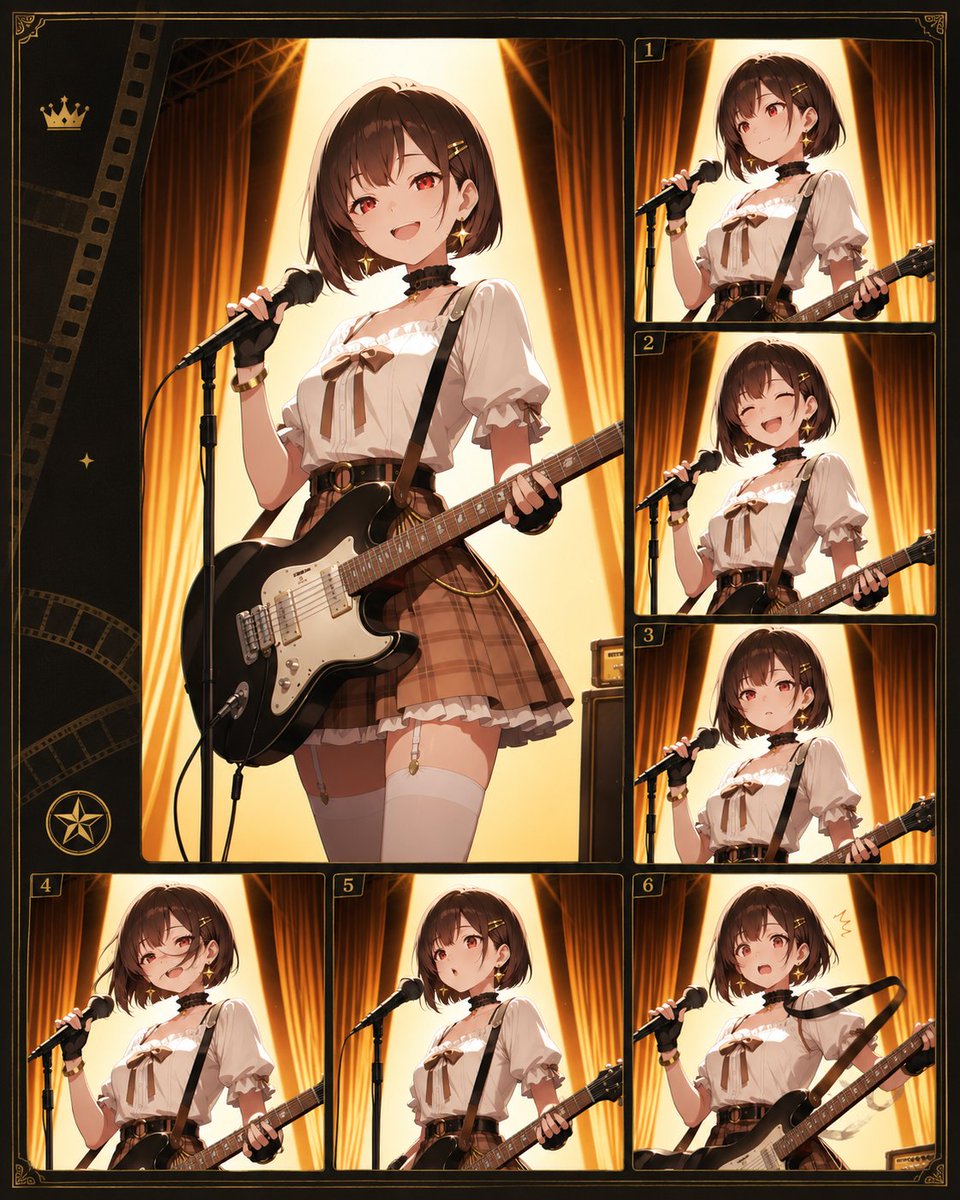
Anime Idol Guitarist Contact Sheet
A structured prompt for generating an ornate anime stage-performance character collage with one large main panel and six numbered thumbnail panels.
This is a gpt-image-2 prompt case for 动漫游戏. Use the copy-ready prompt below to generate similar visuals, and review YouMind OpenLab awesome-gpt-image-2 attribution plus commercial-use rights before reuse.

Prompt
Copy-ready prompt
Objective: To create a gorgeous anime-style character collage concept sheet, showcasing {argument name="character name" default="An anonymous idol guitarist"} The scene depicts a performance on a warm theater stage, with the faces of the characters in each panel softly blurred in a square effect. Canvas: Vertical 4:5 composition, dark retro film-touching photosheet design with thin gold edges, decorative corner patterns, and a black and gold cinematic border. Warm amber, brown, cream, and black tones are used, complemented by glowing stage lighting. Layout: A total of 7 image panels are used: on the left is a large main portrait panel occupying most of the canvas, surrounded by 6 smaller numbered panels. The smaller panels are numbered 1, 2, 3 in gold from top to center in the right column, and 4, 5, 6 in the bottom row. The far left contains decorative film stripes, a small gold crown icon near the upper left corner, a small glitter icon in the center left, and a circular star badge near the lower left corner. Each panel has rounded black borders and delicate gold outlines. Subject details: The same anime girl appears in all 7 panels. She has {argument name="hair color" default="Chestnut brown short bob haircut"} She wore bangs and small hair clips, her face was partially obscured by a blurry square mask, and she had a slender figure, resembling an idol band member. Her attire included a cream-colored puff-sleeved blouse with a ruffled collar and a brown ribbon bow at the chest, a black choker, a black guitar strap, a high-waisted brown plaid pleated skirt, a belt with a round buckle, white knee-high socks, and small gold accessories and a wristband. She was carrying a {argument name="guitar color" default="Gloss black electric guitar with white pickguard"} She sings into a black microphone mounted on a stand. Panel Quantity and Content: The large panel 1 on the left shows a three-quarters full-body pose, with the microphone in her left hand and the guitar across her waist, displaying a confident stage presence. Panel 2 in the upper right corner shows a closer, upper-waisted singing pose, with the guitar neck extending to the right. Panel 3 in the middle right corner shows a similar upper-waisted pose, with the microphone pointed at her mouth. Panel 4 in the lower right center shows the character positioned slightly lower in the frame, against a warm backdrop. The small panel 5 in the lower left corner shows a close-up of the microphone and guitar body. The small panel 6 in the bottom center shows a pose centered around the microphone stand and guitar neck. The small panel 7 in the lower right corner (labeled 6) shows a more dynamic pose, with the guitar held diagonally upwards and a small hand-drawn gesture mark near her head. Background and Lighting: Each panel shows the same stage setup: a tall, gold-orange backdrop, dark stage equipment, and bright triangular spotlights behind the performer, creating a halo-like backlighting effect. Use dramatic rim lighting, glossy highlights like a guitar, cinematic shadows, and exquisite anime illustration details. Constraints: Keep the composition a refined character reference/contact print, not a real photograph. Maintain 6 numbered thumbnail labels and one large unnumbered main panel. Do not add any additional characters, text, logos, watermarks, or readable titles except for the small gold numbers.Prompt variables
Editable argument placeholders found in the prompt, with their default values.
More cases in this category
Prioritized by category, input mode compatibility, quality, and lower risk.






Reuse and source notes
Use this prompt safely after previewing the case.
- 1.Copy the prompt or open it directly in Dovoo with the generation button.
- 2.Adjust variables, aspect ratio, and reference images for your own use case.
- 3.Before publishing or paid usage, verify source rights, attribution requirements, and brand or likeness risks.
Can I use this prompt commercially?
Commercial-use status is unknown. Review the original source, license, brand constraints, and legal requirements before paid usage.
Where does this case come from?
This case is imported from YouMind OpenLab awesome-gpt-image-2; keep attribution visible and check the source URL before reuse.