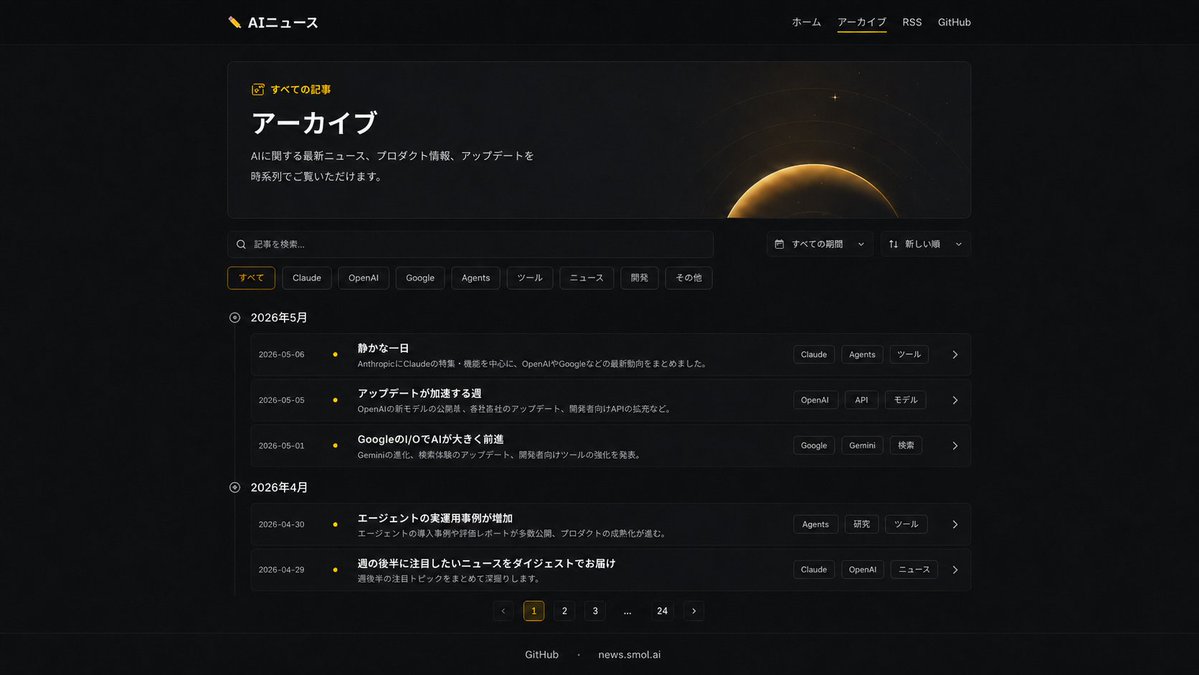
Dark AI News Archive Redesign
Generates a modern dark-mode Japanese archive page redesign from an existing AI news website UI.
This is a gpt-image-2 prompt case for 其他灵感. Use the copy-ready prompt below to generate similar visuals, and review YouMind OpenLab awesome-gpt-image-2 attribution plus commercial-use rights before reuse.

Prompt
Copy-ready prompt
Using REFERENCE_0 and REFERENCE_1 as design references for the existing dark AI news website, a completely refreshed archive page UI was created while maintaining consistency in branding, Japanese typography, dark theme, logo, top navigation, and footer labeling. The currently active top navigation item was set to {argument name="active navigation" default="アーカイブ"} And add a subtle yellow underline. Replace the simple list layout with a sophisticated, modern archive interface: add a large Hero card with a border, titled {argument name="page title" default="アーカイブ"} It is labeled with a small yellow icon.{argument name="eyebrow label" default="All articles"} Add a brief introductory text and a decorative gold eclipse/planetary glowing graphic to the right of the Hero card. Below, add a search bar and two compact dropdown menus for selecting time periods and sorting methods. Add eight category filter tags: すべて (subete), Claude, OpenAI, Google, Agents, ツール (taught), ニュース (news), 研究 (research), and その他 (other), highlighting "すべて" in yellow. Convert the article list to a timeline grouped by month, with two monthly sections: May 2026 with three rows of articles, and April 2026 with two rows. Each row should display the date, a small yellow timeline dot, a bold Japanese article title, a single-line summary, three tag blocks on the right, and an arrow icon. Use article titles visible in the references where appropriate, and supplement with additional titles similar to those on archive pages. Add a pagination control at the bottom, containing six elements: a previous page arrow, highlighted numbers 1, 2, 3, an ellipsis, 24, and a next page arrow. Keep the page centered and utilize ample spacing, thin borders, subtle gradients, glass-like cards, and perfect rendering of Japanese text.Prompt variables
Editable argument placeholders found in the prompt, with their default values.
Variable
active navigation
Default
アーカイブ
Variable
page title
Default
アーカイブ
Variable
eyebrow label
Default
All articles
More cases in this category
Prioritized by category, input mode compatibility, quality, and lower risk.

Premium Sports Editorial Poster
Text to Imageunknown

Hand-Drawn Sketch Photo Annotation
Text to Imageunknown

Vintage Film Projection Portrait
Image to Imageunknown

Cosmic Big Bang Snooze Comic
Text to Imageunknown

Hyper Realistic FIFA Football Poster
Text to Imageunknown

Direct Flash Editorial Portrait
Text to Imageunknown
Reuse and source notes
Use this prompt safely after previewing the case.
- 1.Copy the prompt or open it directly in Dovoo with the generation button.
- 2.Adjust variables, aspect ratio, and reference images for your own use case.
- 3.Before publishing or paid usage, verify source rights, attribution requirements, and brand or likeness risks.
Can I use this prompt commercially?
Commercial-use status is unknown. Review the original source, license, brand constraints, and legal requirements before paid usage.
Where does this case come from?
This case is imported from YouMind OpenLab awesome-gpt-image-2; keep attribution visible and check the source URL before reuse.