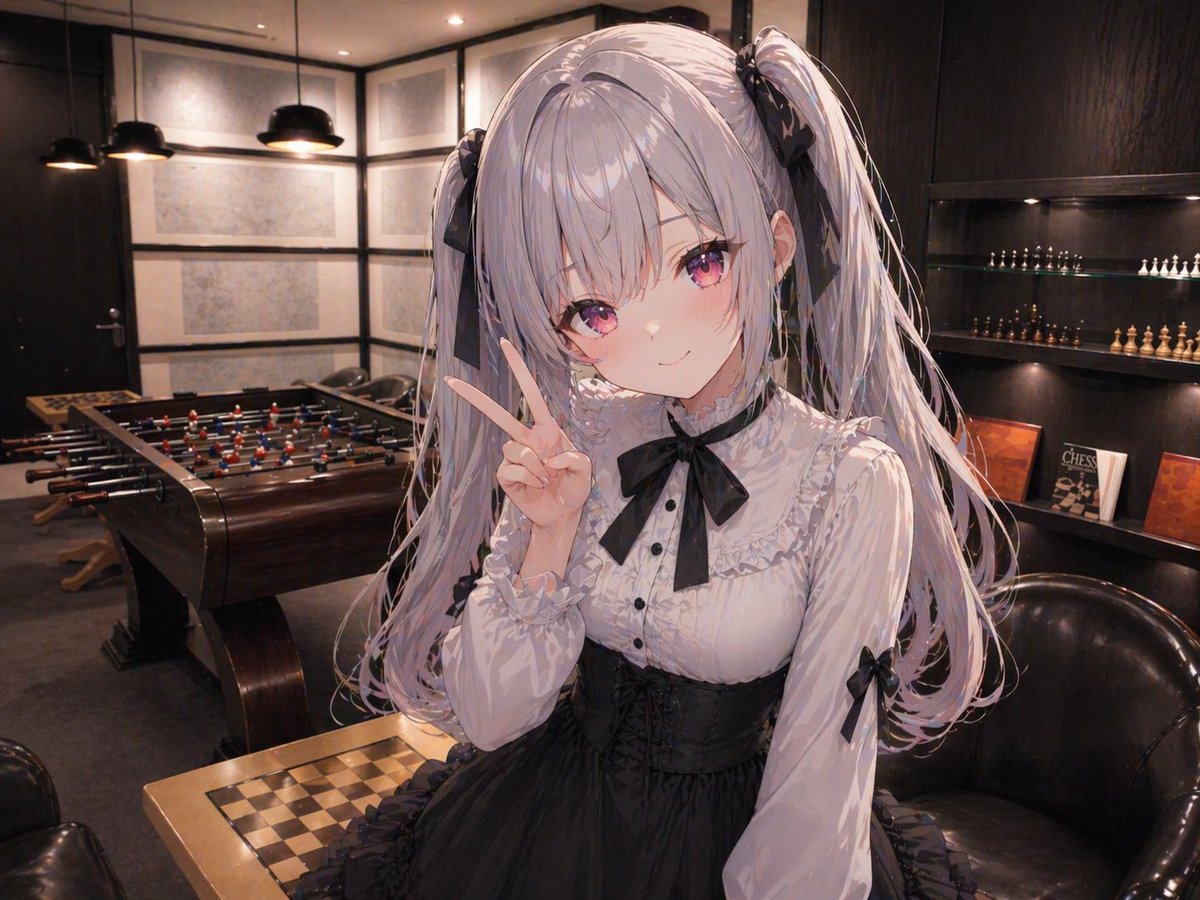
Add Anime Girl to Reference Lounge
This prompt places a large anime girl character into a supplied real interior background while preserving the original room composition for character compositing tests or background-reference experiments.
This is a gpt-image-2 prompt case for 人像角色. Use the copy-ready prompt below to generate similar visuals, and review YouMind OpenLab awesome-gpt-image-2 attribution plus commercial-use rights before reuse.

Prompt
Copy-ready prompt
Using the provided reference image as a precise background base, maintain the same modern upscale lounge/game room interior environment, preserving the room layout, perspective, lighting atmosphere, foosball table, chess table, shelves, chandeliers, and chairs. Add a large anime-style girl in the foreground, positioned slightly to the right, occupying most of the frame from the thigh up, and naturally composited into the scene with correct perspective and soft ambient lighting matching the room. She should have {argument name="hair color" default="silver-purple"} She has long twin ponytails tied with black ribbons, wears a black and white Gothic Lolita dress, paired with a ruffled white blouse, a black bow at the neckline, a black belt, and ribbon decorations on the cuffs, and makes a peace sign with one hand next to her face. She is rendered in a refined modern anime illustration style, showcasing delicate hair strands and fabric folds while maintaining a realistic background. A simple square mosaic/masking block covers her face in the center of her head area. The camera angle is kept close to the original room perspective, making the added character appear naturally positioned in front of the chessboard and armchair.Prompt variables
Editable argument placeholders found in the prompt, with their default values.
More cases in this category
Prioritized by category, input mode compatibility, quality, and lower risk.






Reuse and source notes
Use this prompt safely after previewing the case.
- 1.Copy the prompt or open it directly in Dovoo with the generation button.
- 2.Adjust variables, aspect ratio, and reference images for your own use case.
- 3.Before publishing or paid usage, verify source rights, attribution requirements, and brand or likeness risks.
Can I use this prompt commercially?
Commercial-use status is unknown. Review the original source, license, brand constraints, and legal requirements before paid usage.
Where does this case come from?
This case is imported from YouMind OpenLab awesome-gpt-image-2; keep attribution visible and check the source URL before reuse.