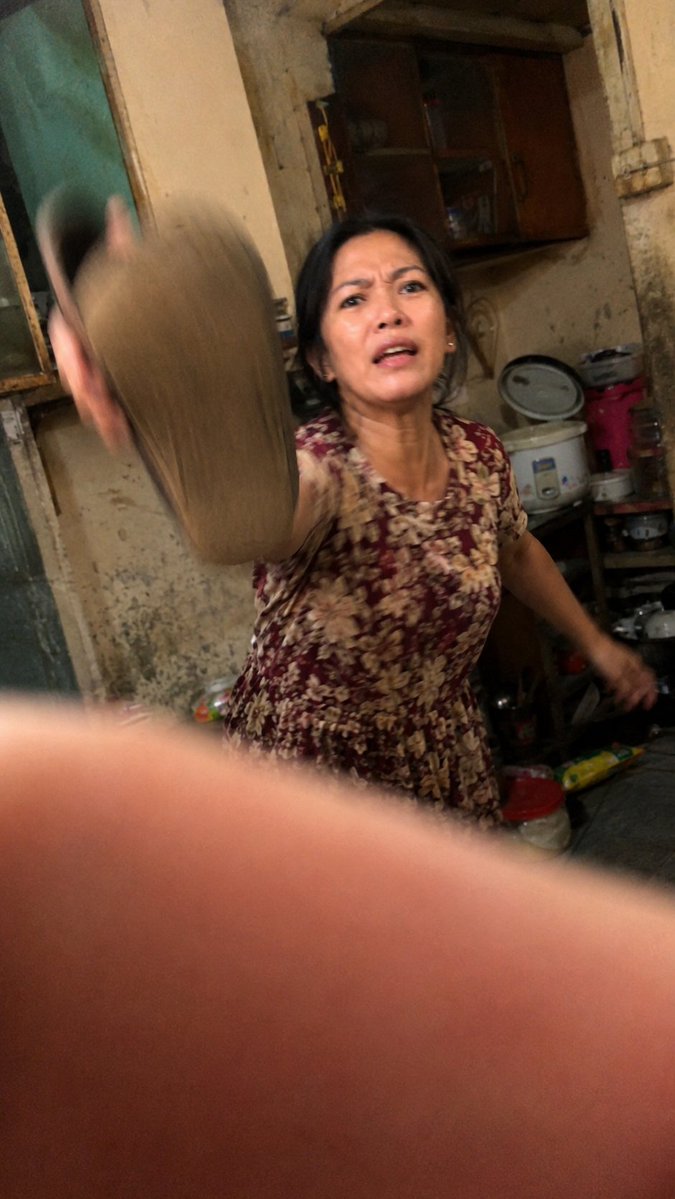
Accidental Kitchen Candid Realism
Generates a raw low-end smartphone-style candid scene with motion blur, awkward framing, and imperfect domestic realism.
This is a gpt-image-2 prompt case for 其他灵感. Use the copy-ready prompt below to generate similar visuals, and review YouMind OpenLab awesome-gpt-image-2 attribution plus commercial-use rights before reuse.
Prompt
Copy-ready prompt
Create a hyper-realistic snapshot, simulating the effect of taking a photo with a low-end Android phone in a narrow, old, and cluttered kitchen at night. The image should convey a sense of a poorly timed snapshot: tilted composition, glaring warm indoor light, high ISO noise, compression artifacts, imperfect autofocus, motion blur, and a large, out-of-focus finger partially obscuring the lower half of the lens. On the right side of the image, show {argument name="subject" default="An elderly woman"} She was wearing{argument name="dress pattern" default="A burgundy floral short-sleeved lounge dress"} He was in the middle of an action, violently waving his arms at the camera.{argument name="object being swung" default="A slipper or sandal"} The waving object is positioned very close to the left of the frame, with a strong motion blur. Her face is obscured by a simple rectangular blur/mosaic, but her body is visible. The background is a dilapidated home kitchen with beige, stained, and peeling paint walls, a dark wooden cabinet, an old window or door frame on the left, a rice cooker, stacked pots and pans, plastic containers, a red bucket, cluttered shelves, and scattered household items. The composition is meant to appear awkward and imperfect, as if the photographer captured this moment in a moment of panic. The image is slightly rotated, unevenly exposed, softly focused, and has a rough texture, creating a raw, documentary-like realism. Please use a vertical smartphone aspect ratio.{argument name="aspect ratio" default="9:16"} .Prompt variables
Editable argument placeholders found in the prompt, with their default values.
More cases in this category
Prioritized by category, input mode compatibility, quality, and lower risk.






Reuse and source notes
Use this prompt safely after previewing the case.
- 1.Copy the prompt or open it directly in Dovoo with the generation button.
- 2.Adjust variables, aspect ratio, and reference images for your own use case.
- 3.Before publishing or paid usage, verify source rights, attribution requirements, and brand or likeness risks.
Can I use this prompt commercially?
Commercial-use status is unknown. Review the original source, license, brand constraints, and legal requirements before paid usage.
Where does this case come from?
This case is imported from YouMind OpenLab awesome-gpt-image-2; keep attribution visible and check the source URL before reuse.