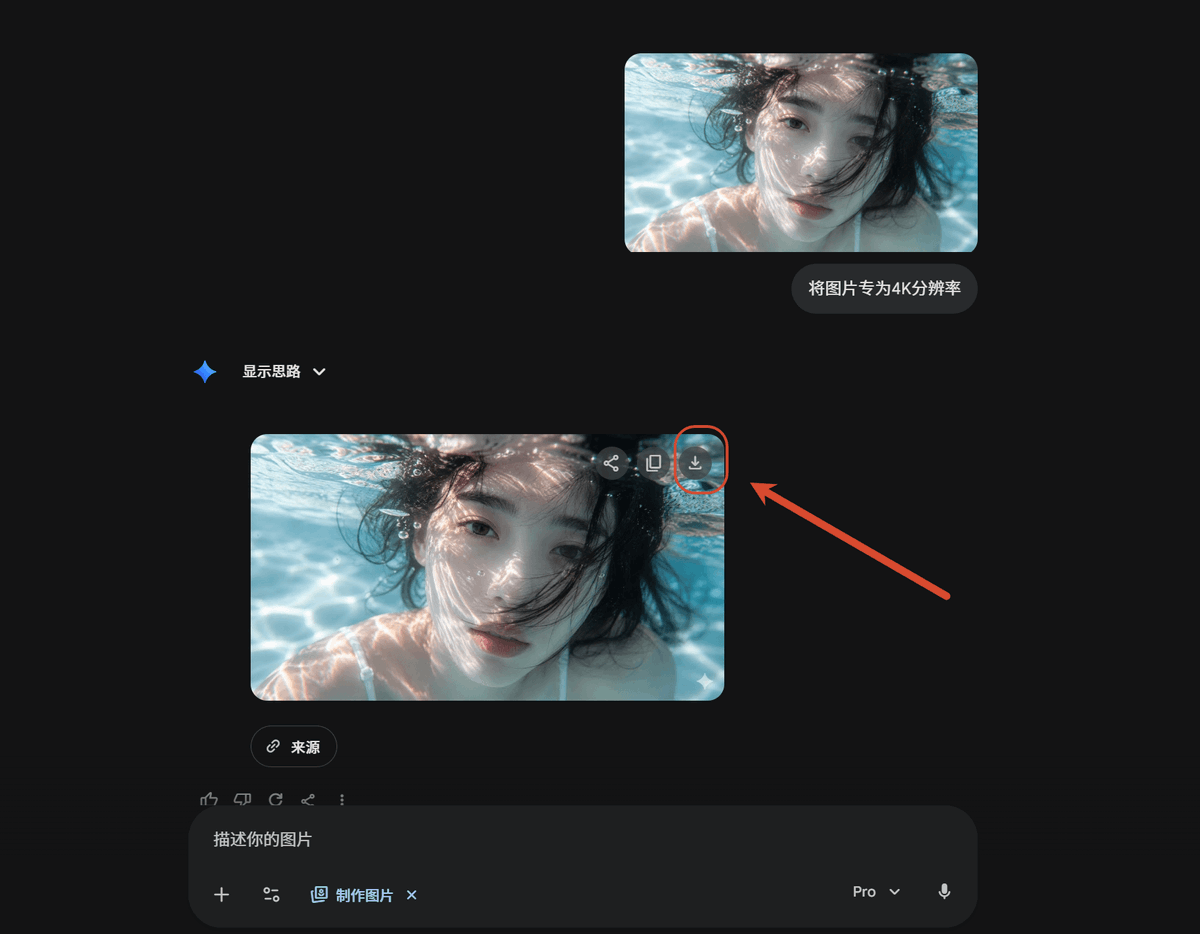
Dark AI Chat 4K Upscale Tutorial
Creates a dark-mode AI chat tutorial screenshot showing an uploaded image transformed into a 4K result with the download button highlighted.
This is a gpt-image-2 prompt case for 其他灵感. Use the copy-ready prompt below to generate similar visuals, and review YouMind OpenLab awesome-gpt-image-2 attribution plus commercial-use rights before reuse.

Prompt
Copy-ready prompt
以 REFERENCE_0 作为源截图,创建一个简洁的深色模式 AI 聊天界面教程模型,展示同一张水下照片的放大过程。移除参考图中的 Windows 照片应用边框、侧边信息面板、文件名详情及分辨率标注;仅使用水下图片内容作为视觉素材。

布局:在聊天界面中放置 2 个圆角的水下照片预览图:右上角放置 1 个较小的上传图片预览,下方偏左位置放置 1 个较大的生成结果预览。在两个预览图中,保持对人物面部的灰色模糊/遮挡处理。

聊天元素:在上方的预览图旁添加 1 个用户消息气泡,内容为 {argument name="user prompt text" default="将图片转为 4K 分辨率"}。添加 1 个显示为“显示思路”的助手标签,并配以蓝色小火花图标和下拉箭头。在较大的图片预览下方,添加 1 个圆角“来源”按钮。

标注:在较大的生成图片预览的右上角显示下载图标,并用 1 个红色圆圈将其高亮标出。添加 1 个从右侧指向该圆圈下载图标的粗红色箭头。

底部 UI:底部包含一个深色圆角消息输入栏,占位符文字为“描述你的图片”,配有小型附件/工具图标、“制作图片”芯片、{argument name="model label" default="Pro"} 下拉菜单以及麦克风图标。

风格与约束:匹配现代 Gemini/AI 聊天深色主题,保持充足的黑色留白、精致的灰色 UI 控件、圆角设计以及 16:9 的截图比例。请勿添加额外的图片、箭头、标注或说明性文字。
Prompt variables
Editable argument placeholders found in the prompt, with their default values.
More cases in this category
Prioritized by category, input mode compatibility, quality, and lower risk.






Reuse and source notes
Use this prompt safely after previewing the case.
- 1.Copy the prompt or open it directly in Dovoo with the generation button.
- 2.Adjust variables, aspect ratio, and reference images for your own use case.
- 3.Before publishing or paid usage, verify source rights, attribution requirements, and brand or likeness risks.
Can I use this prompt commercially?
Commercial-use status is unknown. Review the original source, license, brand constraints, and legal requirements before paid usage.
Where does this case come from?
This case is imported from YouMind OpenLab awesome-gpt-image-2; keep attribution visible and check the source URL before reuse.