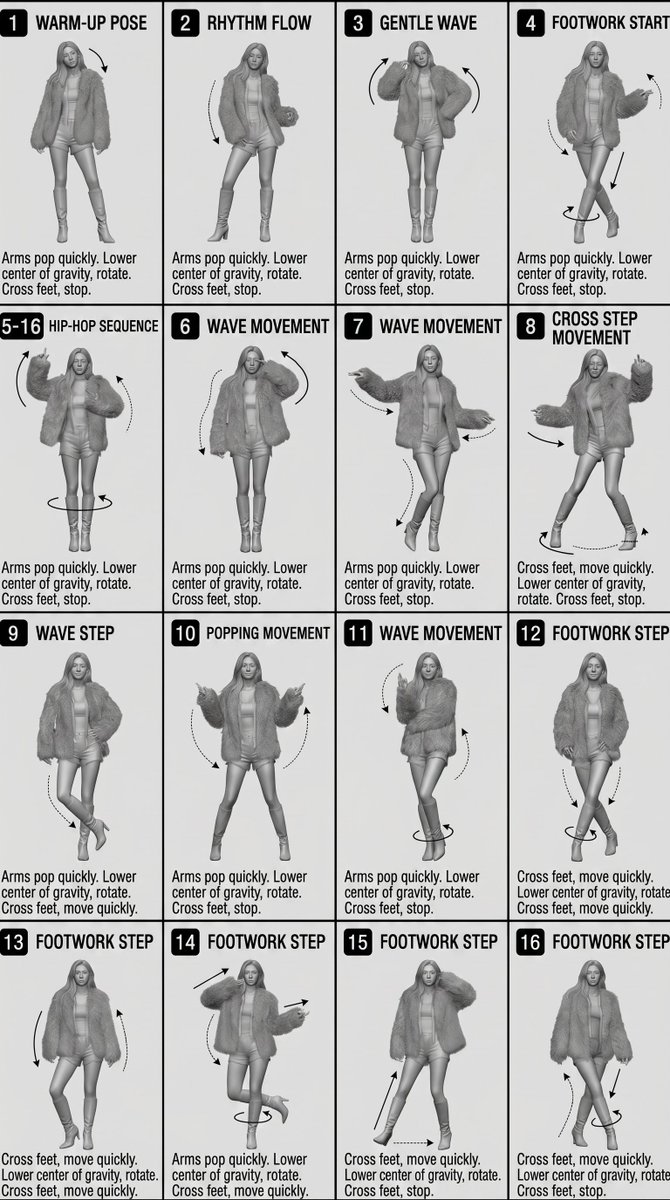
3D Technical Reference Sheet
A complex technical diagram prompt for creating a monochrome 4x4 character sheet with motion indicators and numbered panels.
This is a gpt-image-2 prompt case for Anime & Game. Use the copy-ready prompt below to generate similar visuals, and review YouMind OpenLab awesome-gpt-image-2 attribution plus commercial-use rights before reuse.
Prompt
Copy-ready prompt
[Style] Monochrome grayscale illustration, 3D rendered characters, simple.{argument name="sheet type" default="Teaching Reference Table"} White background, comic-style cell grid layout, technical graphic aesthetics. [Layout]{argument name="grid layout" default="4×4 grid layout"} There are 16 panels in total. Each panel is separated by a thin black border. Cells are numbered from 1 to 16, and the panel size is consistent. [Character] image1 (The same character remains consistent across all panels) [Panel Structure – Each Cell] Top left corner: Bold number badge +{argument name="text content" default="English title text"} Center: Full-body character pose illustration. Bottom left: English descriptive text (3–4 lines). Overlay: Arrows indicating movement direction [Arrows/Action Indicators] Curved arrows, straight arrows, and circular rotating indicators placed around the character to show the flow and direction of movement. [Rendering Style] Highly detailed 3D sculpted style, soft studio lighting, delicate shadows, achromatic color scheme, grayscale shading, clean lines, game concept art quality. [Negative Notes] No background scene, no color tone, no additional characters, no complex background.Prompt variables
Editable argument placeholders found in the prompt, with their default values.
Variable
sheet type
Default
Teaching Reference Table
Variable
grid layout
Default
4×4 grid layout
Variable
text content
Default
English title text
Reuse and source notes
Use this prompt safely after previewing the case.
- 1.Copy the prompt or open it directly in Dovoo with the generation button.
- 2.Adjust variables, aspect ratio, and reference images for your own use case.
- 3.Before publishing or paid usage, verify source rights, attribution requirements, and brand or likeness risks.
Can I use this prompt commercially?
Commercial-use status is unknown. Review the original source, license, brand constraints, and legal requirements before paid usage.
Where does this case come from?
This case is imported from YouMind OpenLab awesome-gpt-image-2; keep attribution visible and check the source URL before reuse.