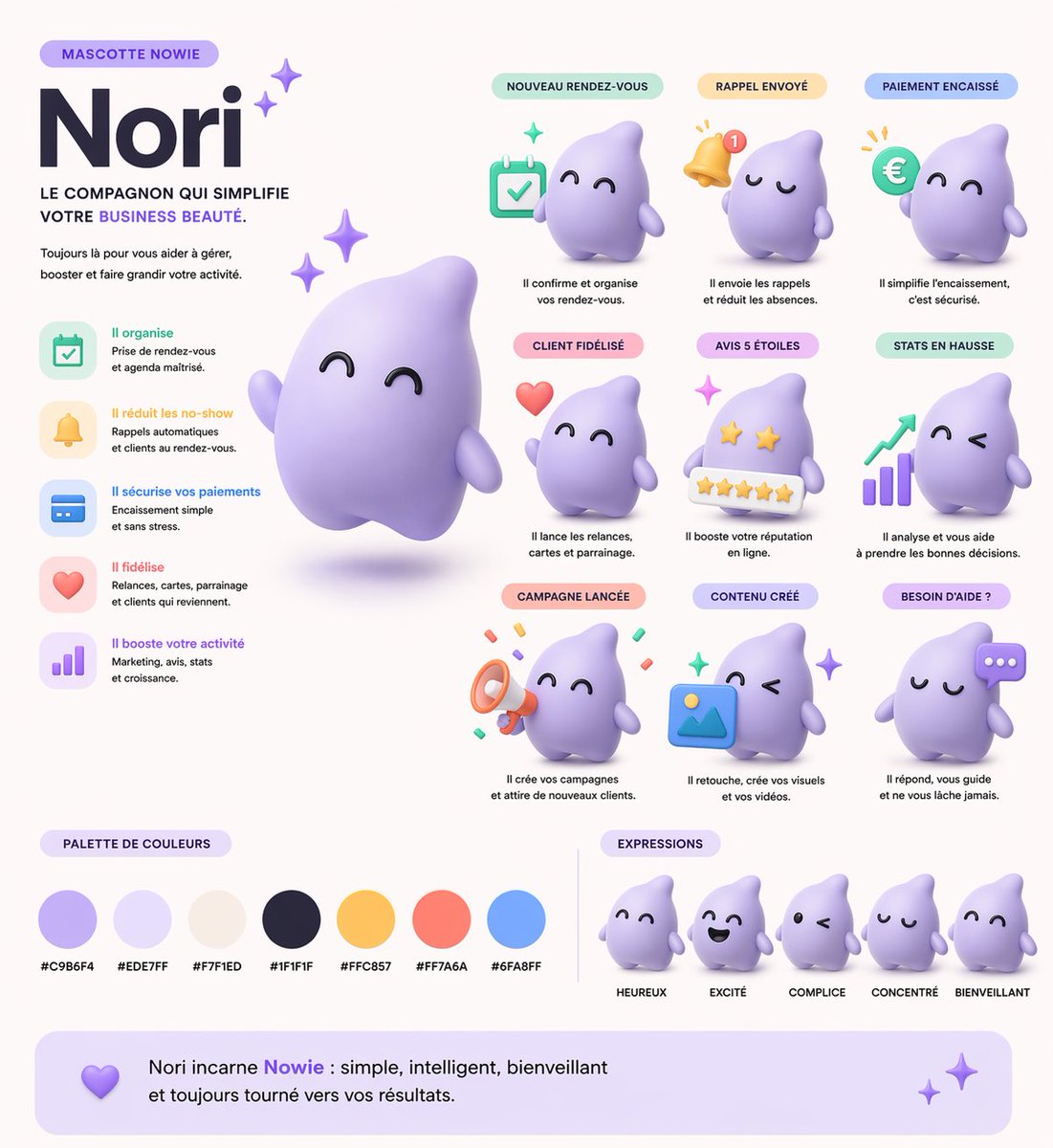
3D SaaS Mascot Brand Guidelines
Generates a comprehensive brand guideline sheet for a 3D mascot, featuring use-case grids, expressions, and color palettes.
This is a gpt-image-2 prompt case for 产品商业. Use the copy-ready prompt below to generate similar visuals, and review YouMind OpenLab awesome-gpt-image-2 attribution plus commercial-use rights before reuse.
Prompt
Copy-ready prompt
{
  "type": "3D Mascot Brand Guide",
  "style": "Soft 3D rendering, stop-motion animation style, smooth UI, and a clean, enterprise-grade SaaS aesthetic.",
  "mascot": {
    "name": "{argument name=\"mascot name\" default=\"Nori\"}",
    "shape": "{argument name=\"mascot shape\" default=\"Soft Water Drop Ghost\"}",
    "color": "{argument name=\"mascot color\" default=\"Soft purple\"}",
    "texture": "Matte plastic, polymer clay texture"
  },
  "layout": {
    "header_left": {
      "tag": "mascot{argument name=\"brand name\" default=\"NOWIE\"}",
      "title": "{argument name=\"mascot name\" default=\"Nori\"}",
      "subtitle": "Let your{argument name=\"business type\" default=\"Beauty business\"} A simpler partner.",
      "main_image": "Large 3D rendering of a mascot floating with a shimmering effect"
    },
    "features_list": {
      "position": "center left",
      "count": 5,
      "items": [
        {
          "icon": "calendar",
          "title": "Highly efficient organization"
        },
        {
          "icon": "bell",
          "title": "Reduce no-shows"
        },
        {
          "icon": "credit card",
          "title": "Ensure payment security"
        },
        {
          "icon": "heart",
          "title": "Improve customer loyalty"
        },
        {
          "icon": "bar chart",
          "title": "Supporting business growth"
        }
      ]
    },
    "use_cases_grid": {
      "position": "Top right to middle right",
      "layout": "3x3 grid",
      "count": 9,
      "items": [
        {
          "label": "New appointment",
          "prop": "calendar"
        },
        {
          "label": "Reminder sent",
          "prop": "notification bell"
        },
        {
          "label": "Payment completed",
          "prop": "euro coin"
        },
        {
          "label": "Customer has been retained",
          "prop": "floating heart"
        },
        {
          "label": "5-star review",
          "prop": "5-star rating bar"
        },
        {
          "label": "Data growth",
          "prop": "bar chart with upward arrow"
        },
        {
          "label": "The event has been announced.",
          "prop": "megaphone"
        },
        {
          "label": "Content has been created",
          "prop": "image placeholder icon"
        },
        {
          "label": "Need help?",
          "prop": "chat bubble"
        }
      ]
    },
    "color_palette": {
      "title": "Color scheme",
      "position": "Bottom left",
      "count": 7,
      "swatches": [
        "#C9B6F4",
        "#EDE7FF",
        "#F7F1ED",
        "#1F1F1F",
        "#FFC857",
        "#FF7A6A",
        "#6FA8FF"
      ]
    },
    "expressions": {
      "title": "expression",
      "position": "Bottom right",
      "count": 5,
      "labels": [
        "happy",
        "excited",
        "tacit agreement",
        "Focus",
        "friendly"
      ]
    },
    "footer": {
      "text": "{argument name=\"mascot name\" default=\"Nori\"} yes{argument name=\"brand name\" default=\"Nowie\"} The embodiment of simplicity, intelligence, and friendliness, always dedicated to bringing you results."
    }
  }
}
Prompt variables
Editable argument placeholders found in the prompt, with their default values.
More cases in this category
Prioritized by category, input mode compatibility, quality, and lower risk.






Reuse and source notes
Use this prompt safely after previewing the case.
- 1.Copy the prompt or open it directly in Dovoo with the generation button.
- 2.Adjust variables, aspect ratio, and reference images for your own use case.
- 3.Before publishing or paid usage, verify source rights, attribution requirements, and brand or likeness risks.
Can I use this prompt commercially?
Commercial-use status is unknown. Review the original source, license, brand constraints, and legal requirements before paid usage.
Where does this case come from?
This case is imported from YouMind OpenLab awesome-gpt-image-2; keep attribution visible and check the source URL before reuse.