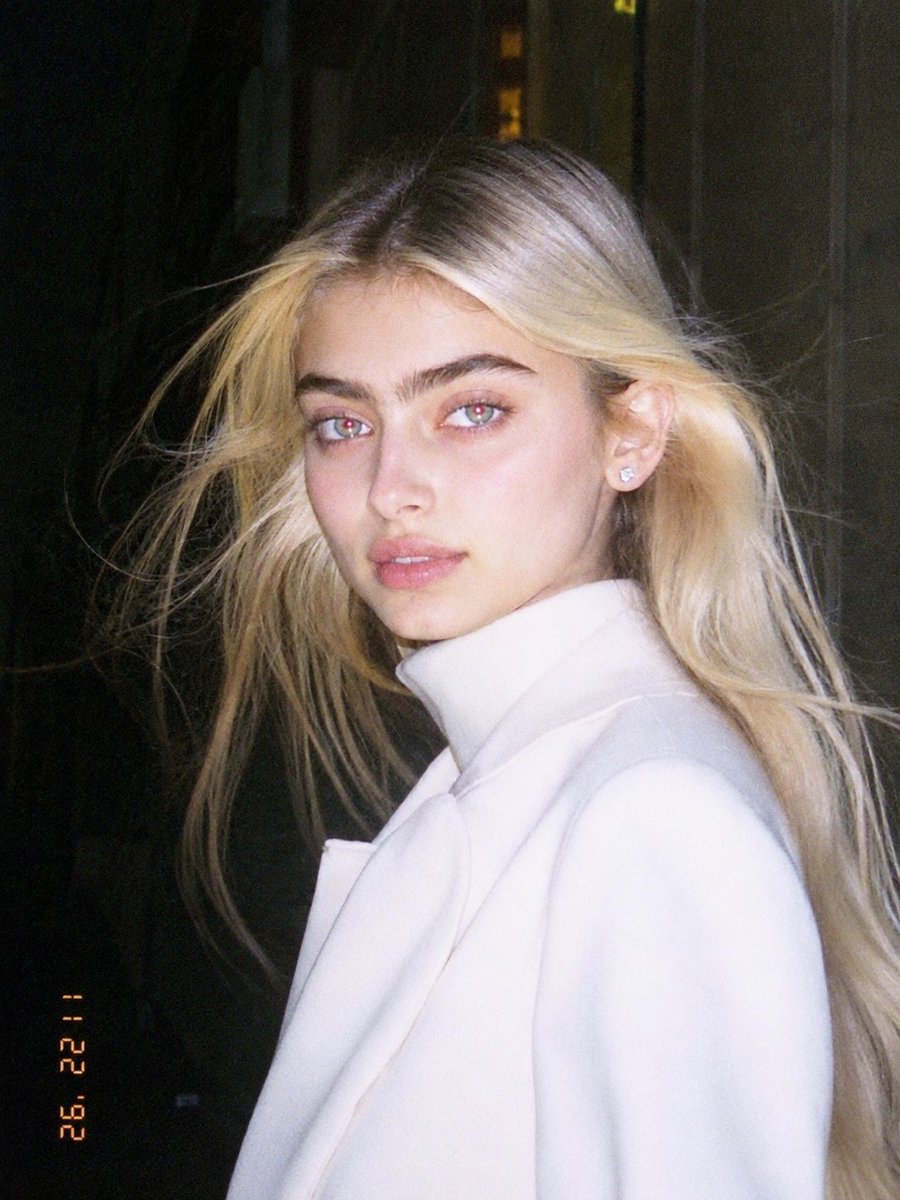
1990s Flash Camera Snapshot Portrait
A prompt template to transform any photo into an authentic early 1990s digital camera snapshot, complete with harsh flash and vintage timestamps.
This is a gpt-image-2 prompt case for 人像角色. Use the copy-ready prompt below to generate similar visuals, and review YouMind OpenLab awesome-gpt-image-2 attribution plus commercial-use rights before reuse.

Prompt
Copy-ready prompt
Please use the uploaded image as the primary reference. Transform the uploaded photo into a realistic candid portrait with the aesthetic of early 1990s digital cameras. Preserve the subject's identity, facial features, pose, clothing, and overall composition, but reshape the image using strong flash highlights, slight red-eye effect, low resolution, raw candid imperfections, a nostalgic flash filter style, and a vintage timestamp look. The final image should have a casual, imperfect, and authentic feel, like a retro party or personal snapshot taken with an early consumer digital camera. Keep the background dark or naturally soft where appropriate, maintain the visual effect of direct flash, and give the image a raw, unretouched, and nostalgic atmosphere. Includes: - Strong direct camera flash - Overexposure or highlight clipping - Slight red-eye effect - Low resolution/soft digital detail - Slight graininess or noise texture - Authentic retro candid feel - Vintage date/timestamp aesthetics at the edges - Casual, natural, imperfect energy Avoid: - Cartoon or anime style - Overly retouched beauty filters - Studio lighting - Ultra-sharp modern DSLR visuals - Smooth AI skin - Overlays of text, logos, watermarks, or graphics other than timestamps - Anatomical distortion or identity alteration Set aspect ratio to 3:4
More cases in this category
Prioritized by category, input mode compatibility, quality, and lower risk.

Vintage Film Projection Portrait
Image to Imageunknown

Direct Flash Editorial Portrait
Text to Imageunknown

Premium Sports Editorial Poster
Text to Imageunknown

Hyper Realistic FIFA Football Poster
Text to Imageunknown

Cosmic Big Bang Snooze Comic
Text to Imageunknown

Hand-Drawn Sketch Photo Annotation
Text to Imageunknown
Reuse and source notes
Use this prompt safely after previewing the case.
- 1.Copy the prompt or open it directly in Dovoo with the generation button.
- 2.Adjust variables, aspect ratio, and reference images for your own use case.
- 3.Before publishing or paid usage, verify source rights, attribution requirements, and brand or likeness risks.
Can I use this prompt commercially?
Commercial-use status is unknown. Review the original source, license, brand constraints, and legal requirements before paid usage.
Where does this case come from?
This case is imported from YouMind OpenLab awesome-gpt-image-2; keep attribution visible and check the source URL before reuse.